WordPress Vulnerability Triage for Agencies: Building a Patch SLA That Beats the Exploit Window
In July 2026, attackers were exploiting a WordPress core flaw roughly ninety minutes after the fix was published. Almost half of the vulnerabilities disclosed in the ecosystem have no patch on the day they become public. "Keep everything updated" is not a policy that survives either fact. This is a triage playbook: how to decide which client sites you touch in the next four hours, which wait for the maintenance window, what to do when there is nothing to install, and how to prove any of it happened.

Written by Artur BurkaloFor over a decade, Artur has worked with agencies, run his own agency, and developed WordPress themes and plugins, including Destiny Elements.
Posted 28 July 2026
Ninety minutes, not thirty days
On 17 July 2026 the WordPress project shipped 7.0.2, described in the release note as fixing "one critical and one high severity security issue", with 6.9.5 and 6.8.6 backports alongside it. The two issues were a SQL injection in the author__not_in parameter of WP_Query (CVE-2026-60137) and a REST API batch route confusion bug (CVE-2026-63030). Chained, they gave an unauthenticated attacker remote code execution against a default install. The WordPress security team enabled forced updates through the auto-update system for affected versions.
Patchstack, which was watching the traffic, recorded the first real exploitation attempts about ninety minutes after the release, and more than 65,000 attempts from over 1,500 unique IP addresses in the days that followed. Four days later attackers had moved to delivery techniques designed to slip past the first wave of filtering rules.
| When | What happened |
|---|---|
| 17 July 2026 | WordPress 7.0.2 ships, with 6.9.5 and 6.8.6 backports. Two CVEs are named in the release note. |
| ~90 minutes later | The first real exploitation attempts against the newly published chain are observed. |
| 18 to 19 July 2026 | Public proof-of-concept exploits multiply. Backdoor administrator accounts appear on unpatched sites. |
| 21 July 2026 | Both CVEs are added to the CISA Known Exploited Vulnerabilities catalogue. |
| 24 July 2026 | The federal remediation deadline for the remote code execution half of the chain falls due, three days after listing. |
That last row is worth sitting with. When CISA added the pair to the Known Exploited Vulnerabilities catalogue on 21 July, the remediation date it attached to the remote code execution half was 24 July, three days later, under Binding Operational Directive 26-04. US federal agencies do not usually move faster than a competent web agency. If they were given three days, a monthly patch cycle is not a defensible answer.
This was not an unlucky month. Patchstack's State of WordPress Security in 2026, published in February 2026, counted 11,334 new vulnerabilities in the ecosystem during 2025, a 42% rise on the year before. 91% of them were in plugins and 9% in themes. Only six were in core, all low risk, which makes July's core chain the exception that proves where the everyday risk actually lives: in the thirty or forty third-party components sitting on each client site.
How quickly heavily targeted WordPress vulnerabilities get attacked after disclosure
The weighted median time to first exploitation is five hours. Most agency maintenance windows are longer than that.
The uncomfortable arithmetic
If you manage 40 client sites and your policy is "we apply updates every Tuesday", then for a mass-exploited vulnerability disclosed on a Wednesday morning your real exposure is six days, against a five hour median time to first attack. The policy is not slightly wrong. It is off by two orders of magnitude, and no amount of care taken on Tuesday closes that gap.
Why a severity score is not a decision
The obvious way to triage is to sort by CVSS score and work down the list. It does not survive contact with WordPress, and the July chain is the clearest demonstration you will find. Both CVEs carry two separate CVSS v3.1 base scores in the National Vulnerability Database, submitted by different scoring sources, and they disagree in opposite directions on the two halves of the same exploit.
| CVE | One scoring source | The other scoring source | Reality |
|---|---|---|---|
| CVE-2026-63030 | 9.8 Critical | 7.5 High | Exploited in the wild within 90 minutes |
| CVE-2026-60137 | 5.9 Medium | 9.1 Critical | Half of a full site takeover chain |
An agency that had filtered its alert feed at "critical only" using the first source would have patched one half of the chain and ignored the other. An agency using the second source would have done the reverse. Neither number was wrong by the rules of the CVSS specification. They were just scoring different things, in isolation, which is exactly what CVSS is designed to do and exactly what attackers do not do.
There are three structural reasons scores mislead in the WordPress ecosystem.
- WordPress privilege levels do not map onto CVSS cleanly. "Privileges required: low" means something very different on a site with open customer registration than on a five-person brochure site where the only accounts are staff. The same score describes an open door and a locked one.
- Scores rank components, not chains. A medium-severity SQL injection that needs a plugin to pass untrusted input is unremarkable on its own. Bolted to a route confusion bug that supplies exactly that input, it becomes remote code execution.
- The distribution is flat. Most disclosures land in the medium band, including many that are not realistically exploitable and some that are being mass-attacked. Sorting by score leaves you with a long, undifferentiated list and no signal about where to start.
The practical fix is not to discard severity. It is to demote it from decision to input, and to add the input it is missing: what an attacker actually needs in order to reach the vulnerable code on this specific client site.
A triage matrix you can actually run
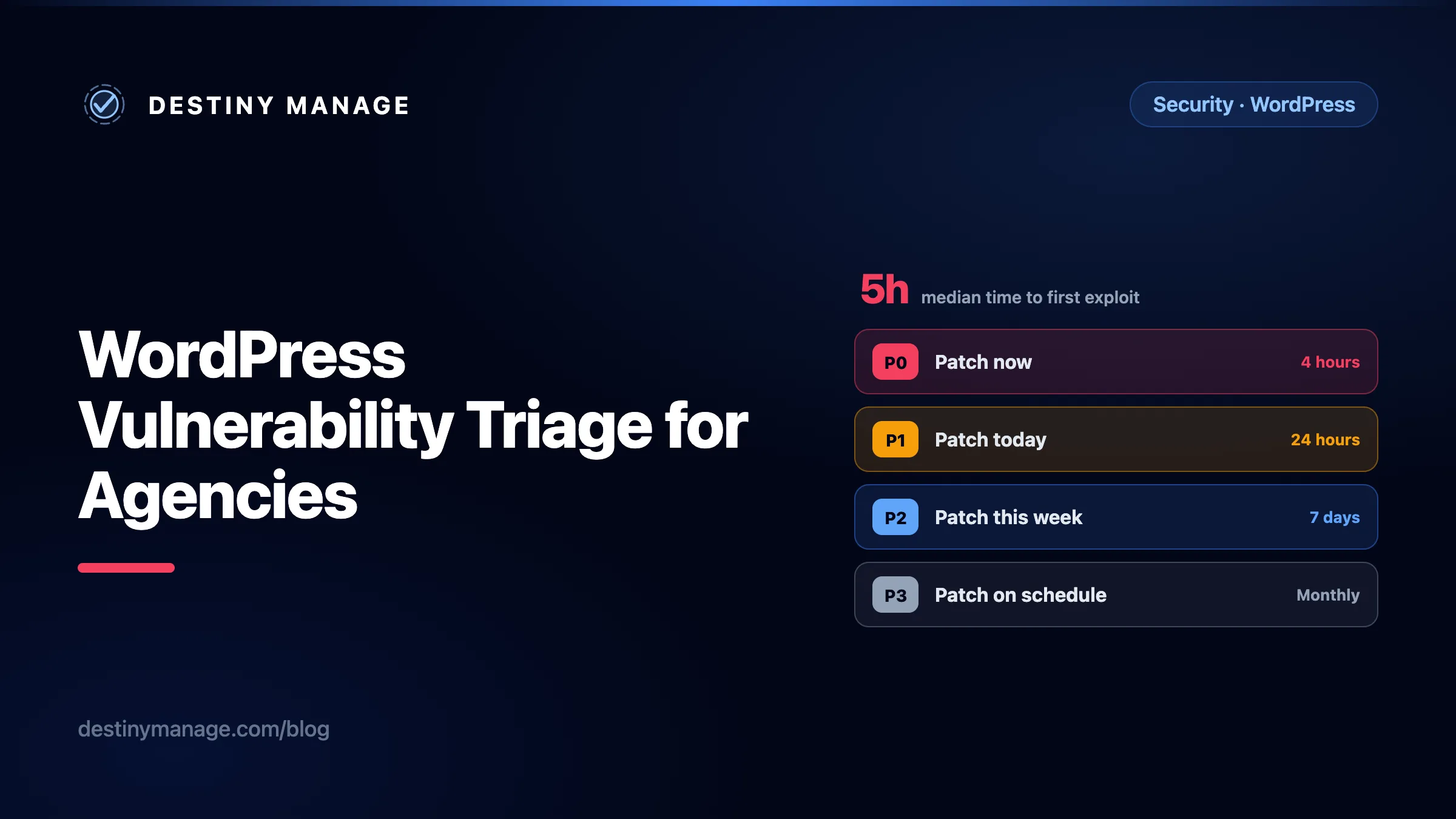
Every incoming vulnerability gets four questions, in this order. They take about ninety seconds per disclosure once the habit is formed, and they produce a response class rather than an opinion.
- Is it being exploited right now? Check the CISA KEV catalogue and your vulnerability feed's exploitation flag. A yes ends the assessment: it is P0. Nothing else in this list can downgrade it.
- What does an attacker need in order to reach it? Unauthenticated, or a specific role? If a role, does this site hand that role to strangers? Open registration, WooCommerce customer accounts, membership plugins, and comment subscriptions all turn "requires subscriber" into "requires nothing".
- Is the vulnerable code path live on the site? An installed but deactivated plugin, or a feature the client never enabled, is a lower-priority cleanup rather than an emergency. Be honest here, because deactivated plugin files are still reachable by direct request in some configurations.
- What does this site actually hold? A checkout with stored customer records, a members area, or a site that is the client's entire sales pipeline all justify moving a class up. A brochure site with a contact form does not.
- When it applies
- Unauthenticated, remotely reachable, and either confirmed exploited in the wild or trivially weaponisable. Anything in the CISA KEV catalogue lands here by default.
- What the agency does
- Wake someone up. Patch or virtually patch every affected site before the maintenance window, then verify. Client notification follows the fix, it does not gate it.
- When it applies
- Unauthenticated but needs a non-default configuration, or authenticated at a privilege level the site actually grants to strangers, such as subscriber on an open-registration or WooCommerce site.
- What the agency does
- Roll out in the next scheduled batch that same day. Sites with open registration or membership go first.
- When it applies
- Requires a privilege level held only by staff, such as contributor, editor, or administrator, and the site has a small, trusted set of logged-in users.
- What the agency does
- Bundle into the normal weekly update run with the usual pre-update snapshot and post-update page verification.
- When it applies
- Administrator-only, requires local access, needs a feature the site does not use, or affects a component that is installed but not active.
- What the agency does
- Normal maintenance. Worth recording so the decision is visible later, but not worth a special deployment.
The clocks matter more than the labels. Pick numbers you can meet with the staff you have, write them into the care plan, and then measure yourself against them. A four hour P0 target that you hit is worth far more than a one hour target you quietly miss. If four hours is not achievable at 2am on a Sunday, say so and price a service that is, or set the target at the start of the next business day and be honest that this is the trade.
Three practical notes. First, P0 work skips the change-approval queue by design, so the care plan needs a standing authorisation for emergency security work, otherwise the fastest path is blocked by an email nobody reads until Monday. Second, the same batching discipline that protects developer focus and care plan margins still applies to P2 and P3: those belong in the weekly run, not in a stream of interruptions. Third, the reason a P0 is survivable at all is that the update itself is reversible. Snapshotting before the change and verifying pages afterwards with automatic rollback is what makes it reasonable to push an urgent update at speed instead of waiting for a window in which someone can watch it by hand.
The 46% problem: when there is no patch
Here is the part almost no maintenance guide addresses. Patchstack found that 46% of vulnerabilities did not have a patch available at the time of disclosure. Roughly one in four was still unpatched thirty days later, and a long tail of them will never be fixed at all because the component has been abandoned.
An update-driven workflow has nothing to say about almost half of its own inbox. If your process is "wait for the update, apply the update", then for those disclosures your process is "wait", and the waiting is invisible to you and to the client. A triage policy needs an explicit branch for this, with five options and a bias toward the ones at the top.
| Option | Use it when | What it costs |
|---|---|---|
| Remove | The component is not load-bearing, or the same job is done by something already installed. Deactivate and delete, then check the site for orphaned shortcodes, blocks, and template calls. | Lowest risk, sometimes a visible change on the site. |
| Replace | A maintained alternative exists. Migrate the data, swap the component in staging, verify the pages that depend on it, then deploy. | Real hours. Estimate it and get approval before starting. |
| Restrict | Cut off the path to the vulnerable code rather than the code itself. Close open registration, drop a role's capability, block the affected REST route or admin-ajax action at the edge, or take the feature offline. | Fast, but it changes behaviour. Write down what you turned off so it gets reviewed later. |
| Virtually patch | Put a rule in front of the site that blocks the exploit request. Useful as a bridge while you build a proper fix, and the only realistic option for a component you cannot remove today. | Depends entirely on rule quality. Broken access control flaws are notoriously hard to filter generically. |
| Accept and monitor | The exposure is genuinely low and every other option costs more than the risk. Record the reasoning, set a review date, and raise the monitoring level on that site. | Only defensible in writing. An accepted risk nobody wrote down is just an unhandled one. |
Two cautions on virtual patching, because it is often sold as the universal answer. Patchstack's 2026 testing found that conventional hosting-level defences blocked only a fraction of WordPress-specific vulnerability attacks in their sample, and the single most exploited category, broken access control, is precisely the category that generic rules struggle with. A request that exploits a missing capability check looks identical to a legitimate one at the network layer. Treat a virtual patch as a bridge with an expiry date, not a destination.
Make "remove" the default, not the last resort
Most agencies discover during this exercise that a meaningful share of installed plugins are doing work nobody has audited in years. Every component you carry is a permanent subscription to somebody else's security practices. The cheapest vulnerability response is the plugin you removed six months ago, which is a good argument for treating the plugin list itself as something the agency curates rather than something that accumulates.
The blind spot WordPress will not show you
When a plugin is closed or removed from the WordPress.org directory, whether for a security issue, a guideline violation, or at the author's request, site owners are not told. The plugin simply stops receiving updates. As Patchstack puts it in its analysis of repository access restrictions and plugin closures, "WordPress core shows closed plugins just as an up-to-date plugin (as they have no new updates available)", and there is no indication on the Site Health screen either.
Read that again in the context of a care plan. Your dashboard shows a green tick. The client's monthly report shows a green tick. The component has been pulled from the directory for a security issue and will never be patched. Nothing in the standard WordPress toolchain will ever tell you, and this is not a rare edge case: closures happen in waves, sometimes dozens or hundreds of plugins in a single day when a shared author account is compromised or a vendor is banned.
The good news is that the WordPress.org API answers this question directly, and it is trivial to automate. Ask the plugin information endpoint about a slug. An open plugin returns its metadata. A closed one returns an error object with a machine-readable reason.
# A plugin that is still in the directory returns normal metadata.
curl -s https://api.wordpress.org/plugins/info/1.0/akismet.json

# A closed plugin returns a structured closure record instead:
curl -s https://api.wordpress.org/plugins/info/1.0/wp-config-file-editor.json

{
  "error": "closed",
  "name": "WP Config File Editor",
  "slug": "wp-config-file-editor",
  "description": "This plugin has been closed as of July 22, 2021 and is not available for download. Reason: Security Issue.",
  "closed": true,
  "closed_date": "2021-07-22",
  "reason": "security-issue",
  "reason_text": "Security Issue"
}
The reason field is the useful part. security-issue means treat every install as an active finding today, regardless of whether a CVE was ever published for it. author-request is a much softer signal, worth a scheduled replacement rather than an emergency. Run this across the distinct plugin slugs on your estate on a schedule, and cross-check anything that returns a closure or a 404 against whether that component was installed from the directory in the first place, since premium and bespoke plugins were never there and will always return "not found".
Pair it with an inventory
This check is only worth as much as the list of slugs you feed it. That is the real argument for keeping a current inventory of every plugin, theme, and version across every client site in one place rather than logging into forty dashboards to assemble one. Destiny Manage keeps that inventory as a by-product of connecting each site for updates and vulnerability monitoring, which is also what lets you answer "which of our clients run this plugin" in seconds rather than in an afternoon.
The first 48 hours: a runbook
When a P0 lands, the failure mode is not usually ignorance. It is five people improvising in a group chat while nobody is sure who is covering which client. Write the sequence down once, before you need it.
- Confirm and classify (0 to 15 minutes). Read the advisory itself, not the summary in a newsletter. Note the affected version range, the fixed version, the privilege required, and whether exploitation is confirmed. Assign the response class.
- Scope the estate (15 to 30 minutes). Which sites run the affected component, at which version? This number, produced quickly and accurately, is the difference between a controlled response and a panic. Sort the affected list by exposure, not alphabetically.
- Name one owner. One person runs the response and holds the list. Everyone else takes assigned sites. Silence about who is doing what is how two people patch the same site and nobody patches the fifth.
- Fix, starting with the most exposed (30 minutes onward). Snapshot, apply, verify the key pages, move on. If there is no patch, run the no-patch decision above and record which option you chose per site, because they will not all be the same.
- Verify, do not assume. Re-query the estate for the fixed version. A queued update, a failed cron, a file-permission problem, or a plugin pinned by a hosting rule will all leave a site behind, and the update log will happily say the job ran.
- Assume breach on anything that was exposed and exploited. For the July core chain, defenders were advised to inspect sites regardless of patch status. Check for administrator accounts nobody recognises, users created in the exposure window, unexpected plugins, PHP files under the uploads directory, unfamiliar scheduled tasks, and modified core files. Patching an already-compromised site locks the attacker's backdoor in behind the fix. An activity log that records who created which user and when turns that from a forensic exercise into a filter.
- Tell the client, once, in writing (within 24 hours). What happened, whether their site was affected, what you did, and what you found. Send it after the fix for a P0, not before. A client who hears about a WordPress vulnerability from the news before hearing from you has learned something about your care plan that no monthly report will undo.
- Write the retrospective while it is fresh (within 48 hours). How long did detection take? Which sites were slowest and why? Which step was manual that should not have been? Put it in the internal knowledge base as an agency runbook the next person can follow, not in a chat thread that scrolls away.
One process detail is worth extracting. Steps 4 and 6 generate real, unplanned, billable-or-not work, and without somewhere to put it that work silently comes out of your margin. Logging emergency security work as tracked requests with time against them is what makes the difference between a care plan that absorbs an incident and one that quietly loses money on it. It also gives you the data for the next pricing conversation.
What to put in the care plan
Most WordPress care plans promise "security updates" and "monitoring" and leave every meaningful term undefined. That is comfortable right up until the week it is not. Four clauses, written plainly, are worth more than a page of reassurance.
- Response times by class, not one number. State the P0, P1, P2, and P3 clocks and what puts a vulnerability into each. A single "we patch within 48 hours" promise is simultaneously too slow for the things that matter and needlessly strict for the things that do not.
- Standing authorisation for emergency security work. Give yourself the explicit right to apply security fixes, disable a compromised component, or take a feature offline without waiting for approval, with a commitment to notify within a stated window afterwards.
- What happens when there is no patch. Say that removal, replacement, or restriction may be required, that it may change site behaviour, and how it is estimated and billed if it is substantial. This is the clause that prevents the awkward conversation in which the client hears "we deleted your booking plugin" for the first time after the fact.
- The boundary. Name what you do not cover: components the client installs themselves, custom code you did not write, abandoned premium plugins the client refuses to replace, and hosting-layer security. Then say what happens when a client declines a recommended removal. Getting that refusal in writing protects both sides.
If you are revisiting the plan anyway, this is a natural moment to look at whether the price matches the obligation, since a genuine P0 commitment is an out-of-hours commitment. The broader maintenance stack behind a modern care plan is the context for that conversation, and the agency SOP that surrounds it is where these clauses turn into a repeatable procedure rather than good intentions.
Proving the work happened
Vulnerability response is the least visible valuable work an agency does. Handled well, the client experiences nothing at all: no downtime, no defacement, no call from their payment processor. The natural consequence is that it looks like nothing happened, which is exactly how a care plan ends up being renegotiated down to "you just click update once a month".
The fix is not to overstate the drama. It is to make the record legible. Four things are worth surfacing to the client, in their own portal, without being asked.
- What was found and when. The vulnerability, the affected component, and the date it appeared on their site's record.
- What was decided. Patched, removed, replaced, restricted, or accepted with a review date. The decisions that were not "install the update" are the ones that demonstrate judgement.
- How long it took. Time from disclosure to resolution, against the target you promised. This is the single most persuasive number in a renewal conversation, and almost nobody reports it.
- What was verified afterwards. Pages checked, rollbacks avoided, and any breach checks performed.
That record is the same one your team needs internally, which is the point: a branded client portal should be a view onto work that already exists, not a second place to retype it. The argument for that is the same one behind why silence costs agencies retention: clients do not churn because you failed, they churn because they could not see that you succeeded.
Where to start this week
Pick the three client sites with the most exposure, list every plugin and theme on them with versions, run the closed-plugin check against those slugs, and write down the four response clocks you can honestly meet. That is an afternoon's work and it will tell you more about your real security posture than any scanner report.
Common questions
How quickly should an agency patch a WordPress vulnerability?
It depends on exposure, not on a single blanket number. For a vulnerability that is confirmed exploited in the wild and reachable without authentication, aim to patch or virtually patch within four hours, because the weighted median time to first exploitation for heavily targeted WordPress vulnerabilities is around five hours. For an unauthenticated issue that is not yet being exploited, 24 hours is a reasonable target. For issues that need a staff-level login, a weekly cycle is proportionate. For administrator-only issues, the normal monthly maintenance run is fine.
What should you do when a WordPress plugin vulnerability has no patch?
Choose one of five responses and record which one: remove the component, replace it with a maintained alternative, restrict access to the vulnerable code path, apply a virtual patch as a temporary bridge, or formally accept the risk with a review date. Removal is the cheapest and most durable answer whenever the component is not genuinely load-bearing. This is not an edge case: Patchstack found 46% of vulnerabilities had no patch available at the time of disclosure.
Does WordPress tell you when a plugin has been removed from the directory?
No. WordPress core displays a closed or removed plugin exactly as it displays an up-to-date one, because no update is available for it, and the Site Health screen does not flag it either. You can detect it yourself by querying the WordPress.org plugin information API for the plugin's slug: a closed plugin returns a JSON object containing "closed": true along with a closed_date and a reason field such as security-issue or author-request.
Is a CVSS score enough to prioritise WordPress patching?
No. CVSS scores a vulnerability in isolation and cannot express whether a given site hands out the privilege level an exploit requires. Different scoring sources also disagree substantially: both halves of the July 2026 WordPress core exploit chain carry two conflicting CVSS v3.1 base scores in the National Vulnerability Database, and they disagree in opposite directions. Use severity as one input alongside confirmed exploitation status, the privileges an attacker actually needs on that site, whether the vulnerable code path is live, and what the site holds.
Do managed hosting security rules remove the need for fast patching?
No. Patchstack's 2026 testing found that conventional hosting-level defences blocked only a minority of WordPress-specific vulnerability attacks in their sample, and the most exploited vulnerability category, broken access control, is the hardest for generic rules to filter because a malicious request can look identical to a legitimate one. Treat host-level protection as useful depth, not as a substitute for applying the fix.
Should you tell clients about every vulnerability you find?
Not individually, and not in real time. Report P0 incidents that affected their site within 24 hours of resolving them, in writing, with what you found and what you did. Everything else belongs in the regular report as a record of decisions and response times. Alerting a client to every medium-severity disclosure trains them to ignore you, which is the opposite of the goal.
Sources and further reading
- WordPress 7.0.2 security release announcement and the ongoing WordPress security release feed
- Patchstack, State of WordPress Security in 2026 (published February 2026), the source for the 11,334 vulnerability count, the 42% year-on-year rise, the 91% plugin share, and the 46% unpatched-at-disclosure figure
- Patchstack, on the ninety-minute weaponisation of the July 2026 core chain
- CISA Known Exploited Vulnerabilities catalogue and Binding Operational Directive 26-04
- NVD entry for CVE-2026-63030 and NVD entry for CVE-2026-60137
- FIRST, CVSS v4.0 specification document
- Vulnerability feeds worth subscribing to: Patchstack database, Wordfence Intelligence, and WPScan
- WordPress core handbook: reporting security vulnerabilities
Product references
- WordPress updates, rollback, page verification, and vulnerability monitoring
- Activity log across every connected site
- Change requests, SLA targets, and time tracking
- Branded client portal and reporting
- Internal agency runbooks and client documentation
- Platform security and WordPress connector authentication