Destiny Manage brand kit
Download the official logos, app icons, colour palette, and product screenshots for partner content, press coverage, and agency materials.

Use the supplied files as provided so the wordmark, symbol, spacing, and colours stay consistent.
Logos & Wordmarks
High-resolution vector SVGs and PNG logo variations, optimised for light and dark backgrounds.

Destiny Manage Symbol (App Icon)
The official squircle brand mark. Generated directly from vectors to ensure perfect, crisp geometry.

Wordmark (Light Backgrounds)
Our primary horizontal logo with slate lettering, optimised for white and light grey backgrounds.

Wordmark (Dark Backgrounds)
Our primary horizontal logo with white lettering, optimised for dark slate and midnight backgrounds.
Brand Colour Palette
Click any swatch to copy the HEX colour code to your clipboard.
Product UI Screenshots
Current, high-resolution product captures from the feature pages, ready for promotional articles, reviews, and partner materials.
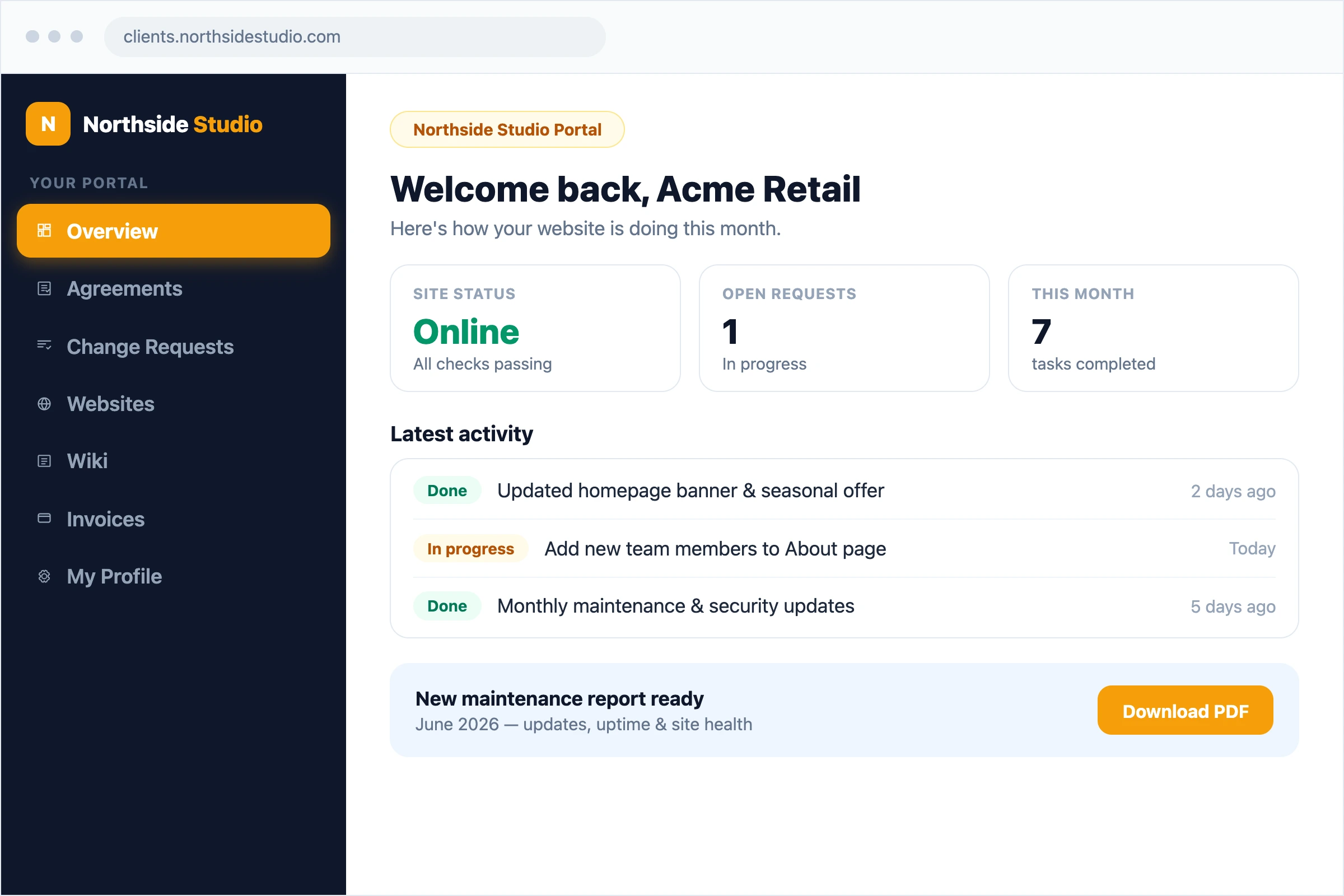
White-label client portal
Branded client portal with access to websites, requests, invoices, reports, agreements, files, and documentation.
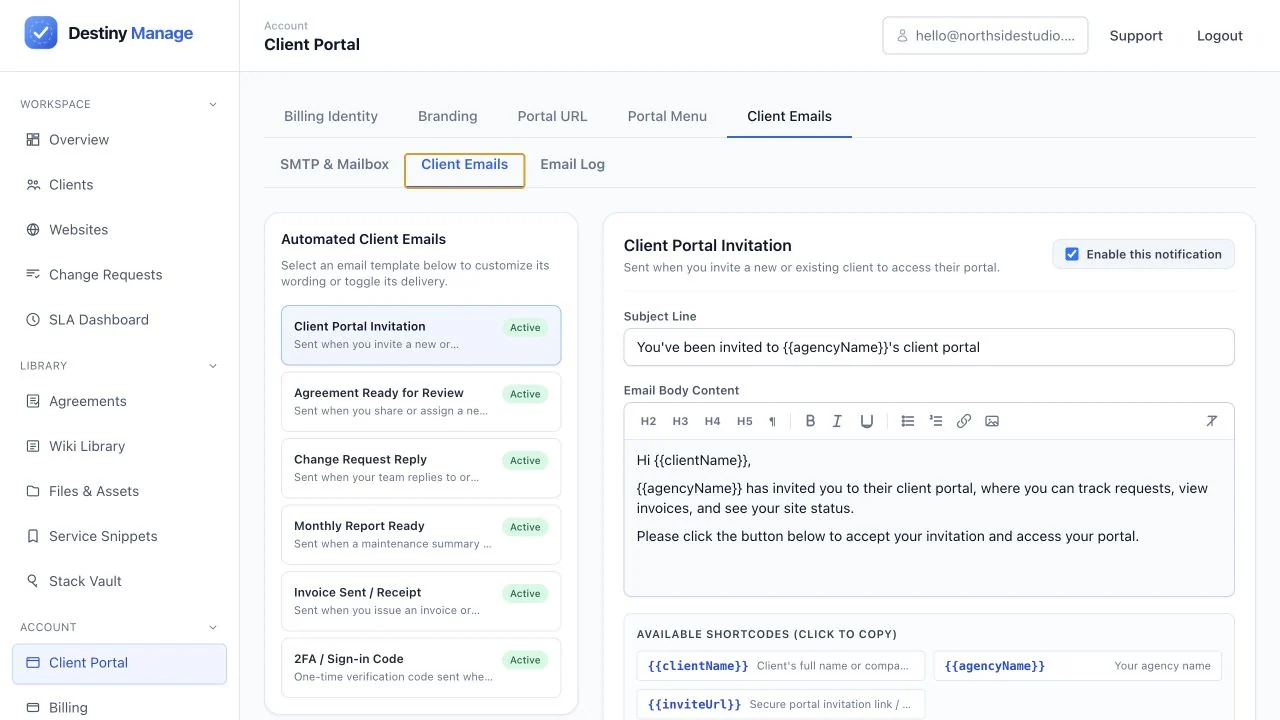
Client email controls
Custom client email copy, notification controls, and branded email delivery settings.
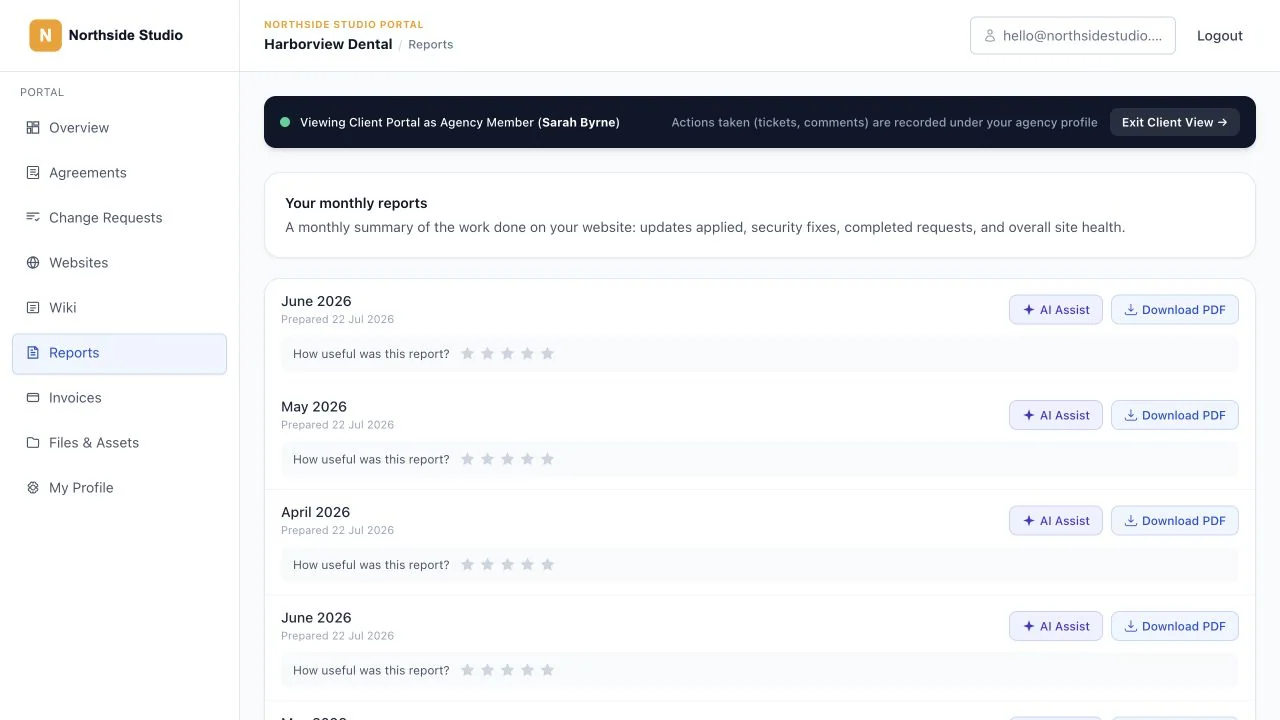
Client maintenance reports
Client-facing monthly report with completed maintenance, request, uptime, and website health evidence.
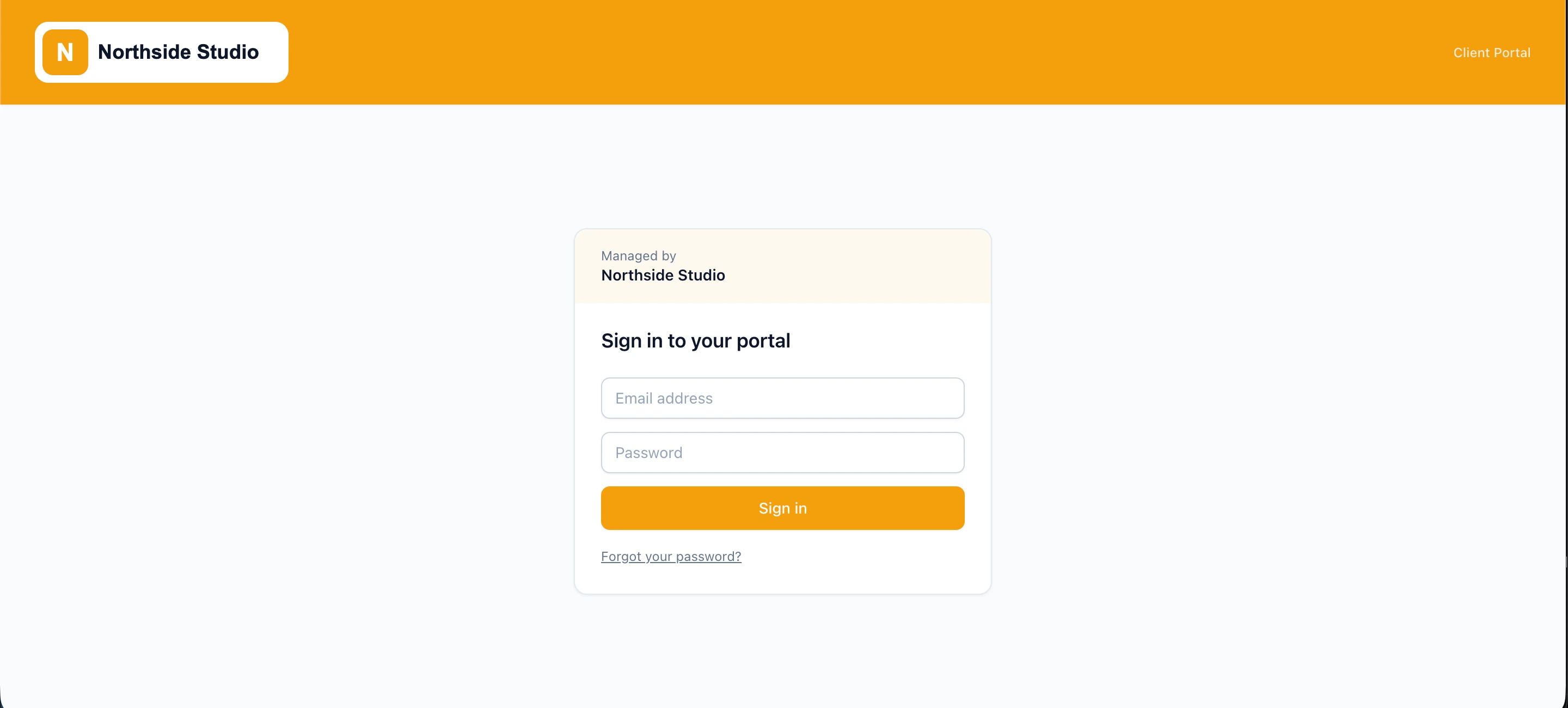
Branded portal sign-in
Client sign-in experience using the agency's own identity, domain, and visual branding.
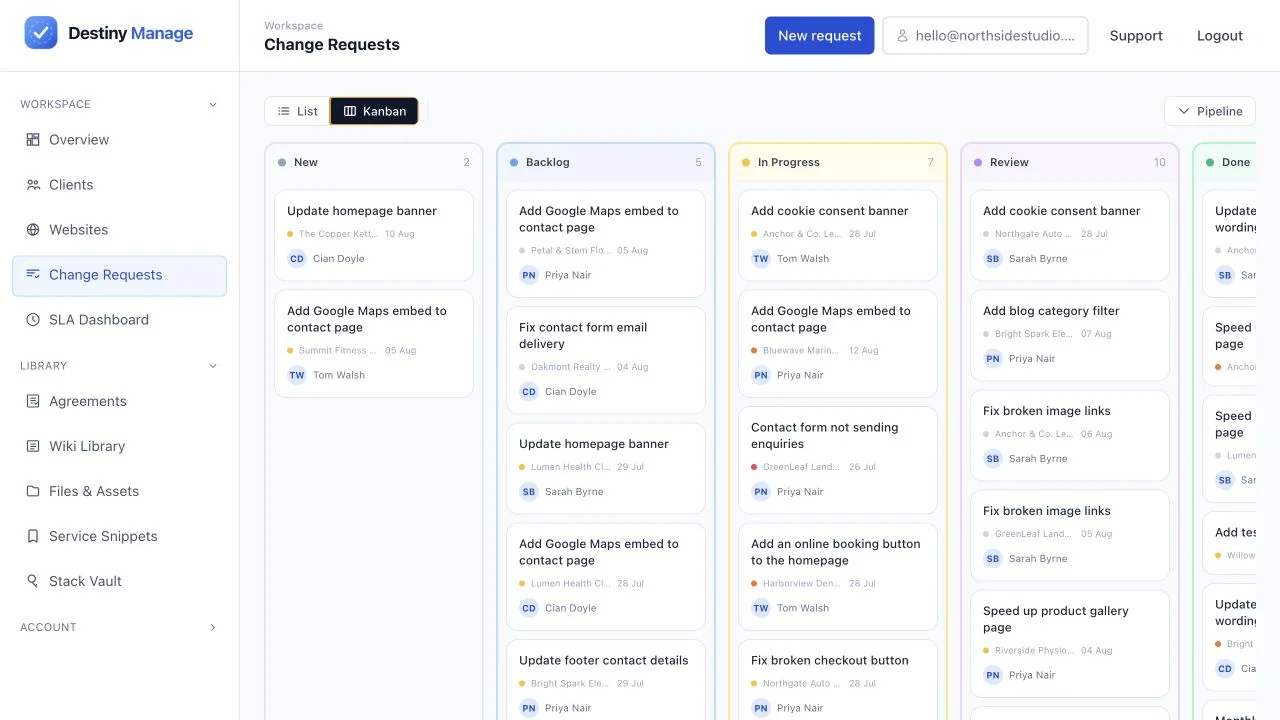
Client request workflow
Kanban request pipeline with priorities, assignees, due dates, and request status tracking.
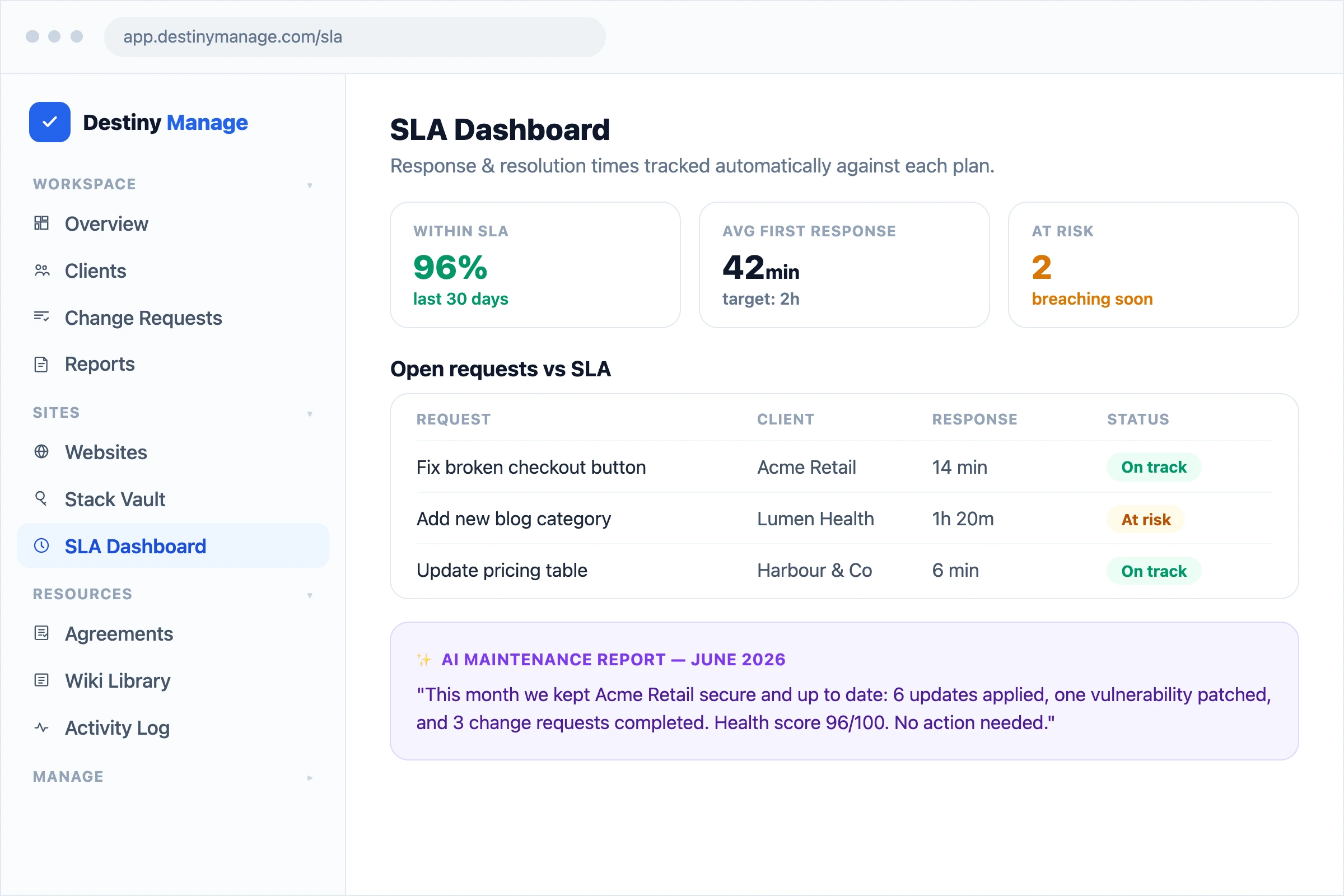
SLA dashboard
First-response and resolution targets with at-risk and breached request visibility.
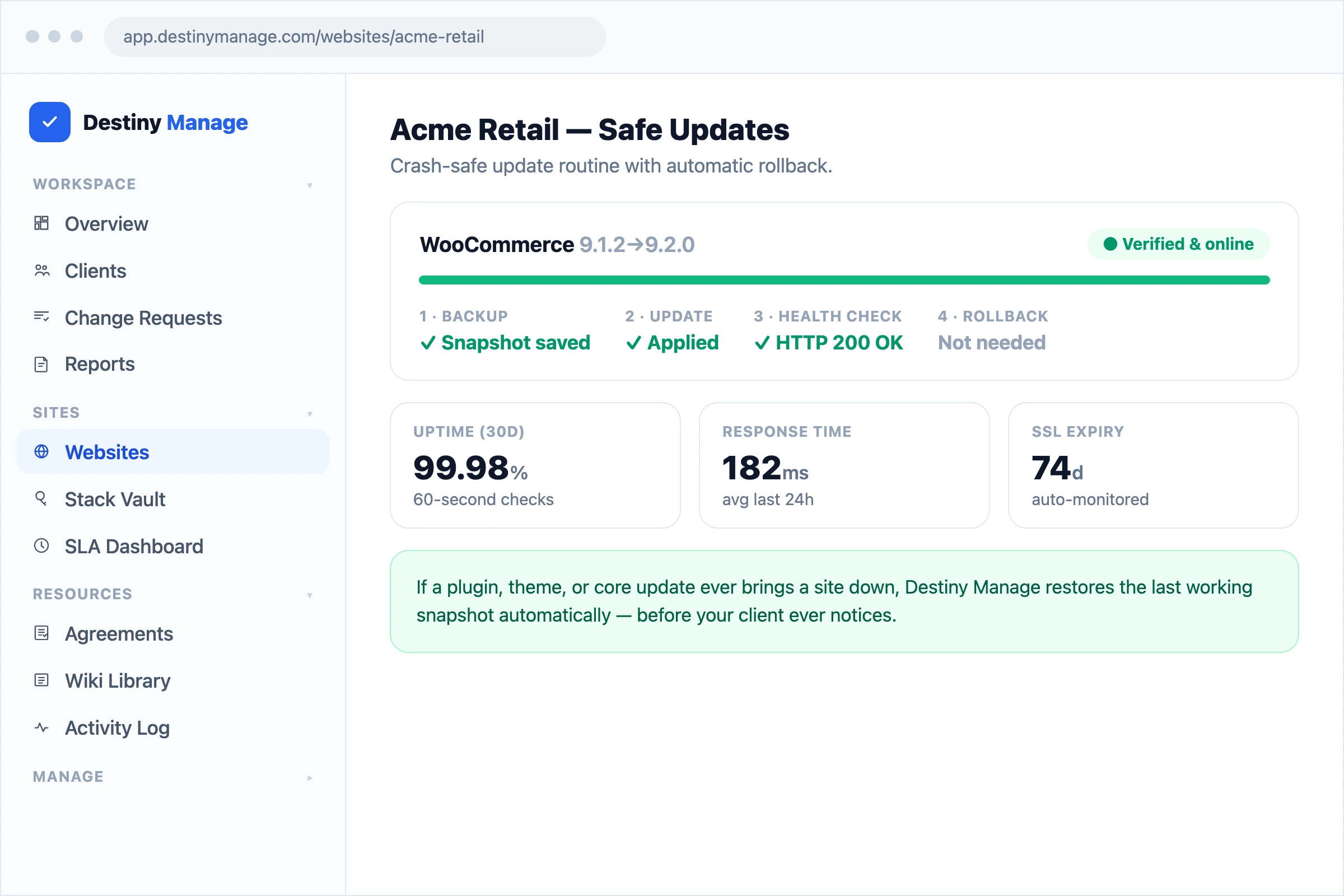
Safe WordPress updates
WordPress update workflow with pre-update snapshots, health checks, and automatic rollback protection.
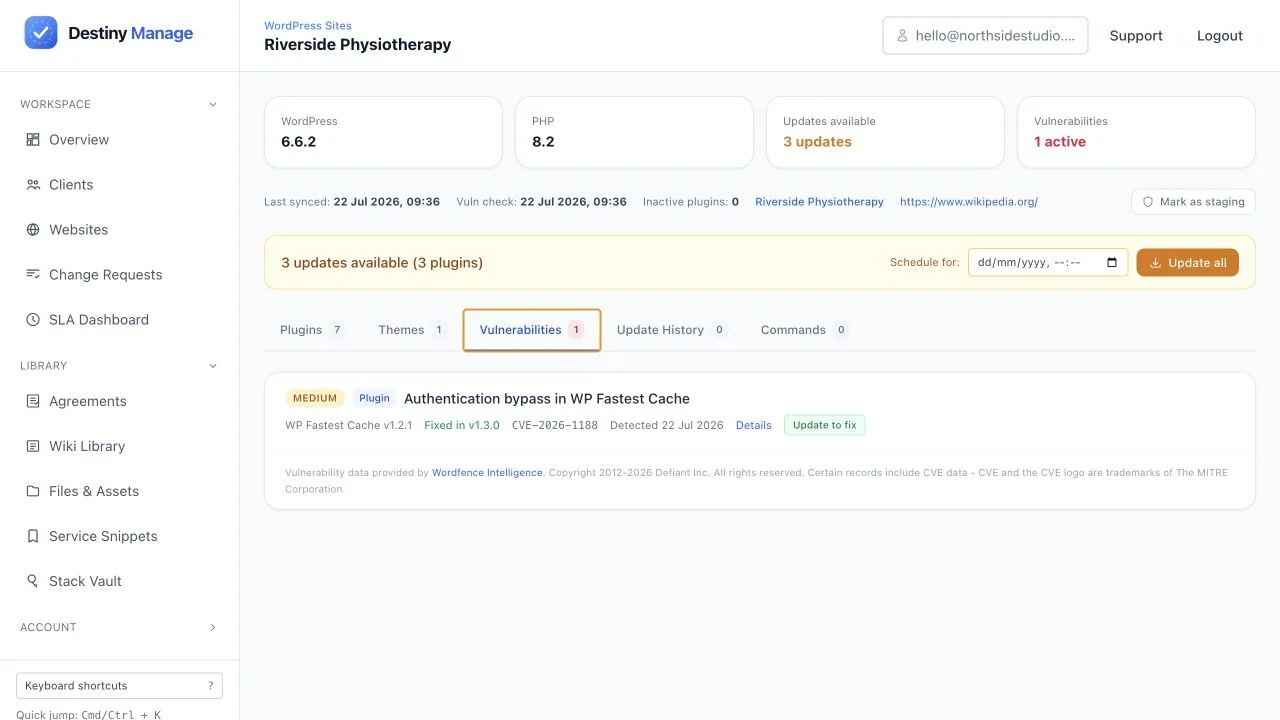
Vulnerability monitoring
Plugin vulnerability intelligence with affected versions, severity, and resolution status.
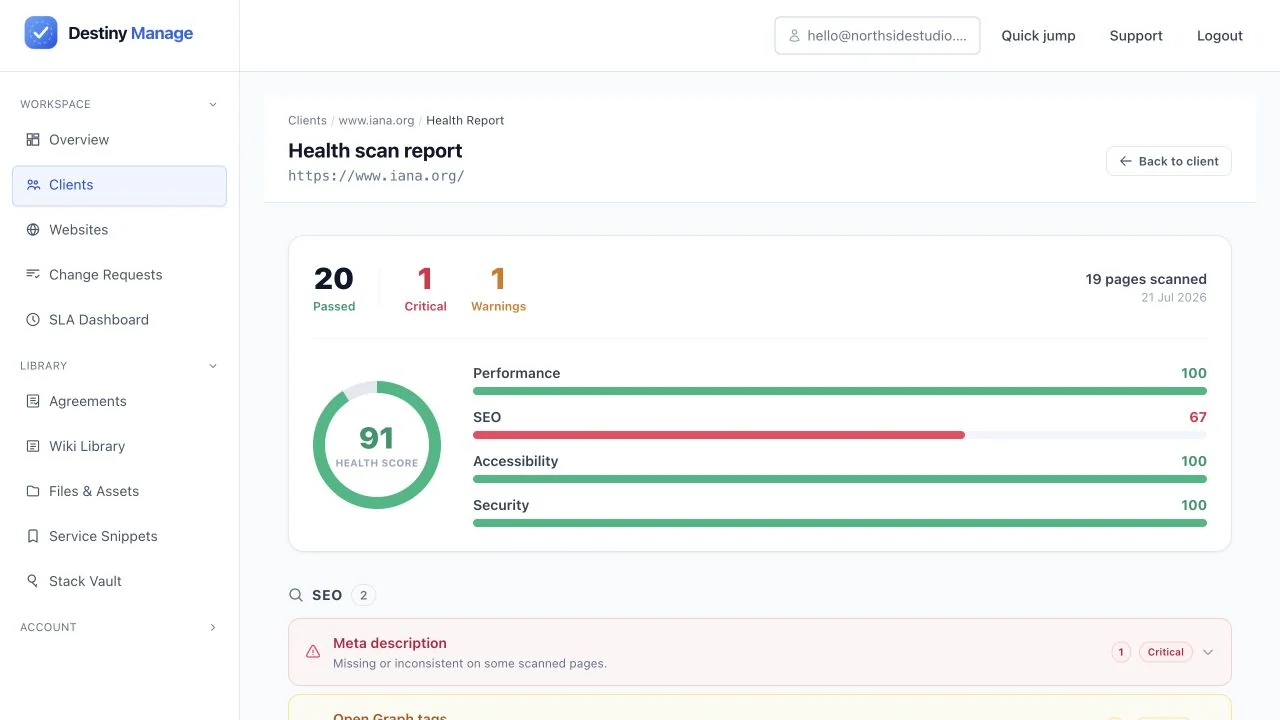
Automated site audit score
Website audit summary covering accessibility, SEO, performance, security, and technical quality.
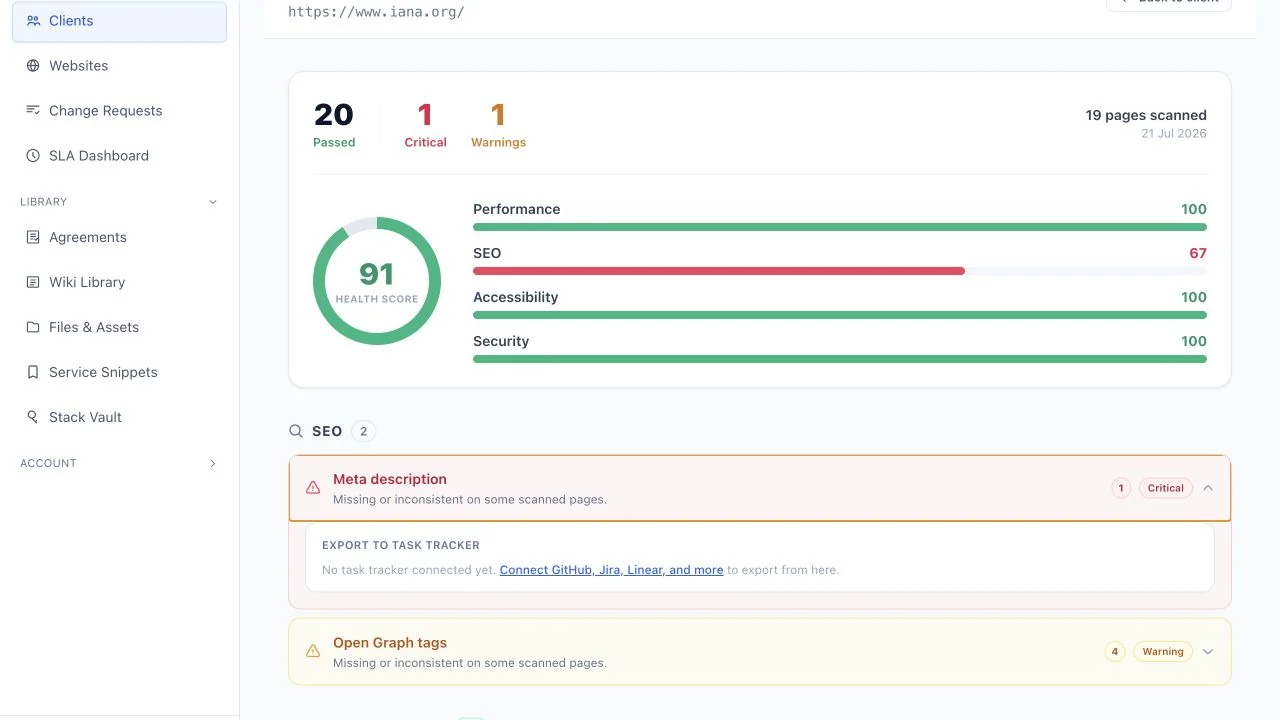
Audit findings
Prioritised audit findings with severity, affected pages, evidence, and recommended actions.
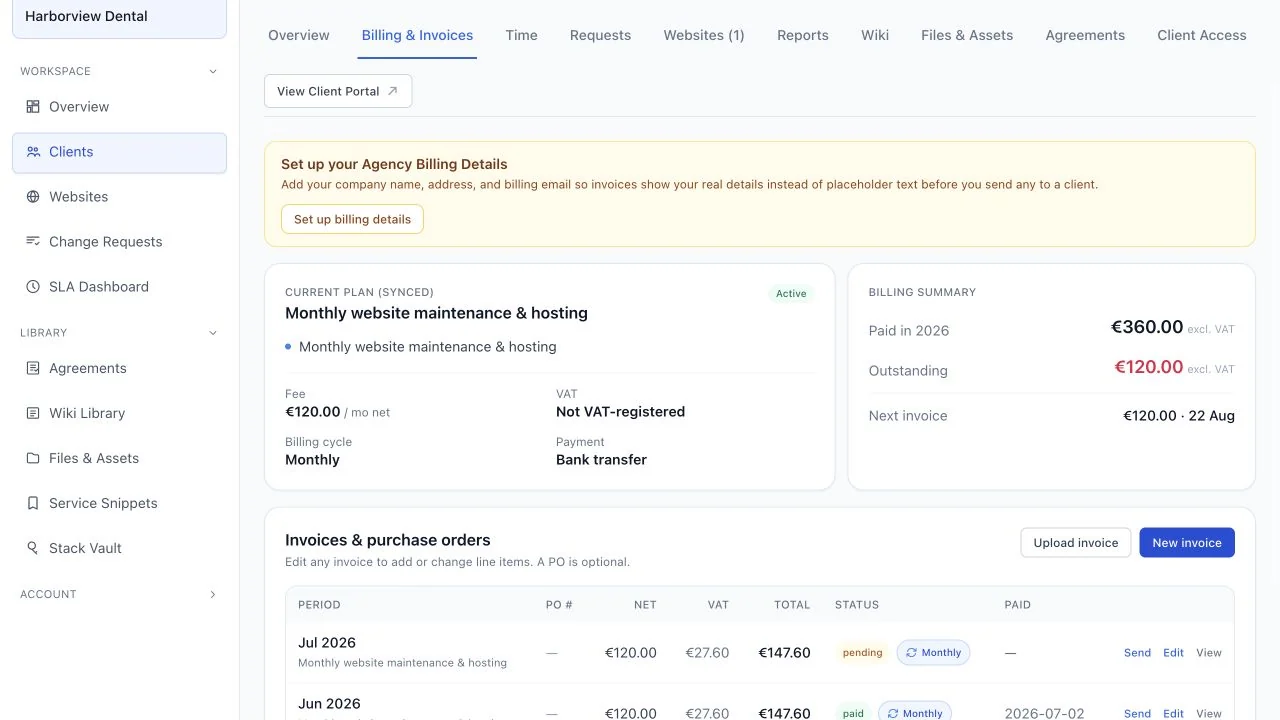
Billing and invoices
Agency billing workspace for invoices, recurring schedules, payment status, and client account history.
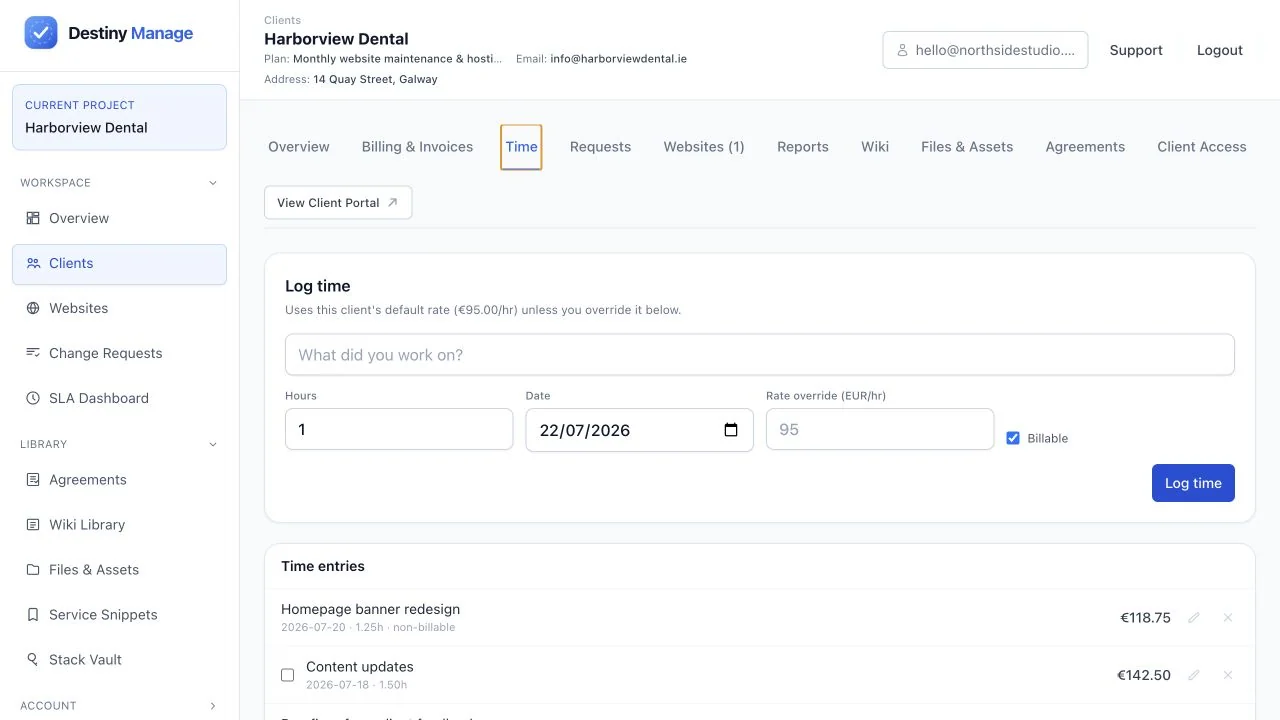
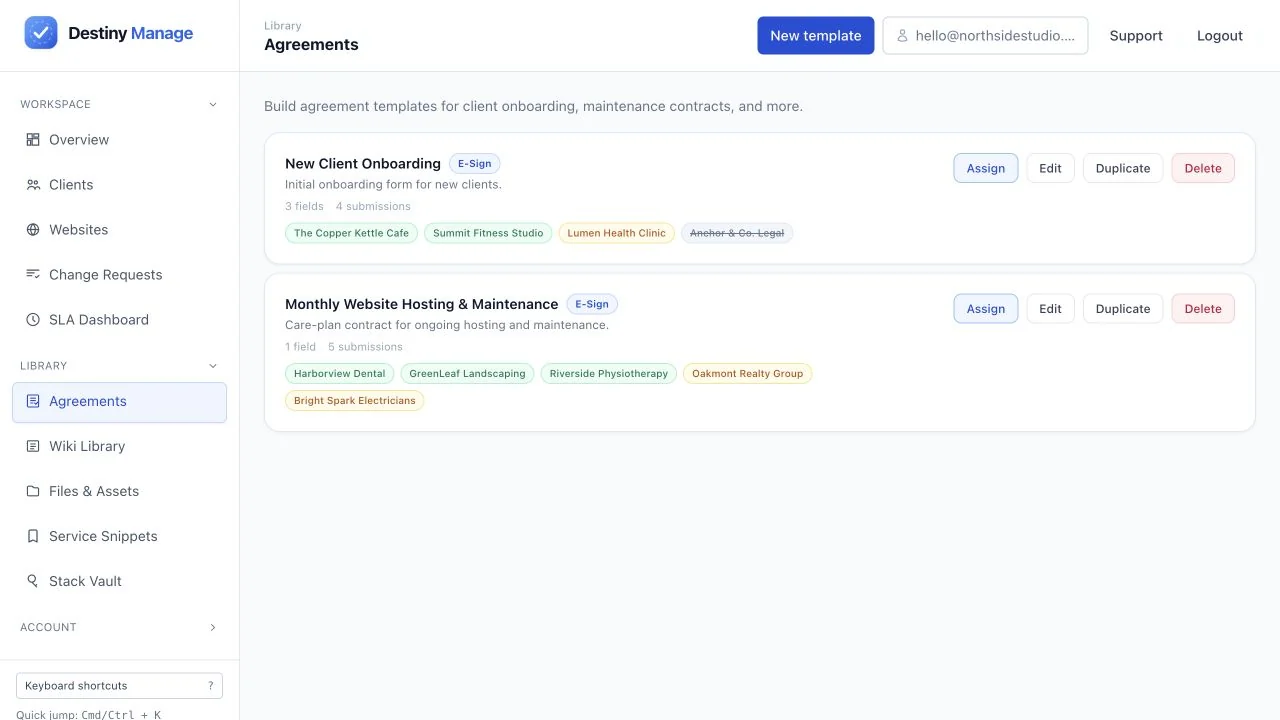
Client agreements
Care-plan and onboarding agreement library with assignment and signature status.
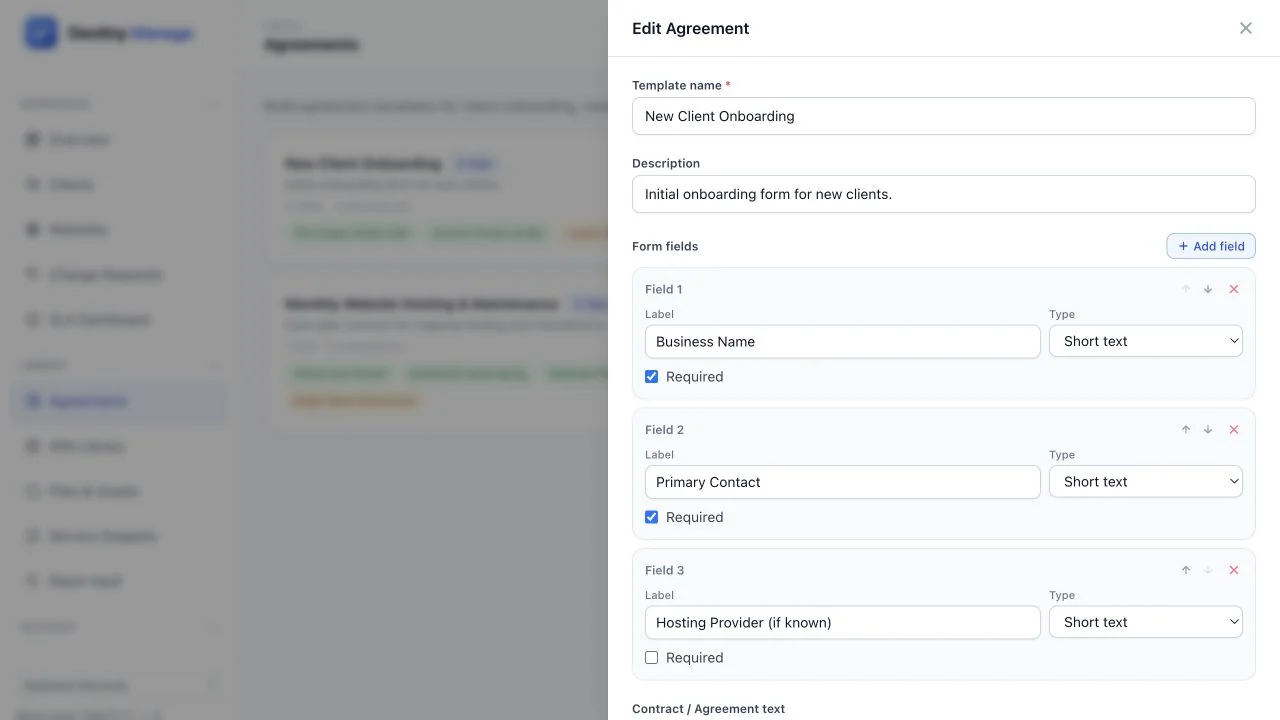
Agreement builder
Reusable agreement editor with onboarding fields, required settings, and ordering controls.
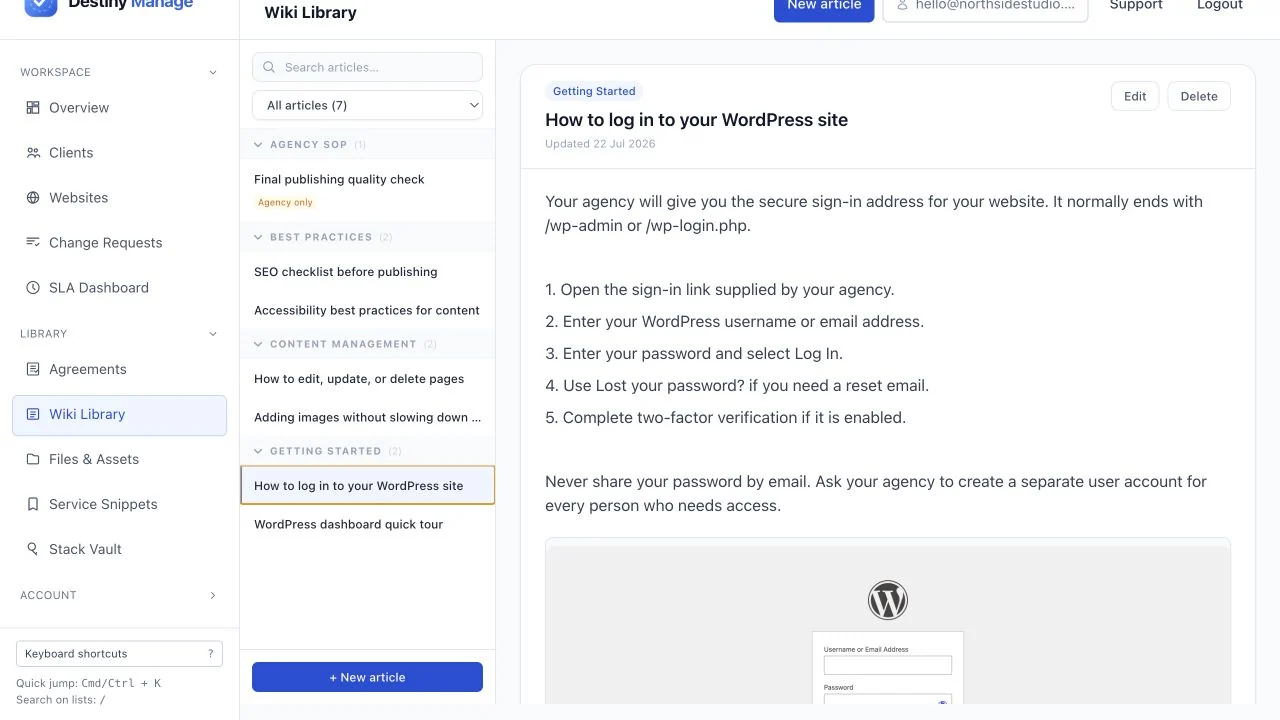
Client wiki
Searchable WordPress guides, best practices, and internal agency procedures organised by category.
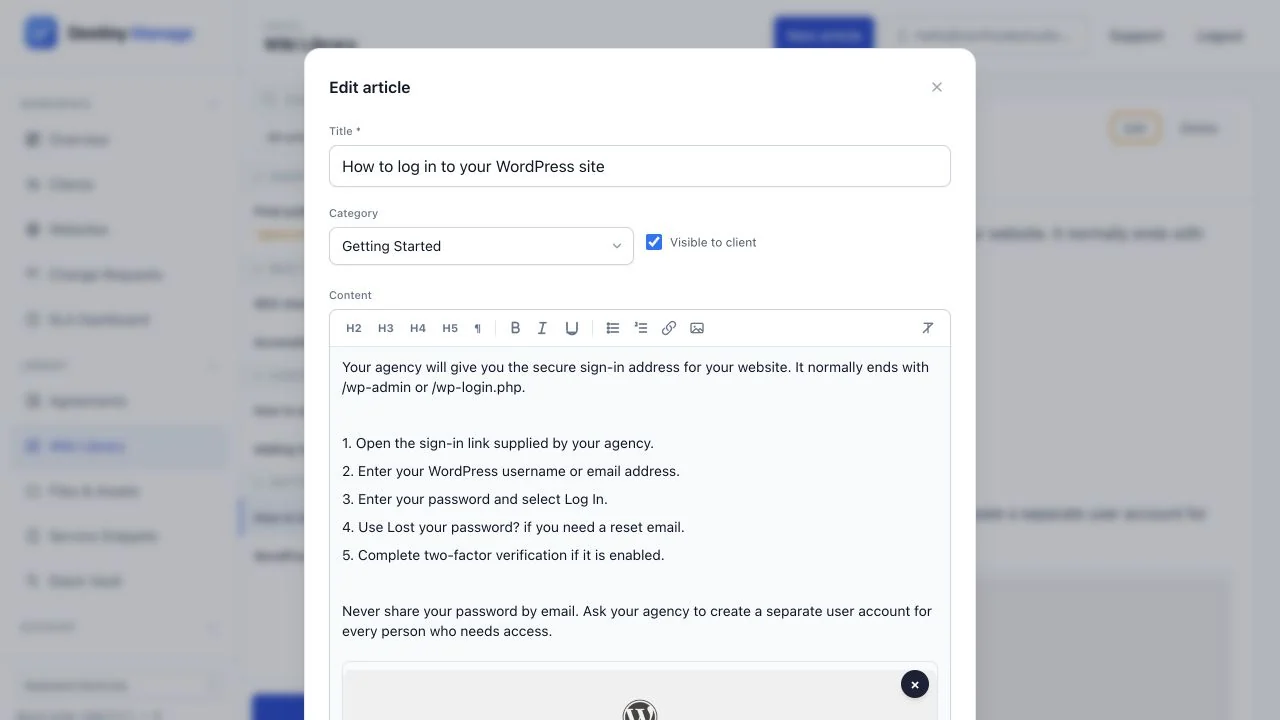
Wiki article editor
Rich-text guide editor with embedded screenshots and per-article client visibility.
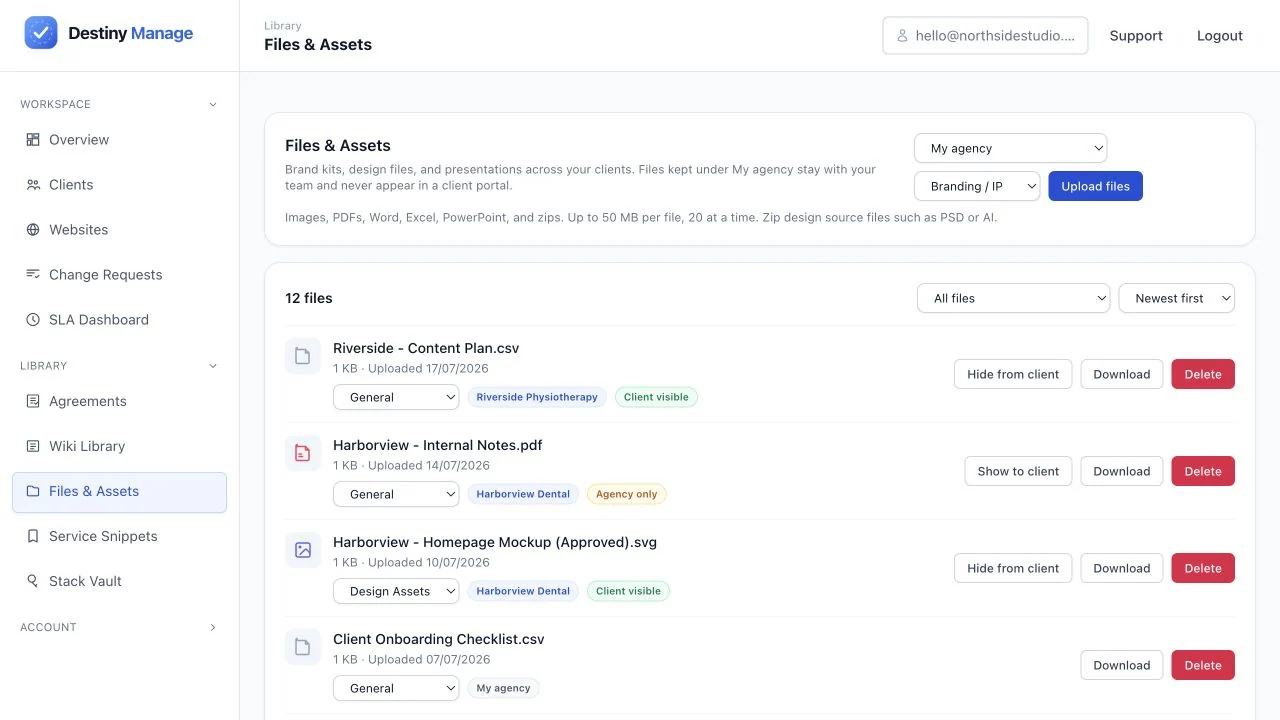
Files and assets library
Central library for client brand kits, presentations, documents, and design source files.
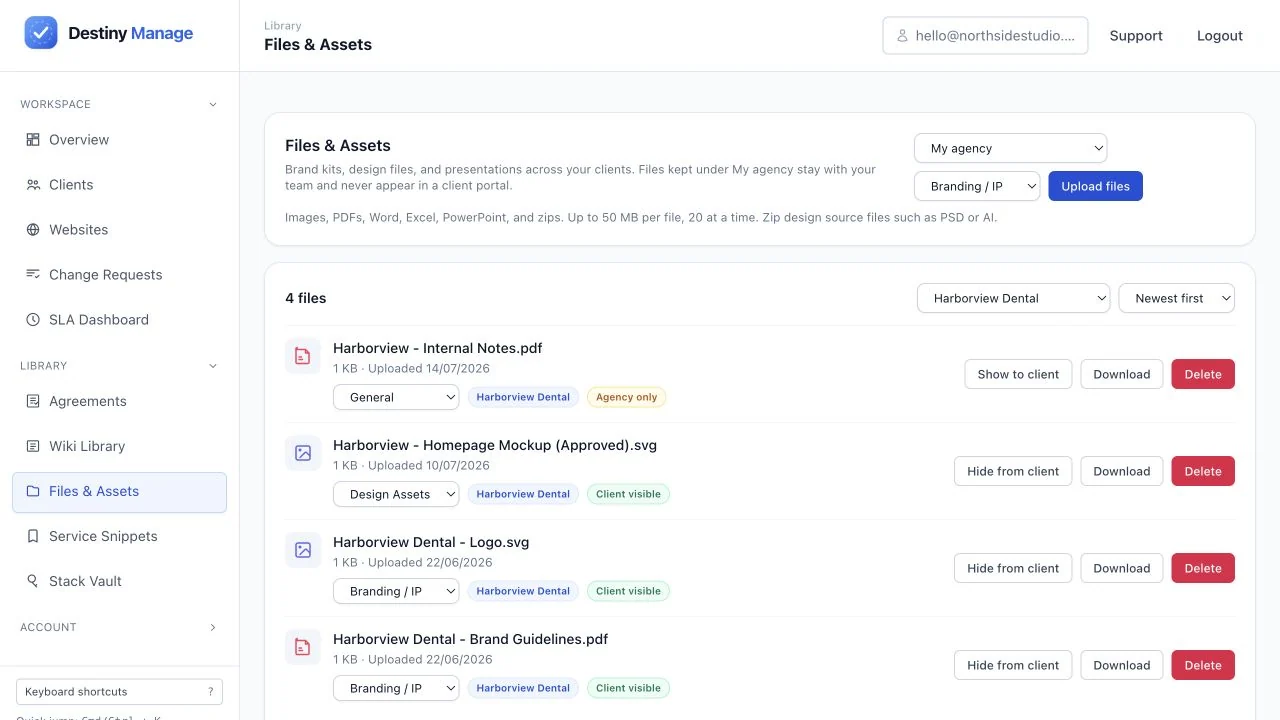
Client-shared files
Per-client file view showing which assets are shared in the portal and which stay internal.
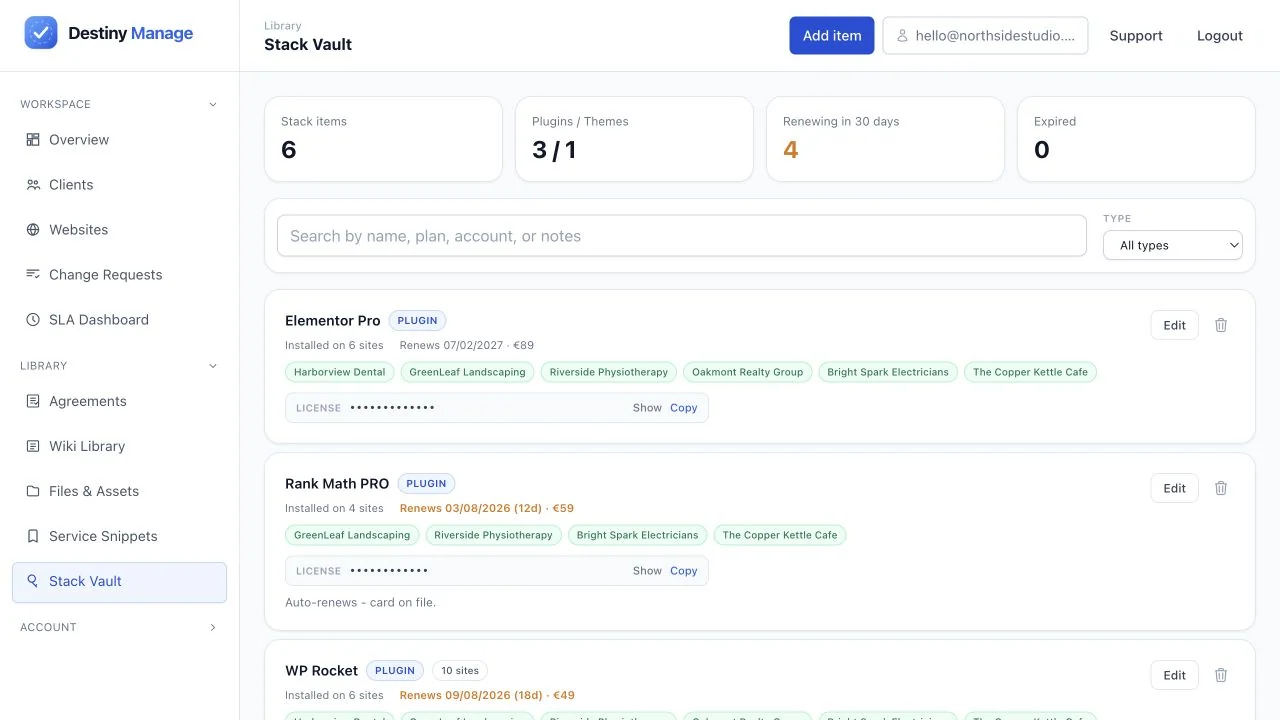
Stack Vault
Agency-wide inventory of plugins, themes, services, licence costs, and renewal dates.
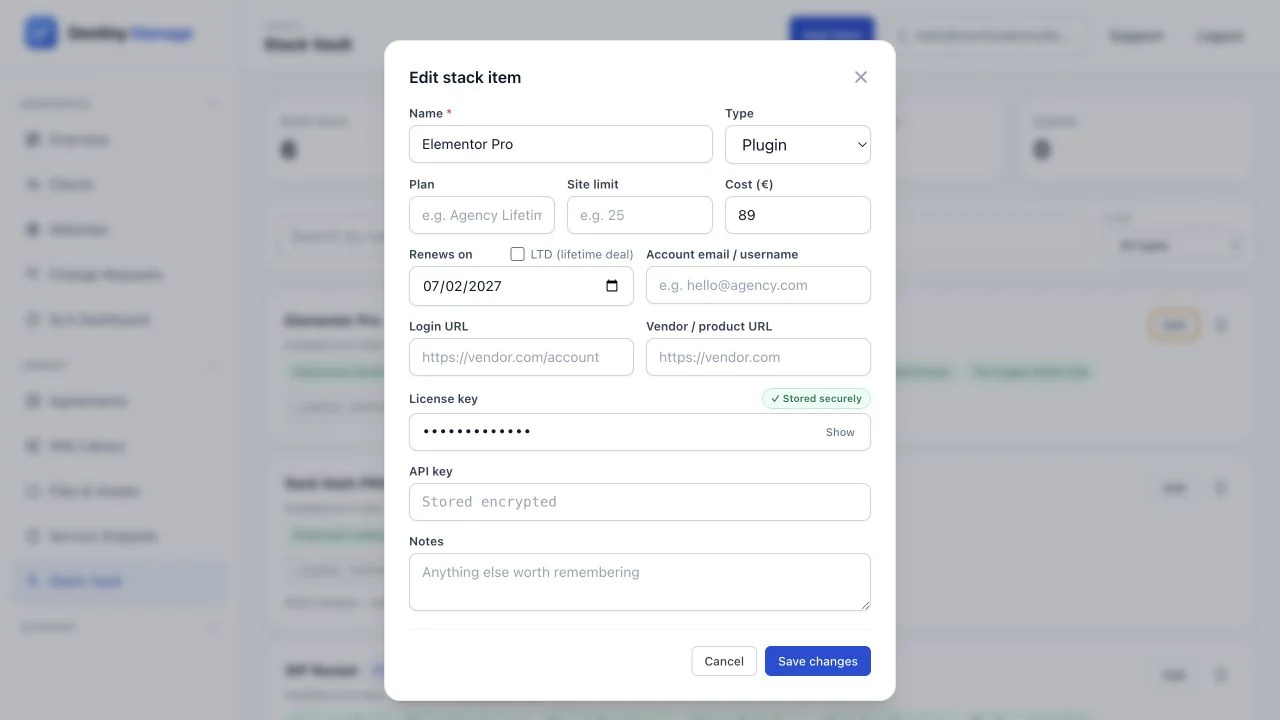
Client stack detail
Detailed client technology stack with licence ownership, costs, renewals, and usage notes.


Quick Usage Guidelines
- Use the supplied SVG or PNG files without cropping or skewing.
- Maintain clear space around the logo equal to at least half the icon height.
- Use clean contrast against dark or light background surfaces.
- Modify the proportions, rotate, or distort the wordmark or symbol.
- Change the primary brand colours or apply harsh drop shadows.
- Use the logo in a way that implies official endorsement without a partner agreement.