Stop Selling “Plugin Updates”: A 2026 WordPress Maintenance Stack for Agencies (and the Client Portal That Proves It)
When an agency client cancels their $150/month WordPress care plan after four months with the complaint, “Why am I paying $1,800 a year just for someone to click ‘Update’ on Wordfence every few weeks?”—the problem is not client ingratitude. The problem is an operational stack built around invisible chores and a portal that acts as a generic file locker rather than a strategic system of record. Here is a contrarian, fact-checked guide to designing a unified 2026 WordPress maintenance stack and client portal that eliminates manual staging toil, replaces PHP-heavy security bloat, and proves ROI every single month.

Written by Artur BurkaloFor over a decade, Artur has worked with agencies, run his own agency, and developed WordPress themes and plugins, including Destiny Elements.
Posted 16 July 2026
The invisible chore trap: Why “updates and backups” fail
Across thousands of WordPress agency sites, maintenance is traditionally pitched as an insurance policy: “We take daily backups, apply core and plugin updates, monitor uptime, and keep hackers out.” While this sounds reassuring during the initial website handover, it carries a fatal structural flaw: when maintenance works perfectly, nothing happens.
If a client checks their website every week and sees that it loads normally, they gradually forget the technical complexity happening beneath the surface. Because traditional maintenance tools (like off-the-shelf backup plugins or uptime pinger scripts) operate silently in the background or email internal agency alerts, the client has zero visibility into the actual value delivered. Eventually, during a quarterly budget review, that $150 to $300 monthly retainer looks like overhead rather than infrastructure.
To retain care-plan clients for three, five, or ten years without margin-destroying scope creep, agencies must shift from selling maintenance chores to delivering an auditable operational stack. And that stack requires a client-facing portal designed to make invisible infrastructure visibly valuable every single day.
What Reddit gets wrong about agency portals and stacks
If you search threads on r/Wordpress, r/ProWordPress, or r/agency asking for “the best client portal plugin” or “how to structure a WordPress maintenance stack,” the answers follow a predictable, highly fragmented pattern. Community advice typically falls into three buckets:
- The Frankenstein WordPress Hack: Combine a membership plugin (like MemberPress or Ultimate Member) with Advanced Custom Fields (ACF Pro) and custom post types (CPTs) to build a private client area right inside
wp-admin. - The Generic SaaS Dashboard: Subscribe to a broad project management or invoicing tool (like SuiteDash, InvoiceNinja, or generic CRM systems) and embed a generic login widget onto your agency homepage.
- The “Kitchen-Sink Plugin” Stack: Install Wordfence or iThemes (now Solid Security) on every client site for firewall rules, add UpdraftPlus for backups, bolt on a heavy page builder, and set automatic plugin updates to
ON.
While these suggestions are popular on forum threads because they require low upfront capital, they treat maintenance and client communication as ad-hoc tool picks rather than a unified workflow. As your agency scales from 10 sites to 50 or 100 retainers, this fragmented approach collapses under its own administrative weight.
The 3 fact-checked pillars of a modern maintenance stack
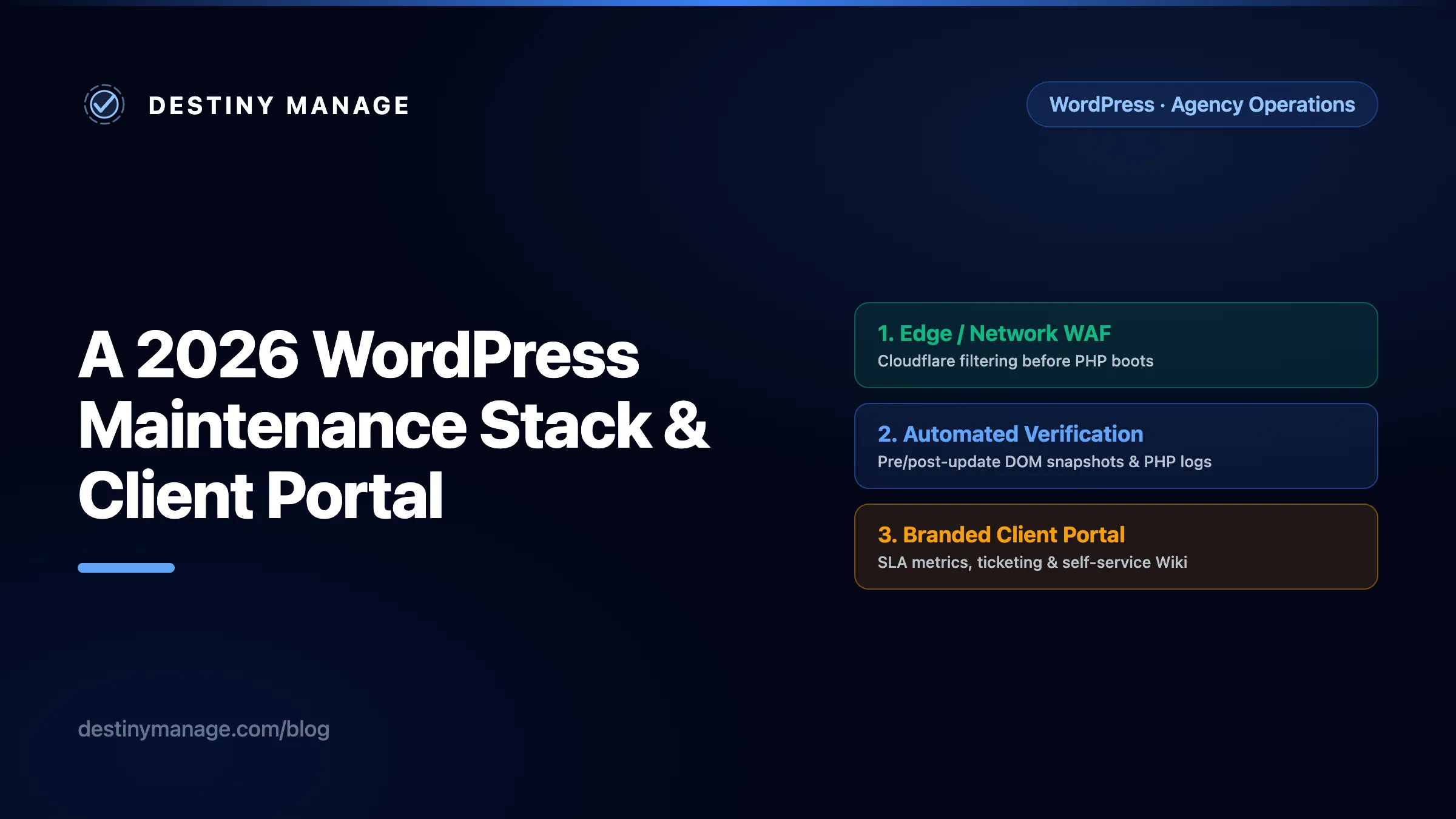
When we examine authoritative 2026 web performance guidelines and security engineering benchmarks, a real WordPress maintenance stack rests on three non-negotiable operational pillars:
1. Network-Level Edge Protection vs. Application-Level WAF Overhead
In community discussions comparing Wordfence vs. Cloudflare edge setups, developers regularly debate the trade-offs of PHP-level security suites (such as Wordfence or iThemes/Solid Security). While Wordfence is a battle-tested industry standard that loads early via auto_prepend_file in Extended Protection mode, application-level Web Application Firewalls (WAFs) inherently run inside PHP. This means every time an automated bot or vulnerability scanner hits your login or API endpoints, WordPress must execute PHP and query MySQL to evaluate block rules. During a heavy bot surge, this application-level overhead can consume PHP workers and slow down server responses.
A more defensible 2026 operating model: Choose edge-level protection (such as Cloudflare Enterprise or DNS-level WAF rules) where appropriate to reject malicious traffic before PHP boots, and use plugin-level security deliberately when its benefits outweigh the overhead. Inside WordPress, pair this with lightweight, read-only monitoring (like our connector plugin 1.2.0) to capture exact PHP warnings and fatal errors without dragging down MySQL.
2. Automated Post-Update Verification vs. The Manual Staging Trap
Reddit threads across staging vs. automatic update discussions regularly advise developers to “never use auto-updates; always clone to a staging server, run updates, manually test 10 pages, and then deploy.” While technically safe, manual staging QA across 50 client sites running 15 plugins takes 40 to 60 billable hours per month. It turns a $150 care plan into a loss leader. Conversely, turning on blind auto-updates risks silent layout regressions or fatal PHP conflicts that go unnoticed until a client complains.
A more defensible 2026 operating model: Modern care-plan infrastructure automates visual and structural verification. Before an update batch runs, key client pages are snapshotted. Immediately after deployment, DOM structures and server headers are re-checked. If a layout breaks or a PHP error triggers, the verification engine isolates the exact plugin in that batch as the confirmed culprit and alerts your team before the client ever notices.
3. Continuous Core Web Vitals, Accessibility & AI Search Readiness
Maintenance is no longer just keeping the server running; it is preventing the slow performance degradation that occurs over years as marketing teams upload uncompressed images, add third-party scripts, or publish content that drifts from accessibility standards.
A more defensible 2026 operating model: Incorporate weekly Largest Contentful Paint (LCP) and Cumulative Layout Shift (CLS) tracking directly into your care-plan scans. Furthermore, uphold current WordPress accessibility guidance by verifying clean theme structure, keyboard navigation, visible focus indicators, form labels, and proper heading hierarchy—avoiding overlay widgets that promise one-click compliance. For emerging AI search discoverability, maintain structured content, clean semantic HTML, and llms.txt files so answer engines can accurately present your client's brand.
What a care-plan portal must look like beyond login screens
A client portal is not a plugin category; it is an operational strategy. When a care-plan client logs into their dedicated space, they should not see a generic document folder or an unstyled WordPress admin dashboard with hidden menu items. They should experience a structured executive command center that clearly articulates the work being performed on their behalf.
“If a client has to email you to ask whether their website backup ran this week or what plugins were updated, your maintenance stack has already failed the communication test.”
A high-retention 2026 client portal delivers four essential operational layers:
- Infrastructure & SLA Visibility: Real-time uptime statistics, Core Web Vitals performance scores, and verified off-site backup timestamps displayed cleanly right beside their current care-plan tier and SLA target metrics.
- Audit Trails & Post-Update Logs: A transparent log of every core, theme, and plugin update applied during the month, complete with automated post-update verification statuses showing that no pages broke during the rollout.
- Structured Request Ticketing: A clean separation between Infrastructure/Care and Ad-Hoc Requests. Instead of messy email threads where clients ask for 5 hours of design work under a basic maintenance retainer, ticketing allows clients to submit requests categorized cleanly as
Bug/IncidentorChange Request. - Self-Service Wiki & Document Libraries: A branded resource hub where agencies publish onboarding guides, brand asset rules, and common website FAQs so clients can self-serve answers instead of opening ad-hoc support tickets. Modern portal editors keep these documentation libraries clean by allowing team members to embed visual diagrams and screenshots while automatically managing server storage cleanups whenever articles are updated or trimmed.
Where Reddit advice is useful, and where it breaks down at agency scale
Community forums like r/Wordpress, r/ProWordPress, and r/agency are invaluable for peer benchmarking and real-world troubleshooting. However, advice tailored to solo freelancers or small blogs often breaks down when applied across a 50-site agency care portfolio. Let us examine three common community patterns:
1. “Any membership or CRM plugin can be a client portal.”
The Forum Context: In popular community discussions and client portal recommendation threads on r/Wordpress, replies frequently suggest installing Ultimate Member or MemberPress alongside Advanced Custom Fields (ACF Pro) to build a private client dashboard inside wp-admin.
Where It Works vs. Where It Breaks Down: For an agency with 5 clients needing basic document access, a CPT-based membership setup avoids external software fees. But at agency scale, a care-plan portal must process structured operational telemetry: verified backup timestamps, uptime heartbeats, SLA targets, and automated invoice notifications. Custom membership plugins only control page access; when agencies try to bolt on custom reporting scripts and shortcodes, they end up spending unbilled internal hours managing their own portal's technical debt.
2. “WordPress maintenance is just backups and plugin updates.”
The Forum Context: Across care plan pricing discussions on r/Wordpress and r/agency, many freelancers define maintenance simply as connecting UpdraftPlus to cloud storage and enabling automatic or monthly plugin updates for $50 to $150 per month.
Where It Works vs. Where It Breaks Down: While routine backups and updates are foundational, modern care plans must address multi-year site drift. Over a 24-month lifecycle, sites accumulate database revision bloat, orphaned wp_options transients, and slow query degradation. Simultaneously, third-party plugin updates can introduce accessibility drift or break schema markup. If an agency positions maintenance strictly as clicking update buttons, clients eventually perceive the retainer as commodity labor rather than proactive risk and performance management.
3. “AI tools will make maintenance completely autonomous.”
The Forum Context: Recent discussions around AI agency automation and website maintenance often speculate that upcoming AI agents will autonomously diagnose and patch WordPress bugs without human oversight.
Where It Works vs. Where It Breaks Down: AI models excel at accelerating plain-English error diagnosis, scanning PHP logs, and summarizing site health. However, autonomous discovery works both ways: the broader risk trend of automated vulnerability scanning means zero-day exploits across WordPress plugins can be identified and targeted rapidly. Consequently, AI log analysis does not eliminate the need for human deployment accountability, tested recovery restores, or strict access control—it makes disciplined oversight more important than ever.
Designing your 2026 operational stack step-by-step
To transition your agency from ad-hoc tool chaos into a scalable, high-margin maintenance operation, implement this four-stage architectural framework:
- Package Clearly Defined Care Tiers: Stop offering vague “all-you-can-eat” maintenance. Create tiered offerings:
- Base Care ($150–$250/mo): Edge WAF security, daily verified backups, post-update page verification, and monthly AI executive reports. No free ad-hoc dev hours.
- Growth Care ($350–$500/mo): Everything in Base plus continuous Core Web Vitals optimization, database cleanup, and 2 hours of structured change requests per month (strictly tracked, no rollover).
- Scale Care ($750+/mo): Dedicated SLA guarantees, hourly health scans, accessibility audits, and priority incident response.
- Consolidate Your Edge & Server Core: Standardize on reliable cloud hosting (such as Kinsta, WP Engine, or SiteGround cloud). Evaluate your security stack carefully: choose edge-level protection where appropriate, and use plugin-level security deliberately when its benefits outweigh the overhead.
- Automate Verification & Telemetry: Deploy a lightweight monitoring connector (like our `Connector Plugin 1.2.0`) to capture PHP fatal errors and warnings without slowing down server responses. Enable automated pre-update snapshots so updates can be applied across dozens of sites safely in minutes.
- Unify the Client Experience on Destiny Manage: Instead of asking clients to check five different dashboards or emailing unformatted PDF reports, connect your stack to Destiny Manage. Under
Settings -> Client Portal -> Client Emails, connect your agency SMTP and customize each white-label notification template independently (Invitations, Agreement Assignments, and External Invoice uploads) with per-template saving and clean WYSIWYG paragraph formatting (`<p>`). When your client opens their branded portal on your custom domain (`portal.youragency.com`), they see verified uptime, page health scores, structured requests, and self-service wikis in one cohesive space.
How to discuss maintenance on Reddit without spamming
As an agency owner or operations lead, participating in Reddit discussions can be a powerful way to build authority and attract high-ticket retainer clients—provided you respect community culture. When answering questions on r/Wordpress, r/ProWordPress, or r/agency about care plans or client portals:
- Lead with Frameworks, Not Products: When someone asks for portal plugin suggestions, explain why treating portals as a plugin decision leads to operational fragmentation. Share your exact tier structure and verification checks first.
- Be Transparent About Trade-Offs: Acknowledge that while custom WordPress hacks (CPTs + ACF) have zero subscription fees, they carry significant maintenance overhead as agency site count grows.
- Disclose Affiliations Cleanly: If you reference Destiny Manage or any specific tool in a forum discussion, disclose your usage or affiliation openly (e.g., “We use Destiny Manage to handle our post-update verification and client portals across our retainer portfolio...”). Community members value practical, battle-tested operational advice when it is shared honestly.