Hit your SLAs. Prove your value every month.
Client requests move through one visual pipeline, tracked against SLA targets automatically, with a written report at month end to show exactly what got done.
Change Requests & SLA
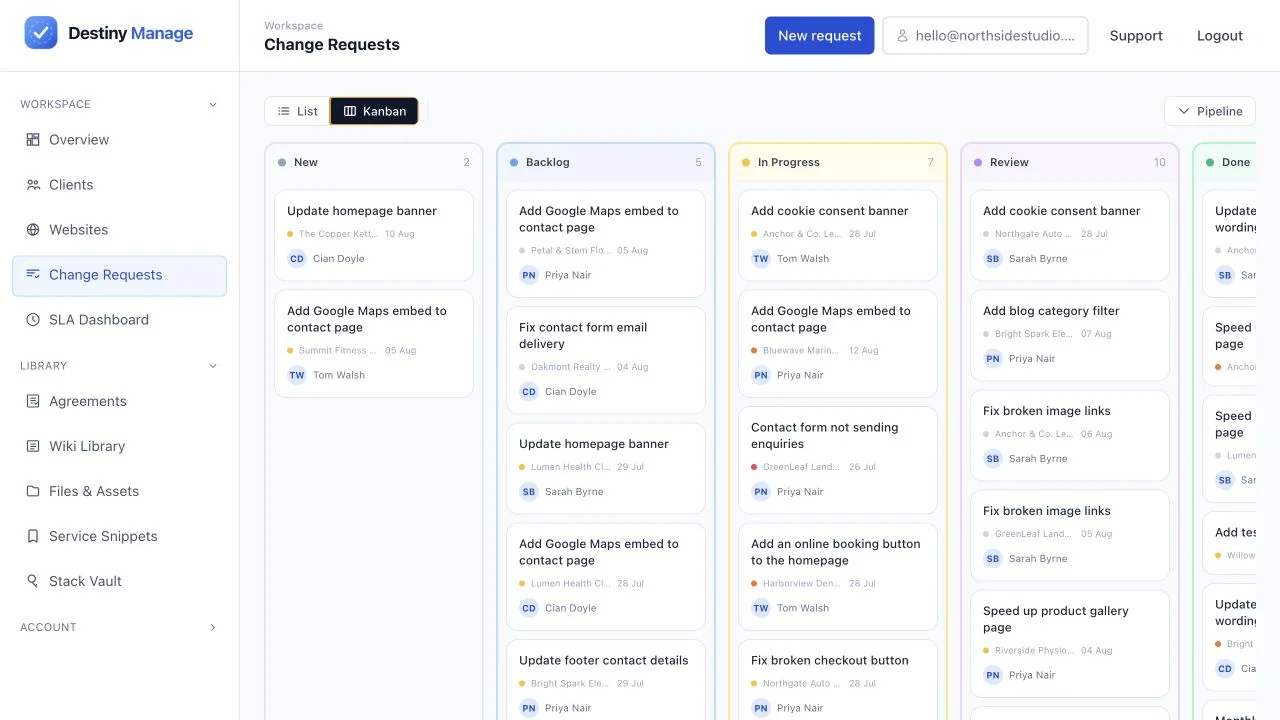
Operations- Kanban ticket pipeline
- Developer tool handoff
- Automatic SLA tracking
- AI monthly reports
A pipeline clients can actually watch
Every request moves through New, Backlog, In Progress, Review, and Done, with comments, file attachments, and priority levels along the way.
Kanban ticket pipeline
Client requests move through a visual board with comments, file attachments, and priority levels.
Developer tool handoff
Send requests to Jira, GitHub, Linear, Asana, ClickUp, GitLab, Trello, or Azure DevOps with their original context and a link back saved in Destiny Manage.
SLA tracking that writes its own report
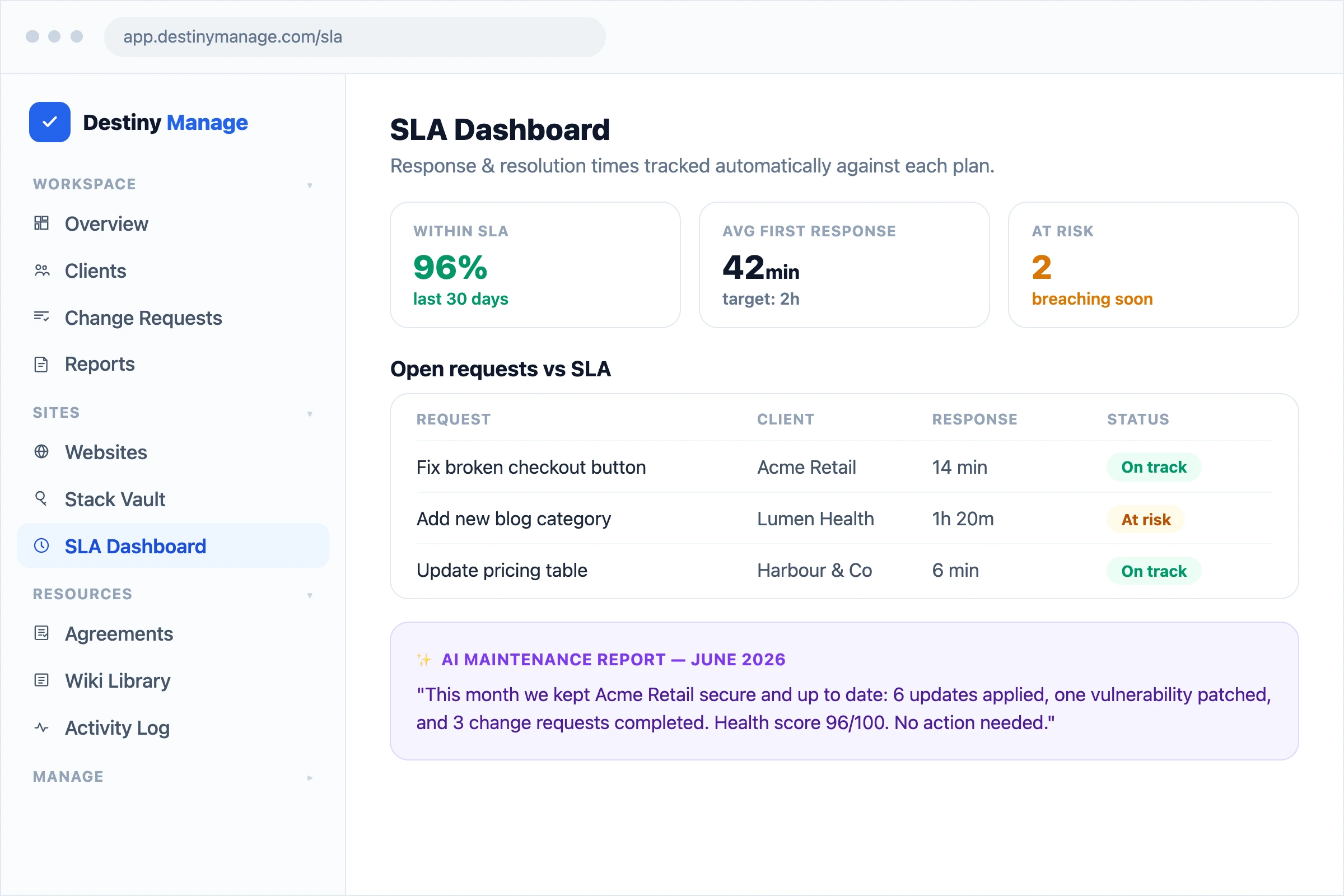
Response and resolution times are clocked automatically the moment a request comes in. At month end, that data becomes a report clients can read in two minutes.
Automatic SLA tracking
First response and resolution times are clocked on every request, measured against the client's plan.
AI monthly reports
Client-ready summaries of updates, uptime, and completed work, written and formatted in seconds.
Branded PDF export
Reports carry your logo and colours, ready to send or for clients to download from their portal.
Explore platform features
Change Requests & SLA is one part of running client care plans in Destiny Manage.
Stop drowning in client admin.
Bring your portals, WordPress maintenance, support, and reporting into one branded workspace. Free forever for your first 5 clients, no card required.
Start managing clients free