How Destiny Manage Fits into Your Agency SOP
An agency SOP should explain who does the work, when it happens, what counts as complete, and what happens when something goes wrong. Software should support that process without becoming the process itself. This practical example shows how a WordPress care-plan SOP can run through Destiny Manage from onboarding to monthly proof of work.

Written by Artur BurkaloFor over a decade, Artur has worked with agencies, run his own agency, and developed WordPress themes and plugins, including Destiny Elements.
Posted 23 July 2026
Start with the SOP, not the software
A standard operating procedure is the agreed way your team completes a repeatable responsibility. For a WordPress agency, that might be onboarding a care-plan client, applying updates, responding to a support request, or producing the monthly report.
The useful version is more than a checklist. It identifies the trigger, owner, required information, completion evidence, client communication, and exception path. If the procedure only says "check the websites every Monday", two people can follow it and produce two completely different outcomes.
The principle: your SOP decides what good service looks like. Destiny Manage gives the team one place to carry it out, record it, and make the result visible to the client.
That distinction matters. Moving a confused process into a new platform only produces organised confusion. Write the rules first, then configure the client record, SLA targets, reporting choices, portal permissions, and recurring work around those rules.
A sample WordPress care-plan SOP at a glance
The following workflow suits a small or mid-sized WordPress agency delivering maintenance, support, and monthly reporting. It can be shortened for a freelancer or expanded with approvals and specialist roles for a larger team.
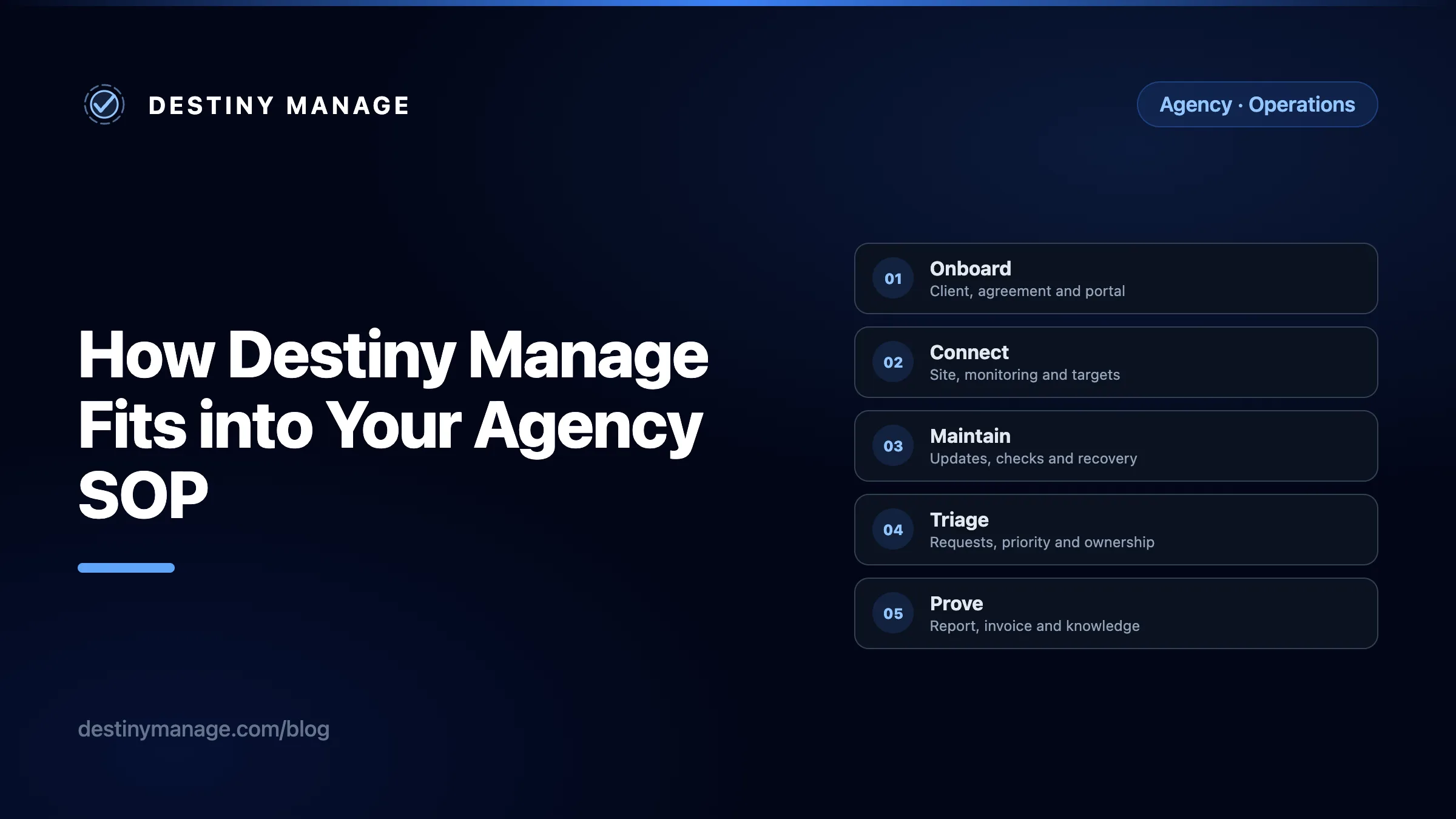
Client, agreement and portal
Site, monitoring and targets
Updates, checks and recovery
Requests, priority and ownership
Work, time and status
Reports, invoices and knowledge
A practical care-plan SOP follows the client from signed agreement to visible proof of work.
| Stage | Primary owner | Definition of done | Destiny Manage record |
|---|---|---|---|
| Onboard | Account manager | Access, scope, contacts, agreement, and portal are ready | Client profile and agreement |
| Connect | WordPress specialist | Site is authenticated, synced, monitored, and assigned targets | Connected website and SLA settings |
| Maintain | WordPress specialist | Planned work is completed, checked, and recoverable | Update, health, uptime, and vulnerability history |
| Triage | Support lead | The request has priority, owner, scope, and next action | Change request and SLA timer |
| Deliver | Assigned team member | Work is completed, reviewed, recorded, and communicated | Status, comments, files, time, and external ticket link |
| Prove | Account manager | The client can see the work, outcome, and commercial record | Monthly report, invoice, wiki, and portal |
A copy-ready agency SOP, with Destiny Manage mapped to each stage
Use this as a starting template. Replace the example roles, response targets, approval thresholds, and update schedule with the way your agency actually operates.
Onboard the client and define the service
- Owner
- Account manager
- Trigger
- The proposal is accepted and the client is ready to start
Create the client record, confirm the billing and technical contacts, and document what is inside and outside the care plan. Set the response and resolution targets agreed for that client, assign the appropriate agreement, collect the required onboarding information, and decide which portal sections and emails the client should receive.
Add the practical material clients need from day one, such as the website handover, brand files, and a guide to requesting changes. Destiny Manage keeps signed agreements, client-visible files, and WordPress guidance beside the client rather than across separate email threads.
Operational record
Client profile, contacts, SLA targets, assigned agreement, portal permissions, files, and wiki guidance
What the client sees
A branded invitation, the agreement to sign, approved resources, and only the portal areas relevant to their service
Connect the website and establish the baseline
- Owner
- WordPress specialist
- Trigger
- The client has supplied approval and the site is ready to enter care
Install the Destiny Manage WordPress agent, connect it with a site-specific key, and confirm the first sync. Record the site owner, environment, maintenance window, critical pages, and any exclusions, then confirm that uptime, SSL, and vulnerability monitoring are active.
The connection uses its own authentication key. It does not require the agency to store the client's WordPress username and password in Destiny Manage. Keep administrative credentials in your approved password manager and document access ownership in the SOP.
Operational record
Authenticated website, WordPress inventory, uptime and SSL checks, and vulnerabilities
What the client sees
The websites included in their service and the status information the agency chooses to expose
Run routine WordPress maintenance
- Owner
- WordPress specialist
- Trigger
- The scheduled maintenance window begins, or a vulnerability requires action
Review available WordPress core, plugin, and theme updates. Check compatibility notes for higher-risk changes, confirm that the agency's full-site backup policy has been met, and run or schedule the approved update batch. Review the post-update result and verify the client's critical journeys.
Destiny Manage can capture plugin files before an update, check page health afterwards, and roll back when the health check detects a failed update. Paid plans can also compare selected pages before and after the batch. These recovery controls support the procedure, but they do not replace the agency's separate full-site backup and restore policy. See the WordPress updates and monitoring workflow.
Operational record
Available updates, scheduled commands, pre-update evidence, page verification, vulnerability status, and rollback result
What the client sees
Site status and completed maintenance later summarised in the monthly report
Triage every client request in one queue
- Owner
- Support lead or account manager
- Trigger
- A client submits a change request through their portal
Acknowledge the request, confirm the desired outcome, set its priority, and decide whether it is covered by the care plan. Assign an owner and add the next action. If the delivery team works in Jira, GitHub, Linear, or another supported tracker, export the accepted request and keep the link back on the Destiny Manage record.
This keeps the client experience simple while allowing developers to remain in their existing delivery tools. The request and SLA workflow records first-response and resolution performance without making the client learn the team's project manager.
Operational record
Request title, description, attachments, priority, assignee, status, comments, and SLA timings
What the client sees
One request thread with its current status, replies, and completed outcome
Deliver, review, and record the work
- Owner
- Assigned developer or specialist
- Trigger
- The request or planned maintenance task is ready to be worked
Complete the work in the correct environment, follow the agency's code review and deployment procedure, verify the acceptance criteria, and record the result. Log time where the work is billable or where the agency needs to measure care-plan usage.
The completion note should tell the client what changed and what was checked, not only that the ticket is done. Where the work falls outside scope, use the recorded time and an approved service line when preparing the invoice.
Operational record
Status changes, internal ownership, client comments, attachments, time entries, and linked delivery ticket
What the client sees
Progress in the portal and a clear completion message
Turn activity into proof of work and billing
- Owner
- Account manager or operations lead
- Trigger
- The reporting date or billing cycle is reached
Generate the report for the completed period, choose the sites and sections that belong in it, review the executive summary, and add context that raw metrics cannot provide. Publish it to the portal and send the client notification when it is ready.
Raise the care-plan invoice and add any approved billable work. Recurring invoices can generate a new draft with updated invoice and due dates on the configured monthly or yearly cycle, leaving the agency to review it before sending. The billing view and monthly report keep the commercial record next to the work that supports it.
Operational record
Selected report sections, generated report, invoice status, payment status, and recurring invoice schedule
What the client sees
A branded report, invoice, payment option, and a lasting history inside the portal
Exceptions and escalation rules belong inside the SOP
The routine path is only half the procedure. A useful SOP also tells the team what to do when a site goes down, an update fails, a request is outside scope, or an SLA is at risk. The platform can surface the event, but your agency still owns the decision and communication.
| Exception | Required response | Useful record |
|---|---|---|
| Site goes offline | Confirm the alert, check whether an update or hosting incident caused it, restore service, then record the outcome. | Uptime alert, site activity and update history |
| Update causes a regression | Allow the health check to trigger rollback where supported, then verify the affected pages and decide when to retry. | Pre-update evidence, post-update result and rollback status |
| Request approaches its SLA | Assign an owner, update the client, and escalate the work before the response or resolution target is breached. | SLA dashboard, request priority, assignee and comments |
| Request is outside the care plan | Clarify scope, estimate the work, obtain approval, then track time and bill it separately. | Change request, time entries and invoice |
| A vulnerability has no available fix | Assess exposure, apply a temporary mitigation where possible, document the decision, and keep the client informed. | Vulnerability record, site notes and client communication |
What Destiny Manage does not replace
A credible SOP should name the systems that remain responsible for specialist work. Destiny Manage is the agency operations and client-facing layer. It is not intended to replace every part of the delivery stack.
- Project delivery: keep Jira, GitHub, Linear, or your chosen tracker where developers plan and deliver technical work. Destiny Manage can route client-approved requests into it.
- Credential management: keep WordPress, hosting, DNS, and third-party credentials in an approved password manager.
- Full-site backups: the WordPress update recovery copy is not a standalone backup service. Maintain tested server or off-site backups with an agreed retention period.
- Bookkeeping and tax: Destiny Manage can create invoices, track their status, and connect payments through Stripe, but your accounting system remains the financial ledger.
- Human approval: AI can assist with reports and drafting, but scope, risk, communication, and final approval remain with the agency.
How to introduce this workflow without disrupting the agency
- Document one real client journey. Follow a recent care-plan client from signed agreement through maintenance, requests, reporting, and billing. Write down what actually happened.
- Remove duplicate capture. Decide which system owns each fact. A request should not need to be retyped into email, a spreadsheet, and a project board.
- Configure one pilot client. Set portal access, SLA targets, connected sites, report sections, wiki guidance, and billing details for a cooperative client.
- Run one complete month. Test the routine path and at least one exception, then check whether the final report and invoice can be produced from the recorded work.
- Turn the final process into a reusable internal wiki article. Include owners, screenshots, links, service targets, and escalation contacts. Review it whenever the service or platform changes.
The outcome to aim for
Your team should know what happens next without asking, and the client should be able to see the result without chasing. Destiny Manage fits between those two needs: one operational record for the agency and one clear, branded experience for the client.