White-Label Client Portal for WordPress Agencies
Deliver a branded client portal on your own domain so clients can view website status, submit support requests, access invoices, and read monthly maintenance reports without logging into WordPress.
White-Label Client Portal
Agency & Client- Custom agency domain & favicon
- Tailored visual identity
- Granular per-client tabs
- One-click client preview
What is a white-label client portal?
A white-label client portal is a branded online space where your clients can log in, view site status, request work, access reports, and review invoices under your agency's own domain. Instead of scattering communication across email threads, spreadsheets, and confusing third-party project boards, a dedicated agency client portal brings every client touchpoint into one secure, professional dashboard.
How the Client Portal Works
A frictionless 3-step agency workflow designed to eliminate repetitive status check-ins and prove ongoing WordPress maintenance ROI.
Sign In Under Your Custom Agency Domain
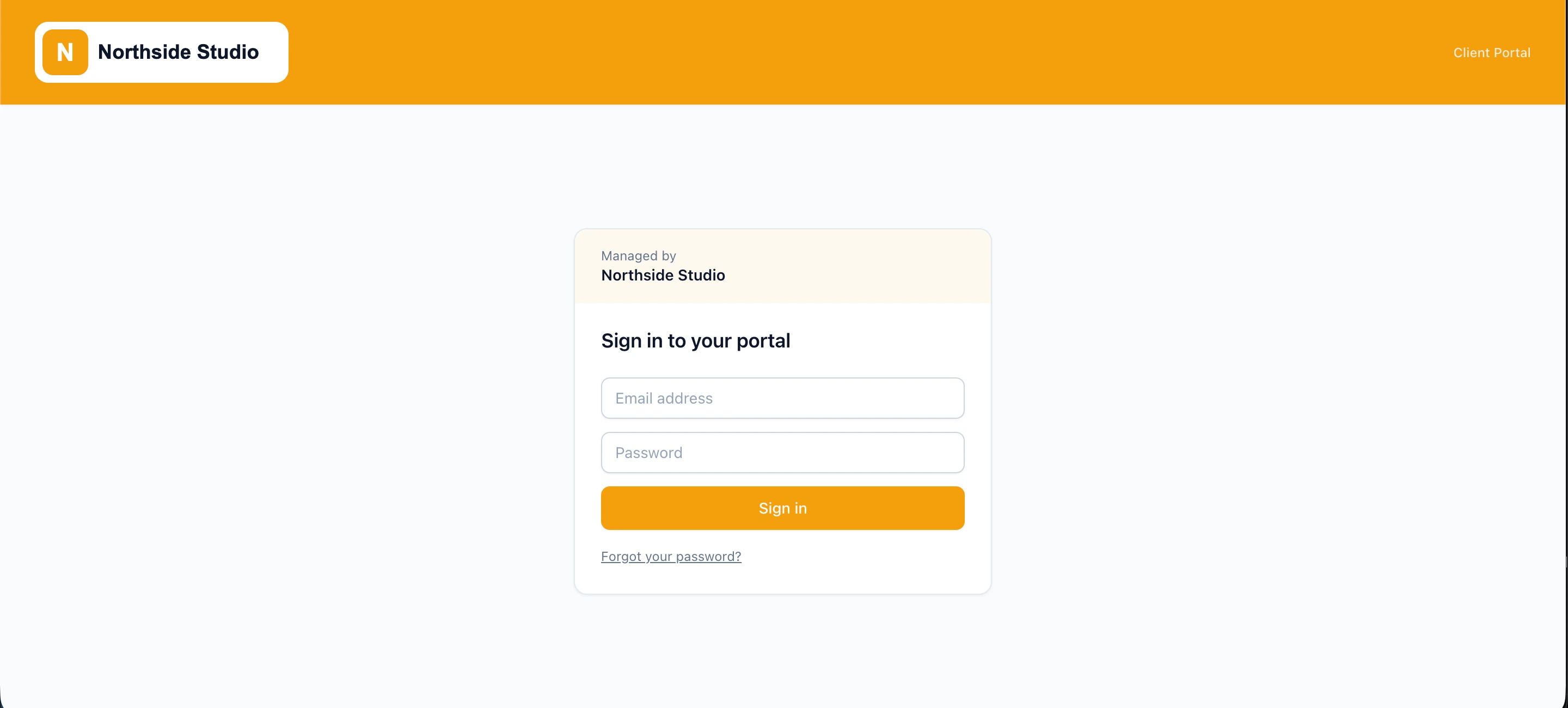
Clients log in directly via portal.youragency.com. From sign-in screen to favicon and automated email headers, your agency visual identity takes center stage.
Review Real-Time WordPress Health & ROI Reports
Clients self-serve website uptime, security audit scores, SLA targets, and monthly maintenance reports 24/7 without needing technical WordPress admin access.
Submit Support Requests & Track Progress
Clients submit change requests, attach files, and track progress directly through their portal, then the work routes into your agency Kanban workflow automatically.
Who It's Built For
Tailored client experience and scoped access across every tier of WordPress agency service.
WordPress Care-Plan Agencies
Prove ongoing monthly ROI with branded automated maintenance reports, security scans, and uptime metrics that justify your recurring retainer.
Freelancers & Boutique Studios
Replace unpaid administrative emails and informal Excel spreadsheets with a polished, enterprise-grade client hub that elevates perceived value.
Multi-Site Enterprise Agencies
Manage complex client organizations with strict data isolation so stakeholders only see their authorized websites, contracts, and change requests.
Complete agency white-labelling: domain, logo, colours & favicon
Clients log in directly through your agency domain (e.g., portal.youragency.com). From the first sign-in screen to automated email headers and custom favicon, your agency visual identity takes center stage with custom brand colors and text settings.
Custom agency domain & favicon
Host the portal on your own subdomain with custom favicon and zero third-party references.
Tailored visual identity
Your logo and primary brand colours apply instantly across every page and email.
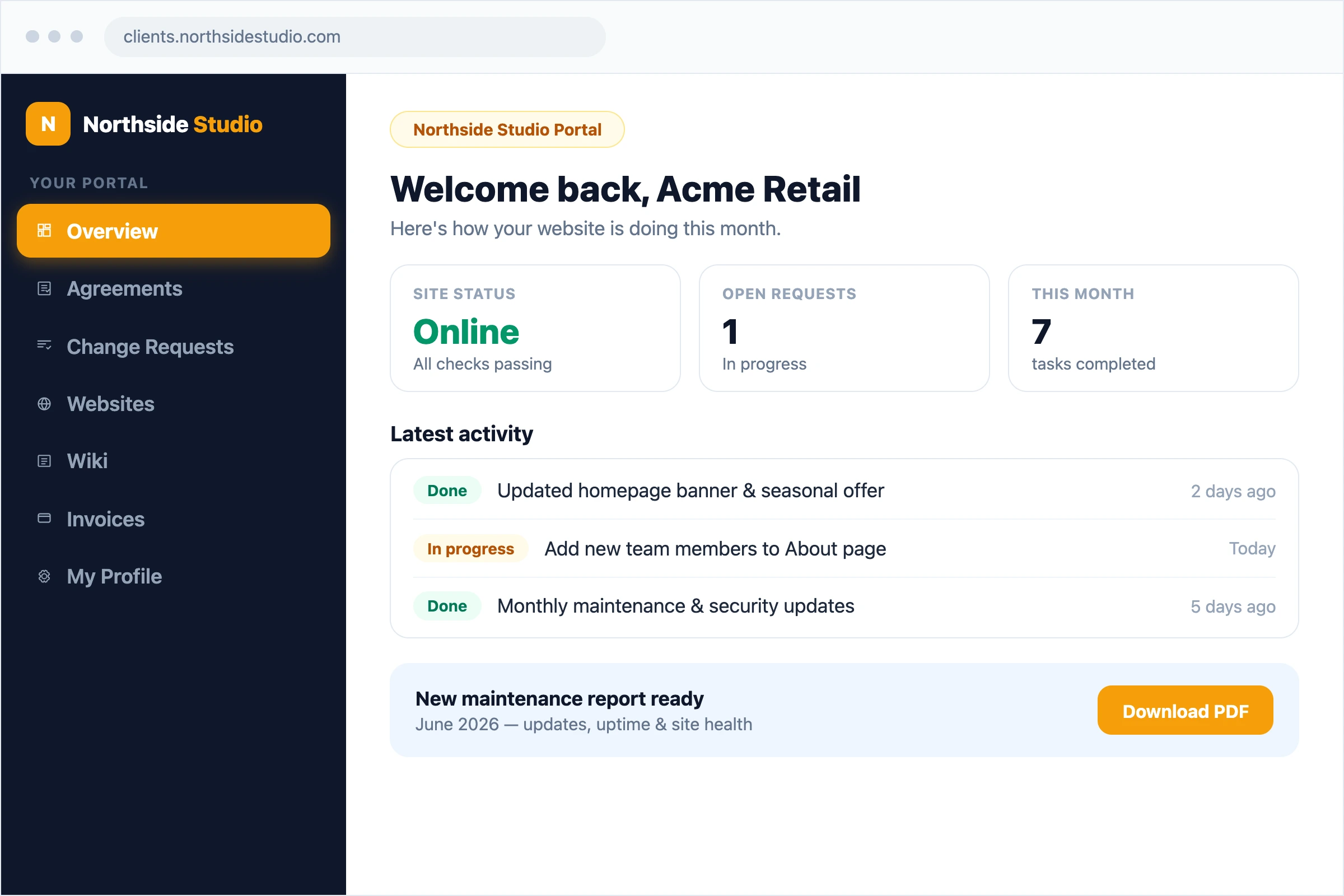
Per-client menu customisation & one-click client preview
Set up exactly what each client sees in their portal. Toggle visibility for agreements, change requests, site health reports, wiki docs, monthly reports, and invoices per client. Launch a live client preview with a single click to inspect their exact view.
Granular per-client tabs
Control menu visibility for each client individually so they only see the sections relevant to their plan.
One-click client preview
Instantly preview the portal as any client from your agency dashboard to double-check their experience.
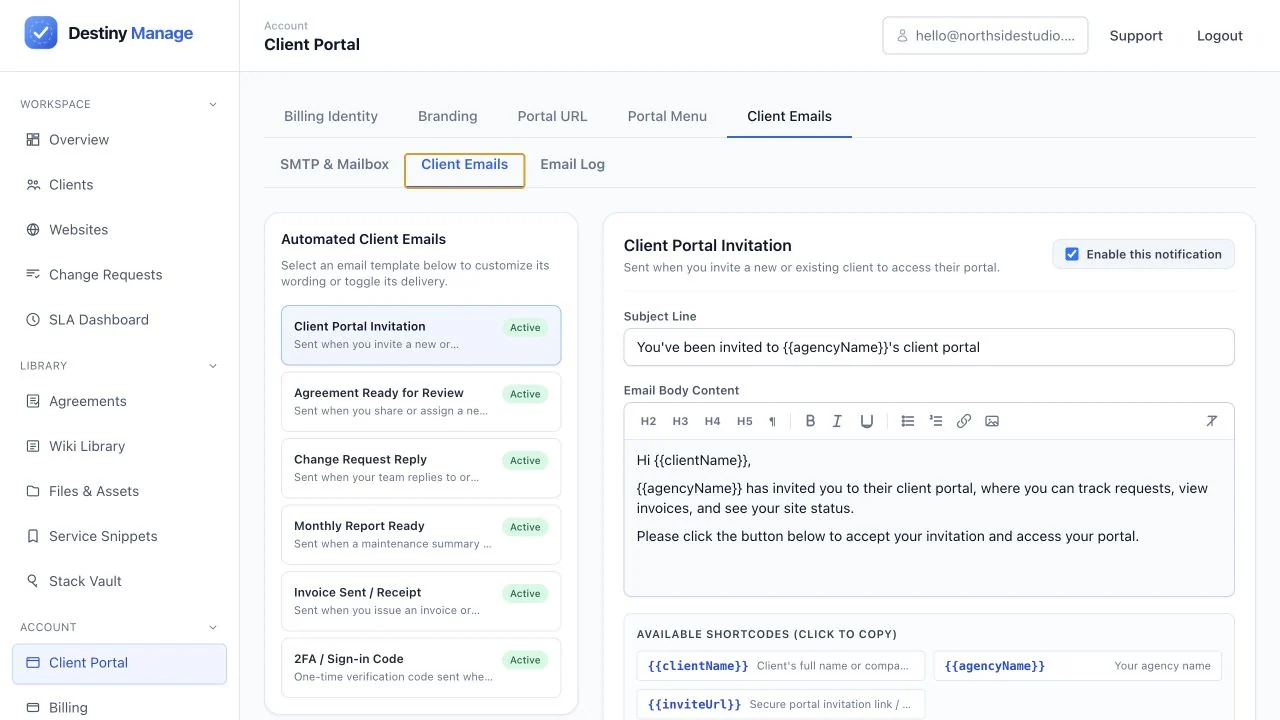
Automated client email delivery & template controls
Take total control over client communications. Enable or disable individual notification templates, from portal invites to monthly maintenance reports. Customise subjects and bodies with shortcodes or send via your own SMTP mailbox.
Per-notification toggle controls
Choose exactly which automated emails get sent to clients and turn off unwanted triggers.
Custom SMTP & templates
Send emails using your own Gmail, Microsoft 365, or custom SMTP server under your agency address.
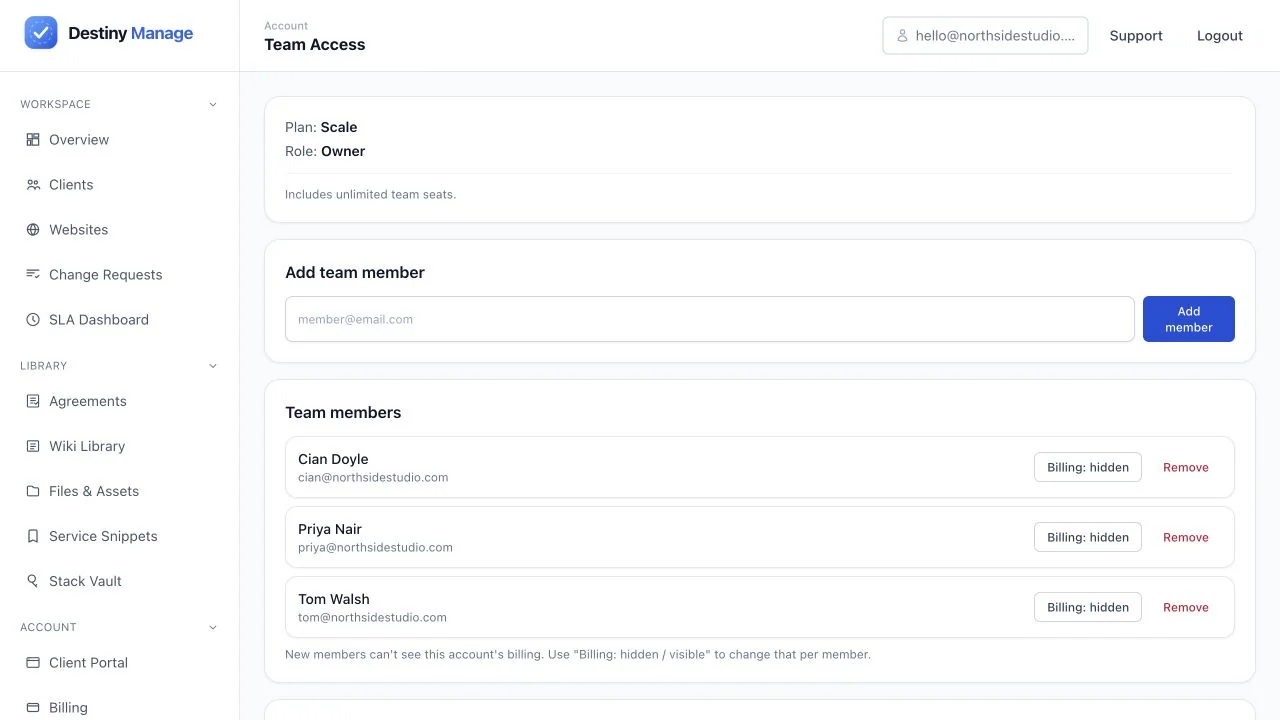
Enterprise-grade security & airtight data isolation
Multi-client security built in. Every client sees strictly their own WordPress sites, contracts, and invoices, while your agency team operates with granular role-based permissions.
Airtight client scoping
Complete data isolation ensures no client ever sees another client's sites, invoices, or tickets.
Granular agency roles
Invite teammates as owners or specialists so support staff manage client work without touching billing.
Why agencies replace email and generic project tools with a client portal
See how a dedicated white-label client portal transforms agency client retention compared to ad-hoc email threads and generic project management boards.
| Capability | Destiny Manage | Email, PDFs & Excels | Generic Project Tools |
|---|---|---|---|
| Agency Brand Presence | ✓100% white-label on your custom domain | Lost in crowded email inboxes | Third-party SaaS branding everywhere |
| WordPress Care Plan Proof | ✓Automated monthly ROI & health reports | Manual PDF & Excel sheet creation taking hours | No WordPress maintenance context |
| Client Experience | ✓Self-serve hub for requests, sites & billing | Fragmented threads, static Excels & missing attachments | Overwhelming technical project boards |
| Data Isolation | ✓Scoped per client automatically | Risk of accidental CC / wrong attachments | Complex permission configuration required |
By consolidating website maintenance proof, support requests, and branding under one custom domain, agencies eliminate repetitive status check-ins and dramatically reduce client churn.
Frequently asked questions
Everything you need to know about setting up and running your white-label client portal.
Can I host the client portal on my own agency subdomain?
Yes. You can connect your custom subdomain (such as portal.youragency.com or clients.yourstudio.com). Your clients log in and interact entirely under your domain name.
Will my clients ever see Destiny Manage branding?
No. Destiny Manage operates as an invisible infrastructure partner behind your agency. Your logo, colors, custom favicon, and domain name appear on every portal screen, report, and email notification.
Do my clients need a WordPress administrator account to use the portal?
No. Clients log in directly to your agency client portal. They never need WordPress administrator credentials, eliminating the risk of accidental site breakage or unauthorized plugin changes.
Can clients submit support requests and attach files through the portal?
Yes. Clients can open change requests, attach files, and track ticket status directly in their portal. Each submission flows straight into your agency Kanban board with SLA timers.
Can a client manage multiple WordPress sites from one login?
Yes. If a client owns multiple websites or brands, you can assign all their WordPress sites to their single portal profile so they can monitor uptime, reports, and requests in one place.
How do automated monthly maintenance reports work?
Destiny Manage logs updates, security auditing, uptime, and completed requests automatically. At month end, AI compiles these into modular executive sections (Summary, ROI & Risk Translation, Strategic Recommendations) with per-client preference memory and an interactive AI Q&A widget in the client portal.
Related guides and resources
Set up white-label client portal and connect it to the rest of your agency workflow.
Explore platform features
White-Label Client Portal is one part of running client care plans in Destiny Manage.
Stop drowning in client admin.
Bring your portals, WordPress maintenance, support, and reporting into one branded workspace. Free forever for your first 5 clients, no card required.
Start managing clients free