Update with confidence. Roll back automatically.
Keep WordPress core, plugins, and themes current without the fear. Then let monitoring check every page of every site, verify pages after each update, and name the plugin when something breaks.
WordPress Updates & Monitoring
Monitoring- Only actionable fixes
- No duplicate updates
- Validated and auditable
- Crash-safe rollback
High-risk fixes do not wait for the maintenance window
When a high or critical vulnerability is discovered in WordPress core or any installed plugin or theme, Destiny Manage immediately queues the vendor's fixed version instead of waiting for an agency schedule or a manual click.
Only actionable fixes
An automatic patch runs only when a vendor-fixed version is available and WordPress reports that it can be installed. License-blocked packages and vulnerabilities without a fix stay visible for review.
No duplicate updates
Existing immediate work is left alone, while a scheduled update for the same component is safely promoted to run now.
Validated and auditable
The normal backup, rollback, installed-version check, cache clearing, and post-update page verification still run, and update history records that the vulnerability was patched after discovery.
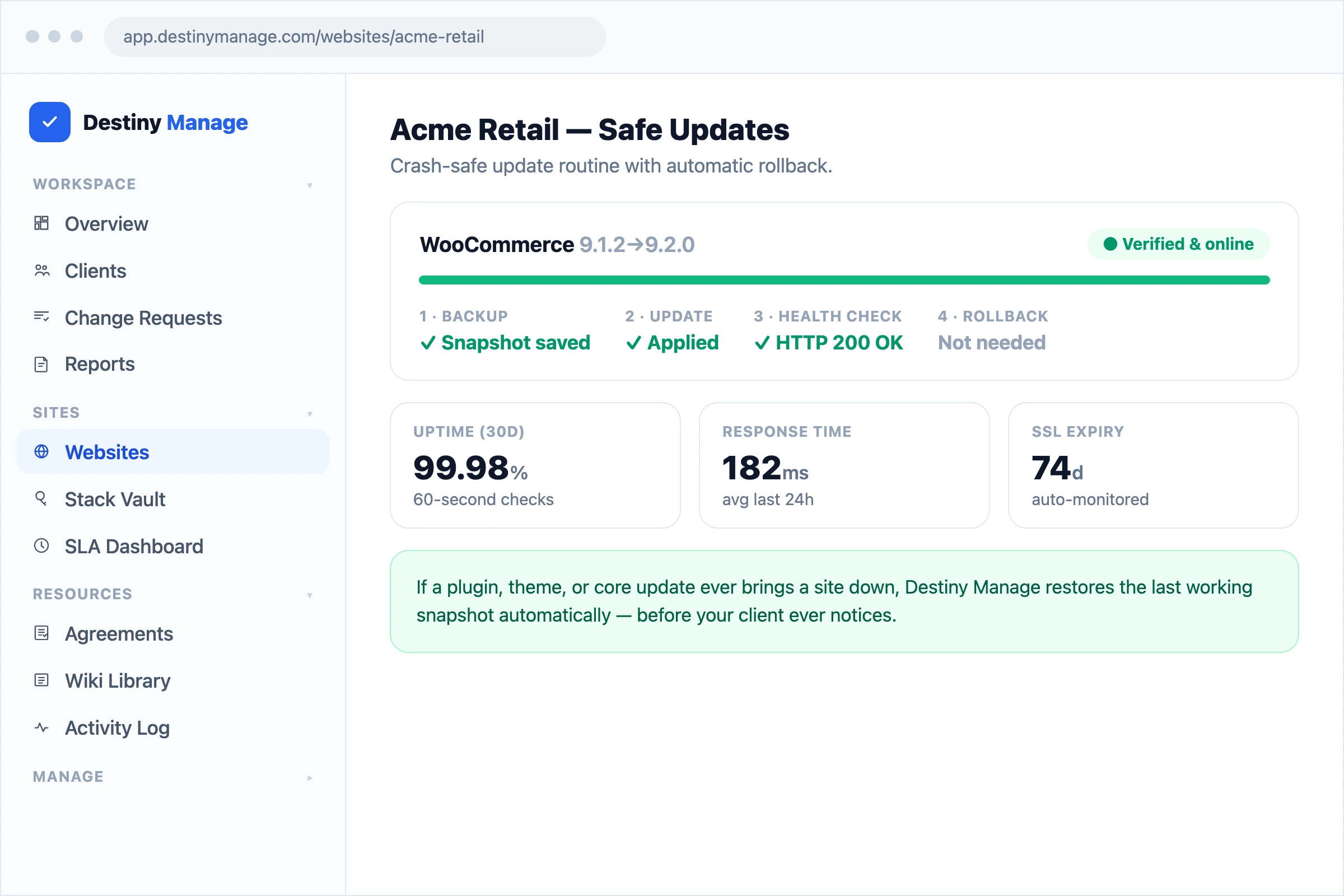
Every update is backed up first
Before anything changes, a snapshot is saved. After the update, the site is health-checked. If it goes down, the last working version comes back on its own.
Crash-safe rollback
An automatic restore kicks in the moment an update takes a site offline, usually before anyone notices.
Scheduled updates
Set updates to run overnight or off-peak so clients never see disruption during business hours.
One-click rollback
Hit a plugin conflict later? Roll any plugin or theme back to its previous version in a single click.
Updates verified page by page
A homepage that still loads doesn't mean the update went fine. Before an update batch runs, key pages are snapshotted. After it finishes, the same pages are re-checked, and any page that broke is reported with the update that caused it.
Before and after snapshots
Key pages are captured before updates run and compared after, so a new error or a page losing its content stands out immediately.
Named culprits
When the server error behind a broken page points at a plugin in the update batch, the alert names it as confirmed, not guessed.
AI diagnosis
On paid plans, a plain-English explanation of what broke and the recommended next step is written the moment a regression is found.
Every page checked, not just the homepage
Up-or-down checks miss the checkout page that's throwing a database error. Page health monitoring crawls every page in the sitemap and scans each one for the signals that a WordPress page is broken, on every plan.
Error signature scanning
Each page is checked for critical errors, database failures, blank pages, memory limits, and debug output leaking to visitors.
Screenshots and console errors
On paid plans, broken pages are rendered in a real browser to capture a screenshot and any JavaScript errors as evidence.
Server-side error capture
With the connector plugin installed, the exact PHP error and the plugin file that caused it are captured for you, no digging through debug logs.
Know the moment something's wrong
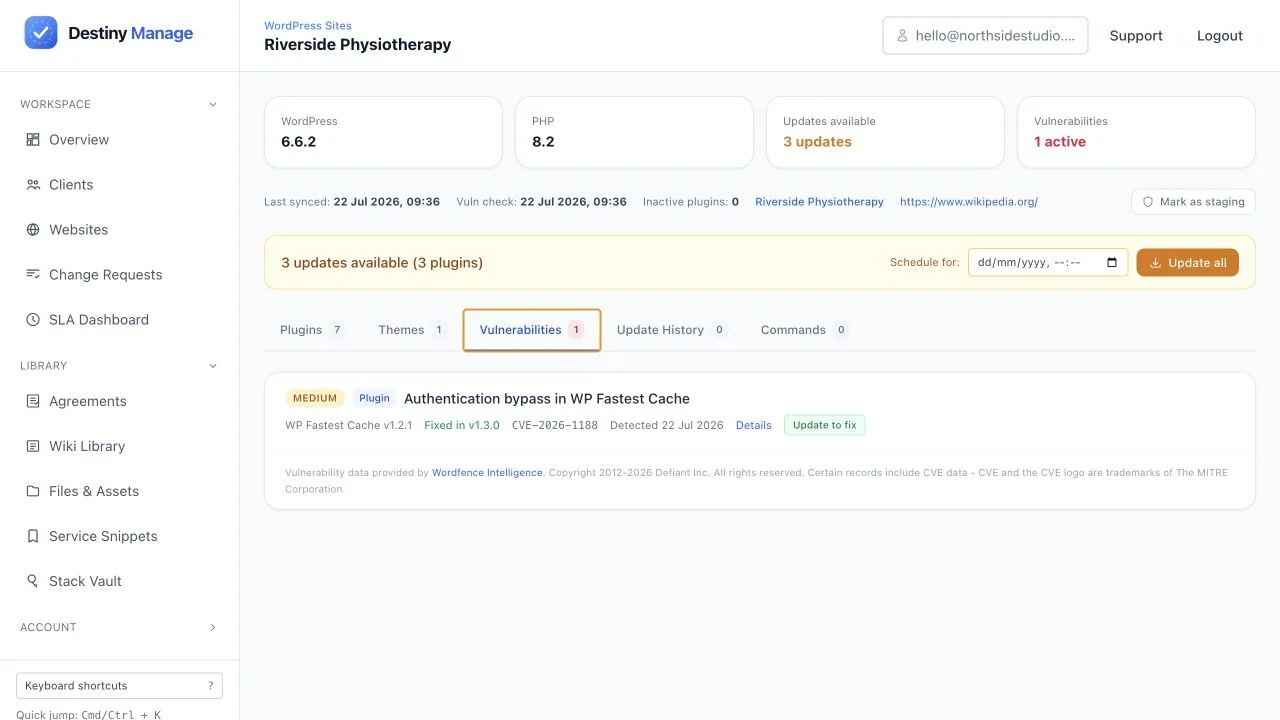
Every connected site is checked every 60 seconds for downtime and expiring SSL certificates, and matched against known WordPress vulnerabilities so you can patch before it's exploited.
Uptime & SSL monitoring
Every site is checked every 60 seconds, with instant alerts for downtime and expiring SSL certificates.
Vulnerability scanning
Connected sites are checked against known WordPress vulnerabilities so you can patch issues before they bite.
Explore platform features
WordPress Updates & Monitoring is one part of running client care plans in Destiny Manage.
Stop drowning in client admin.
Bring your portals, WordPress maintenance, support, and reporting into one branded workspace. Free forever for your first 5 clients, no card required.
Start managing clients free