The brand kit lives where the client does.
Logos, brand guidelines, design files, and pitch decks all belong to a client, so keep them with that client. Share the ones they should have, and keep the rest to your team.
Files & Assets
Knowledge- Branding and design IP
- Your agency's own files
- Sorted by category
- Hidden by default
Why keep client files in the portal?
Most agencies scatter client assets across shared drives, email threads, and a folder on one designer's laptop. When a client asks for their logo in a different format, or a new team member needs the brand guidelines, someone goes hunting. Keeping files against the client they belong to means the answer is always in the same place, and the client can help themselves to the ones you have shared.
Every client asset, next to the client
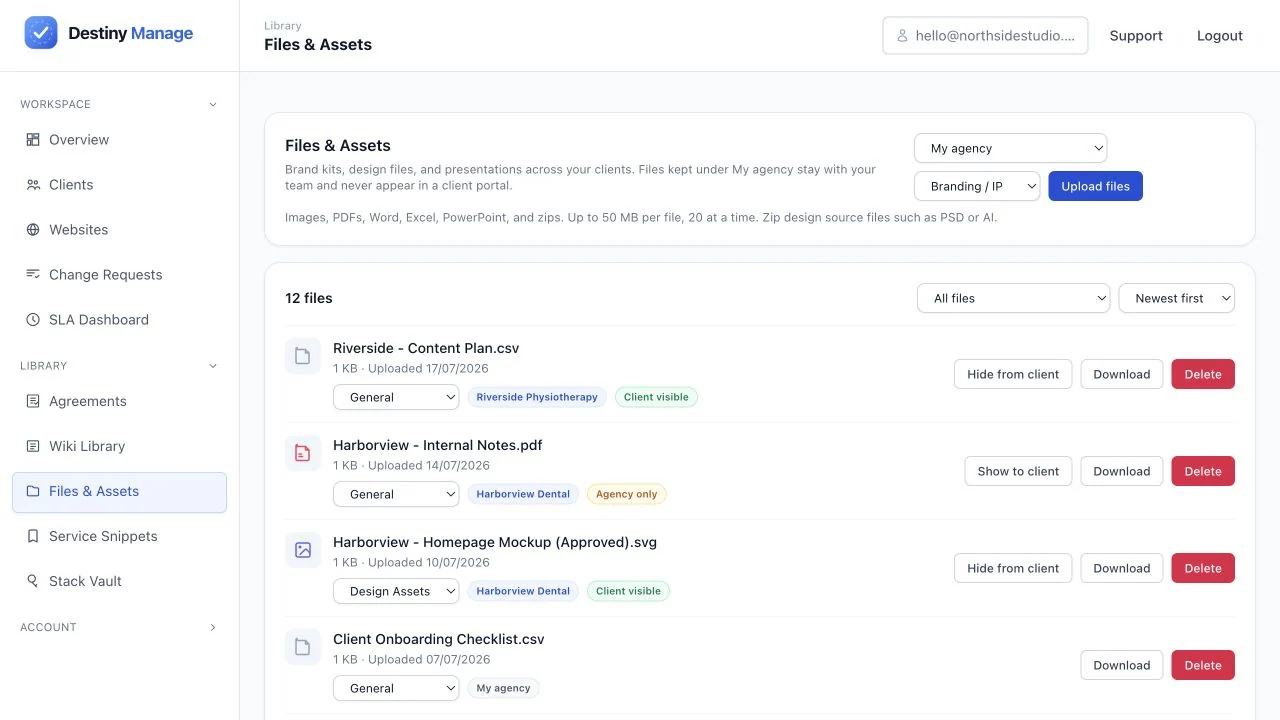
Upload branding kits, design source files, presentations, and documents against the client they belong to, and group them by category so the right file is easy to find later.
Branding and design IP
Logos, brand guidelines, and design source files stay with the client they were made for.
Your agency's own files
Sales decks and your own brand kit belong to no client, so keep them under My agency where clients never see them.
Sorted by category
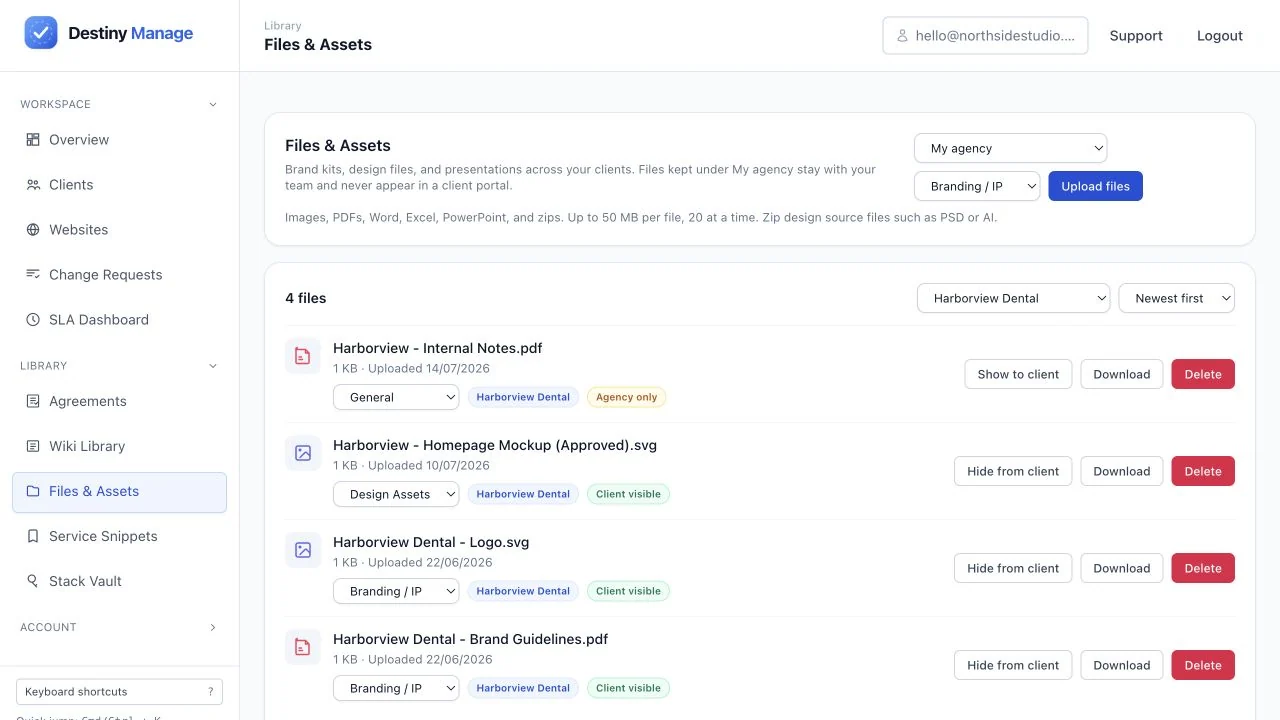
File things under Branding, Presentations, or Design Assets, and filter the library by client.
You decide what the client sees
Every file is hidden from the client until you share it, so internal material and client-facing material can live in the same place without you thinking about it.
Hidden by default
Uploads stay internal until you choose otherwise, so nothing reaches a client by accident.
Shared with one toggle
Flip a file to client visible and it appears in their portal. Flip it back and it is gone again.
Internal work stays internal
Keep the original pitch deck and working files to your team, while the client gets the finished brand kit.
Storage included with your plan
File storage is part of your plan rather than a separate add-on, and your Usage page shows what you have used at any time.
Included allowance
Every plan comes with storage, from 400 MB on Free up to 50 GB on Scale.
One pool, whole account
Client files, agency assets, and request attachments all draw from the same allowance.
Told before you run out
Files and Assets speaks up when space runs low, so a full account is never a surprise.
Frequently asked questions
Everything you need to know about setting up and running your files & assets.
Can clients see everything I upload?
No. Every file is hidden from the client until you mark it client visible. Internal decks and working files can sit in the same client folder as the assets you have shared, and the client only ever sees the ones you have turned on. Files kept under My agency belong to no client and never appear in a portal at all.
Where do signed contracts go?
Care-plan contracts and onboarding forms live in Agreements, where clients read and e-sign them inside their portal. Files and Assets is for the brand kits, design files, and decks around that work.
What kinds of files can I store?
Images, PDFs, presentations, documents, spreadsheets, and zip archives are all supported, up to 50 MB per file.
Does the Files tab appear in every client portal?
Yes, and it stays empty until you share something, because every file is hidden from the client until you mark it client visible. You can hide the section entirely for every client under Settings, or for one client at a time from that client's settings.
How much storage do I get?
Storage is included with your plan: 400 MB on Free, 5 GB on Starter, 20 GB on Growth, and 50 GB on Scale. It covers client files along with the attachments on change requests and onboarding forms.
Related guides and resources
Set up files & assets and connect it to the rest of your agency workflow.
Explore platform features
Files & Assets is one part of running client care plans in Destiny Manage.
Stop drowning in client admin.
Bring your portals, WordPress maintenance, support, and reporting into one branded workspace. Free forever for your first 5 clients, no card required.
Start managing clients free