WordPress agency management software, without the tool sprawl
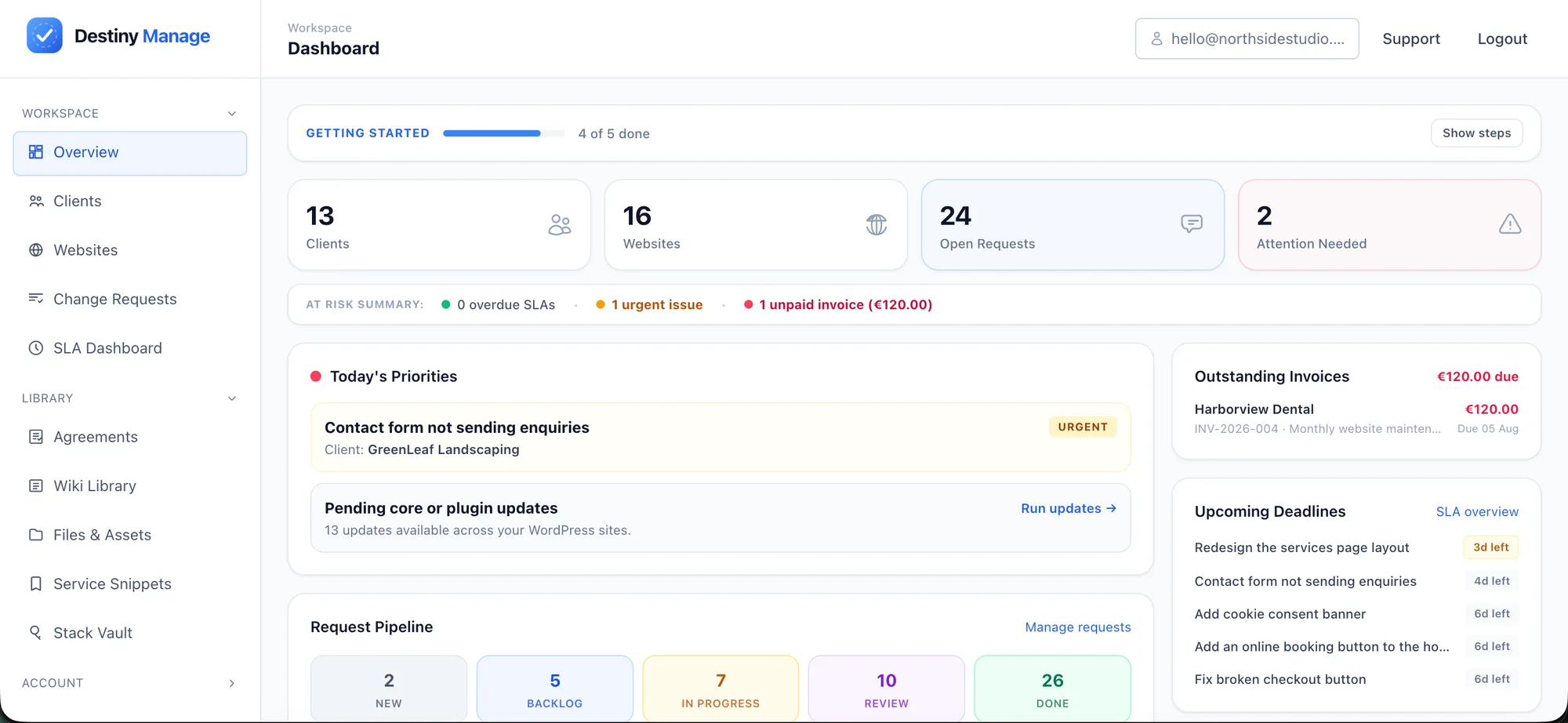
Many WordPress agencies run care plans across a maintenance dashboard, activity-log plugin, backup service, hosting panels, helpdesk, spreadsheet and invoicing tool. Destiny Manage brings website care and the ongoing client relationship into one branded workspace, keeping activity evidence, updates, backups, hosting context, requests, reports, billing and agreements connected.
What is WordPress agency management software?
WordPress agency management software helps agencies run recurring care plans across multiple client websites. It combines maintenance, monitoring, activity evidence, backups and hosting context with client requests, SLA tracking, reporting and billing.
Many WordPress management tools focus primarily on the technical condition of the websites. A broader agency platform also explains who changed what, preserves independent recovery copies, and manages the client-facing relationship through branded portals, invoices, agreements and support workflows.
What this changes for your agency
One workspace instead of disconnected tools
Manage maintenance, client requests, reports, billing and agreements together, without repeatedly copying information between dashboards, spreadsheets and email.
An answer when someone asks what changed
Search WordPress actions by site, user, IP, event and date, then review focused before-and-after evidence without storing another complete revision on every save.
Proof clients can understand
Turn internally and externally applied updates, uptime data and completed requests into branded monthly reports that show what was delivered.
Billing connected to delivery
Keep recurring invoices, tracked time and signed agreements alongside the work they relate to, so billing stays aligned with delivery.
How Destiny Manage compares
| Capability | Maintenance dashboard | General client portal | Destiny Manage |
|---|---|---|---|
| WordPress updates and monitoring | Common | Usually not | Yes |
| Update verification and rollback | Varies | Usually not | Plugin and theme updates |
| Cross-site WordPress activity log | Varies or add-on | Usually not | Yes — user, IP and focused changes |
| Full backups in cloud storage you own | Varies | Usually not | Yes |
| Hosting-provider backup and cache actions | Varies | Usually not | Cloudways, Kinsta and WP Engine |
| Branded client portal | Varies | Yes | Yes |
| Client requests | Limited | Common | Yes |
| Response and resolution SLAs | Usually not | Varies | Yes |
| Monthly maintenance reports | Common | Limited | Yes |
| Care-plan billing | Usually not | Varies | Yes |
| Agreements and signatures | Usually not | Sometimes | Yes |
| WordPress vulnerability monitoring | Varies | Usually not | Yes |
This table compares typical product categories rather than individual products. Capabilities vary between providers, so review each product's current features before making a decision.
WordPress agency management features
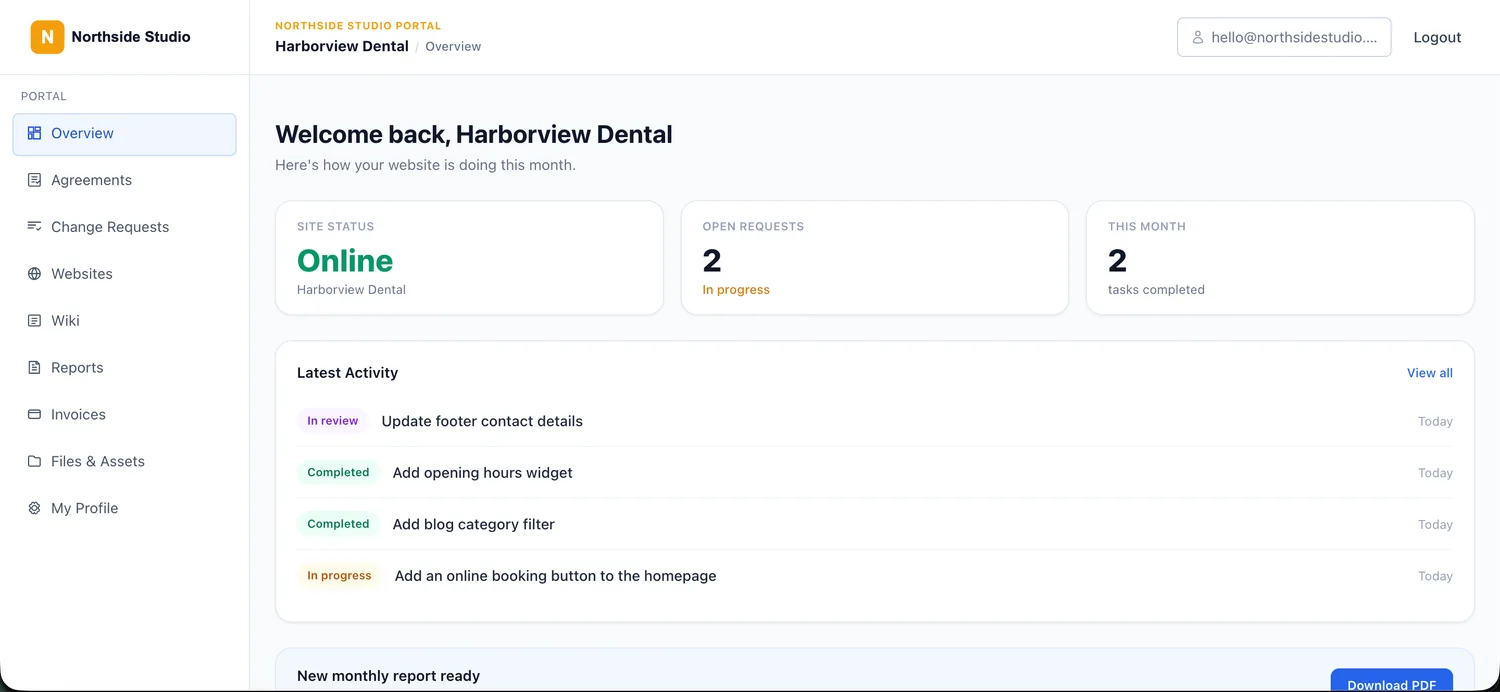
Branded client portal
Give every client a branded portal on your agency domain where they can view site health, submit requests, read reports, view invoices and sign agreements.
Explore the client portalWordPress activity and accountability
See who logged in or changed users, posts, pages, media, settings, plugins and themes, with IP addresses, search, filters and compact before-and-after details for Gutenberg, recognised builders and ACF.
See the activity log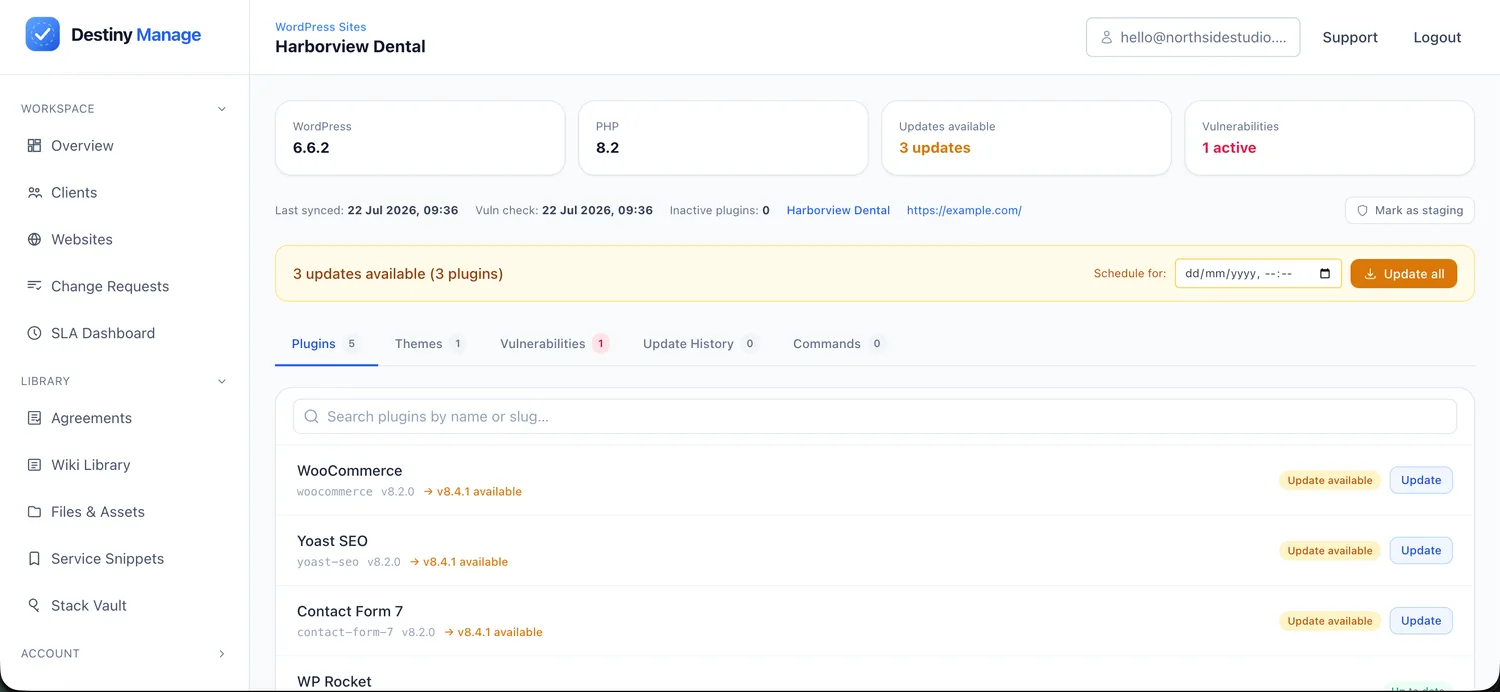
Safe WordPress maintenance
Run core, plugin and theme updates from one place. Protect plugin and theme updates with file backups, health checks and automatic rollback, then verify pages and capture the PHP error or plugin file behind a failure. Updates performed by WordPress, hosting or another tool stay in history and reports.
See updates & monitoringBackups in cloud storage you own
Create full files-and-database archives manually or on a daily, weekly, monthly, or quarterly schedule, streamed to your agency's Google Drive, OneDrive, Box or Dropbox with nested client folders and retention controls.
See cloud backupsHosting-aware website care
Connect Cloudways, Kinsta or WP Engine to match environments, request host backups before updates, clear caches after successful work and keep server context beside the website.
See hosting features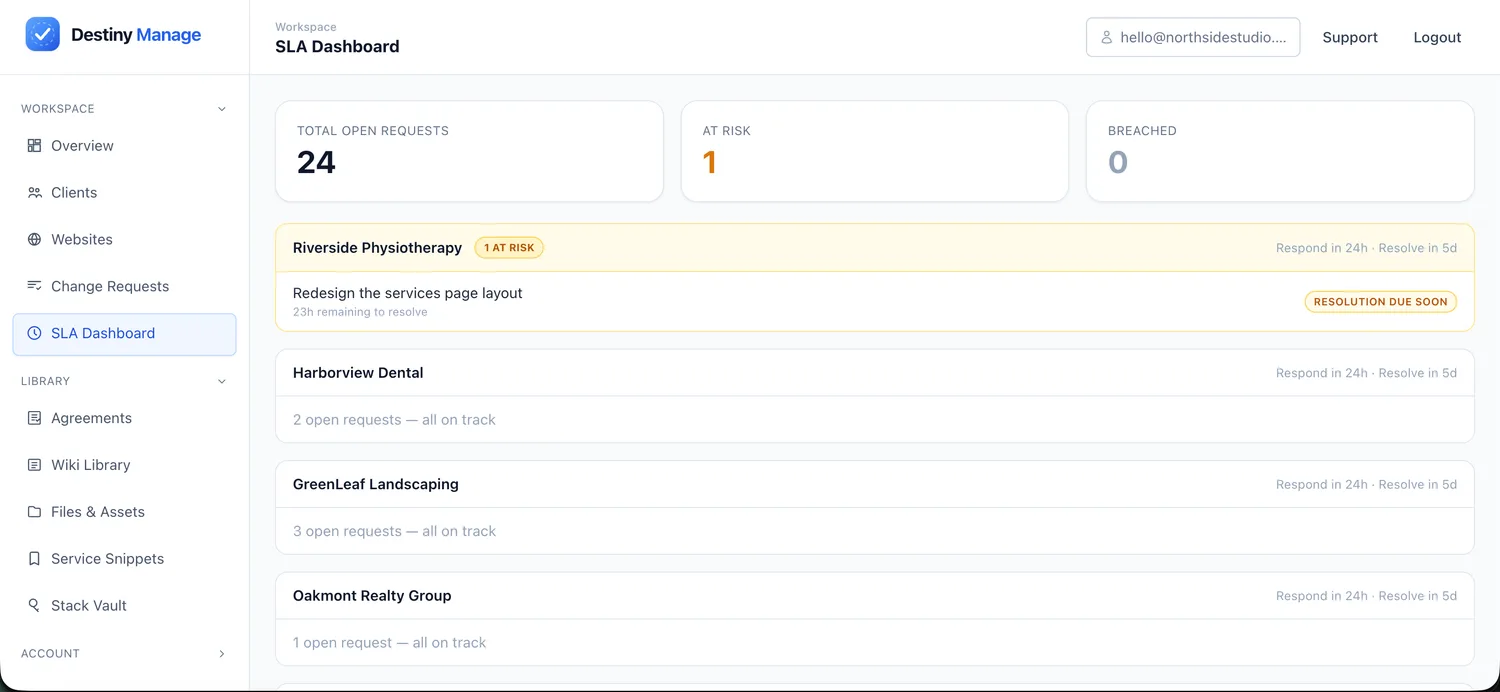
Requests with SLAs
Receive client requests through the portal, apply response and resolution targets, and track every request from submission to completion.
See change requests & SLA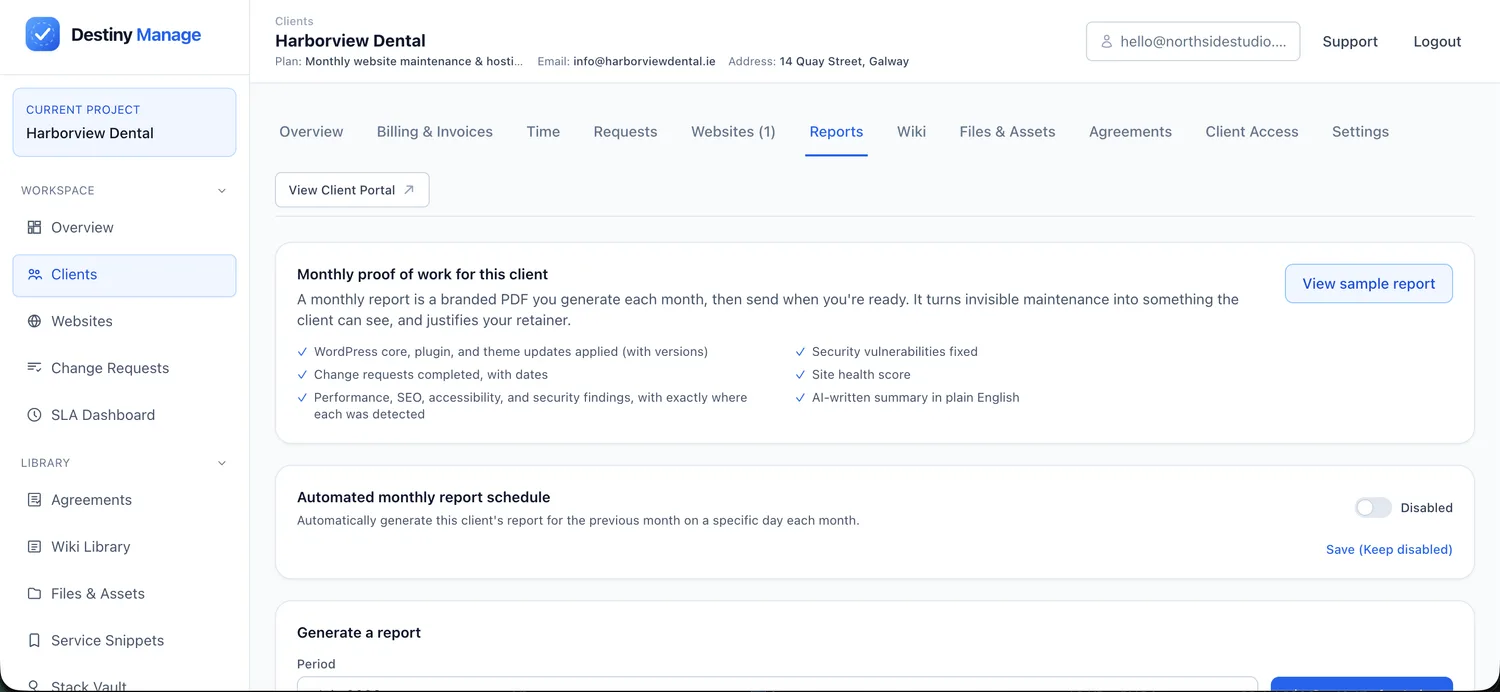
Automated client reporting
Automatically combine maintenance, host or externally applied updates, uptime and completed requests into branded monthly reports. AI-assisted summaries explain technical work in clear, client-friendly language.
See automated reports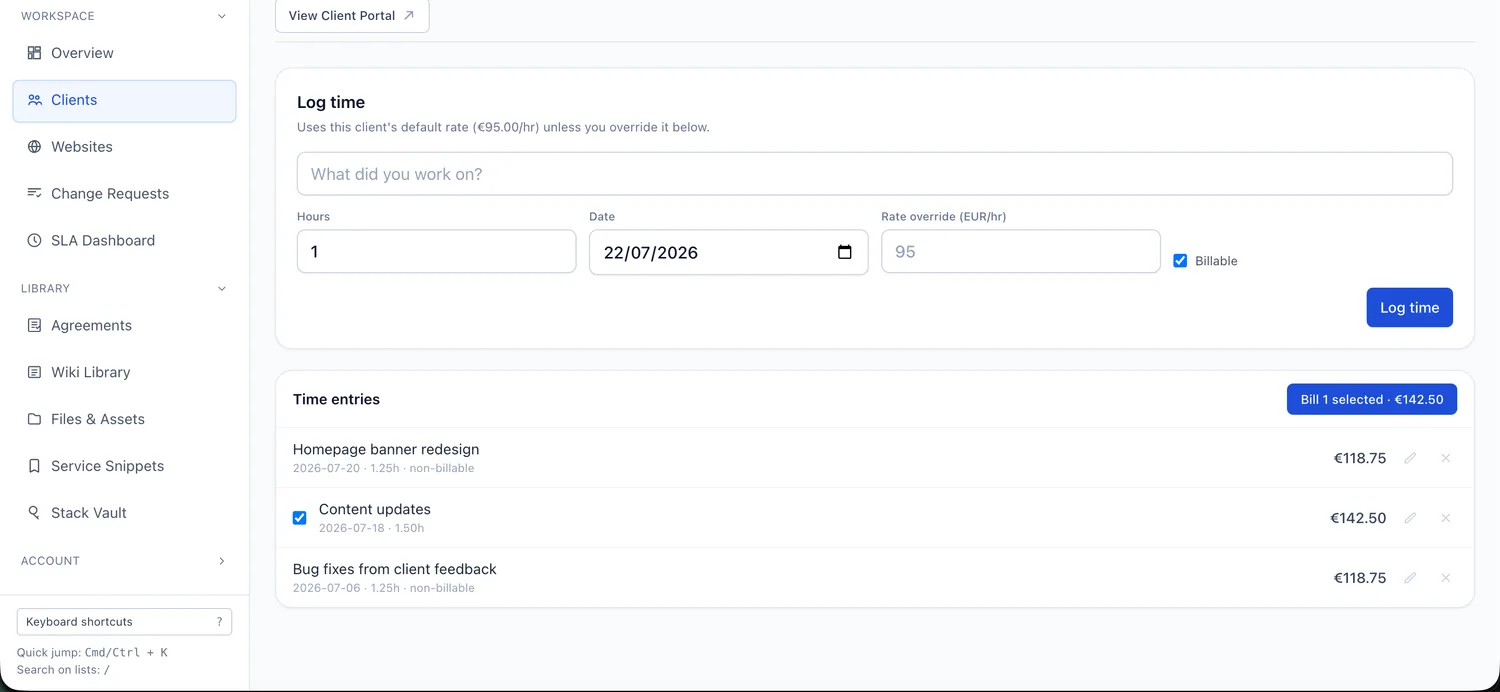
Billing, invoices & time
Create recurring care-plan invoices, record billable time and keep payment activity alongside each client's work.
See billing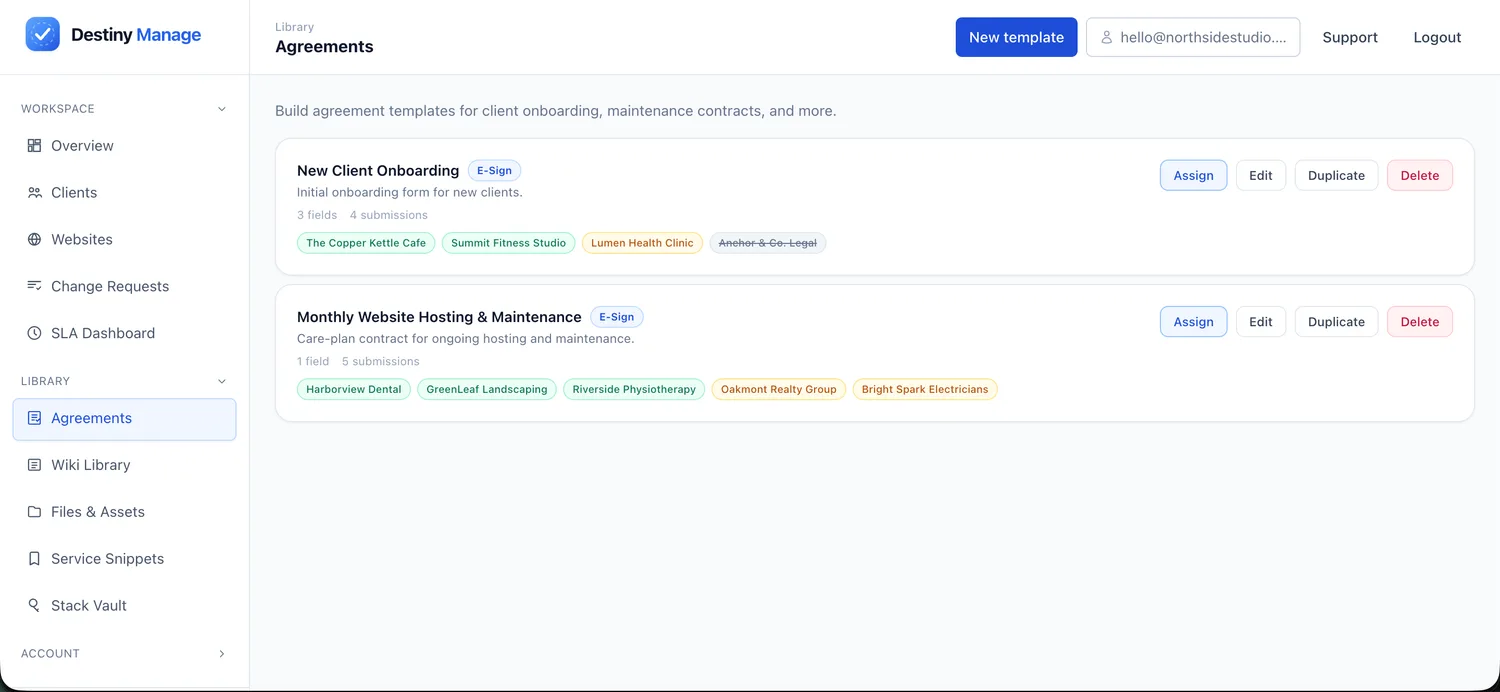
Client agreements
Send, sign and store care-plan agreements alongside the client account, keeping scope, pricing and service terms connected to delivery.
See agreementsWho Destiny Manage is for
Destiny Manage is best suited to WordPress agencies and freelancers running recurring maintenance, support or care plans across multiple client websites.
- WordPress design and development agencies running recurring care or maintenance plans.
- Freelancers productising support and maintenance who want to look like an agency from day one.
- Teams tired of stitching a maintenance dashboard, helpdesk, invoicing tool, and spreadsheets together.
It is less suitable for agencies that do not manage WordPress websites or provide recurring client services.
Common questions
How is this different from a WordPress maintenance dashboard?
A maintenance dashboard keeps sites updated and monitored. Destiny Manage adds a detailed WordPress activity trail, portable backups in agency-owned cloud storage, hosting-provider context and the client operations layer around the work: a branded portal, requests and SLAs, reporting, billing and agreements.
Do I have to move all my clients at once?
No. Destiny Manage is free forever for your first five clients, so most agencies start by moving a handful of sites, set up their care-plan tiers and portal, and expand from there.
Does it replace my invoicing tool?
It can replace a separate invoicing tool for recurring care-plan revenue. Destiny Manage includes recurring billing, invoices and time tracking alongside each client's work. It is not intended to replace full accounting or bookkeeping software where your agency requires VAT returns, payroll, expense management or statutory accounts.
Can I continue using Jira, ClickUp or another project-management tool?
Yes. Destiny Manage acts as the client-facing care-plan workspace while your delivery team keeps working in its own tools. A client request can be sent to Jira, GitHub, Linear, ClickUp, Asana, GitLab, Trello or Azure DevOps with its context and a link to the original request. The external ticket link is saved in Destiny Manage, while the request status is currently updated manually.
Can Destiny Manage replace several agency tools?
For many WordPress agencies, Destiny Manage can replace separate tools used for maintenance reporting, WordPress activity logging, cloud-backup scheduling, client portals, support requests, care-plan invoicing and agreements. Development teams can still keep specialist tools such as Jira, GitHub or ClickUp where required.
Is Destiny Manage only for WordPress maintenance?
No. WordPress maintenance, activity logging, cloud backups and hosting integrations are part of the platform, but Destiny Manage also covers client requests, SLA tracking, monthly reporting, billing, agreements and branded portals.
Can Destiny Manage show who changed a WordPress page?
Yes. The connector records WordPress actions with the user, role, IP address, affected item and event time. For content and recognised builder or ACF fields, it stores focused before-and-after details rather than copying the entire page revision.
Where are WordPress cloud backups stored?
Full files-and-database archives are streamed to the agency's connected Google Drive, OneDrive, Box or Dropbox. Destiny Manage keeps the job status and remote link rather than retaining a second archive. Restoration from these cloud archives is currently a manual recovery workflow.
How long does it take to add a client website?
A few minutes per site. You install the free Destiny Manage plugin on the WordPress site and connect it with the site's key, and it starts syncing updates, uptime and health data automatically. No migration or DNS change is needed, because the site keeps running where it is.
How many websites can I manage?
The free plan supports up to five clients and ten managed websites. Paid plans increase both the client and website allowances, with plans starting from €29 per month. See the pricing page for the current limits.
Keep exploring
WordPress care plan client portal
The branded portal your clients log into.
Destiny Manage vs WP Umbrella
How the platform compares to a focused maintenance tool.
WordPress activity log
See who changed what across connected client sites.
Cloud backups
Store full WordPress archives in cloud storage your agency controls.
Pricing
Free for five clients, paid plans from €29/month.
Run every WordPress care plan from one place.
Bring maintenance, portals, requests, reporting, billing, and agreements into one branded workspace. Free forever for your first 5 clients, no card required.
Start managing clients free