Destiny Manage vs WP Umbrella
Both are hosted WordPress management platforms with overlapping maintenance features, but they are designed around different scopes. WP Umbrella focuses deeply on safe updates, restoration, monitoring, security and white-label reporting. Destiny Manage connects site care to the wider agency relationship, adding a detailed WordPress activity log, full backups sent to agency-owned cloud storage, hosting-provider controls, a branded portal, requests with SLAs, billing and signed agreements.
WP Umbrella facts last verified 26 July 2026 against WP Umbrella's official site.
Destiny Manage or WP Umbrella?
- Choose Destiny Manage
- when you want maintenance evidence, agency-owned cloud backups and hosting actions connected to a branded portal, support SLAs, billing, agreements and monthly reporting.
- Choose WP Umbrella
- when your priority is a mature specialist maintenance platform with scheduled backups, advanced visual-regression updates, performance and PHP error monitoring, and white-label reports.
- Evaluate both carefully
- when one-click restore, visual regression and active security matter as much as activity evidence, client-owned backup storage and broader client operations.
Who each product is best for
Destiny Manage is best for
WordPress agencies that want site care, activity evidence, backups in storage they own, hosting context and the ongoing client relationship in one branded workspace.
WP Umbrella is best for
Agencies that prioritise mature technical maintenance, scheduled backups, visual-regression testing, performance and PHP error monitoring, and automated white-label reporting, while using separate tools for support requests, billing and contracts.
Feature comparison
| Capability | Destiny Manage | WP Umbrella |
|---|---|---|
| Core, plugin and theme updates | Manage updates from the Destiny Manage dashboard | Bulk and scheduled WordPress updates |
| Automatic update rollback | Plugin and theme updates restore their file backup when the immediate health check fails | Classic and Advanced Safe Updates include restoration points and conditional rollback |
| Full scheduled site backups | Full WordPress files and database backups run manually, daily, weekly, monthly, or quarterly | Encrypted backups with 50-day retention; hourly frequency is an add-on |
| One-click full-site restore | Cloud archives currently use a manual files-and-database recovery workflow | One-click file and database restoration |
| Agency-owned cloud destination | Stream archives to the agency's Google Drive, OneDrive, Box or Dropbox | Backups are stored in WP Umbrella's managed infrastructure |
| Hosting-provider controls | Cloudways, Kinsta and WP Engine backups, cache clearing and environment context | Hosting-aware compatibility and cache support, without the same multi-provider account controls listed |
| Uptime monitoring | Included, with frequency determined by plan | Continuous monitoring with downtime alerts |
| SSL certificate monitoring | Certificate checks every 12 hours, plus manual re-checks | Domain and SSL expiry monitoring |
| Vulnerability monitoring | Known vulnerability alerts across connected websites | Patchstack checks every six hours; optional Security add-on |
| External update history | Detect updates applied by WordPress, a host or another tool and keep their source in history and reports | Tracks updates performed outside WP Umbrella and includes external work in reports |
| WordPress user activity log | Logins, failed attempts, users, content, media, settings, plugins and themes with actor, IP and focused changes | Platform logs plus a security-focused activity stream in the Security add-on |
| Client reports | AI-assisted monthly reports with interactive portal Q&A | Automated white-label reports with 100+ customisable fields |
| Branded client portal | Full portal for sites, requests, reports, invoices, agreements, files and wiki content | Restricted client-role access to selected site information and backups |
| Client requests | Portal request intake and status tracking | No dedicated request workflow listed |
| Response and resolution SLAs | Per-client response and resolution targets | No dedicated SLA workflow listed |
| Time tracking | Billable time recorded against client work | No native time tracking listed |
| Client invoicing and recurring billing | Invoices, recurring care-plan billing and Stripe payments | No native client billing listed |
| E-signable agreements | Send, sign and store care-plan agreements | No native agreement workflow listed |
Pricing comparison
Destiny Manage
Free forever for your first 5 clients. Paid plans from €29/month priced by clients and websites managed, not strictly per site.
WP Umbrella
€1.99 per site per month with no minimum site count. The base price includes encrypted backups with 50-day retention, safe updates, uptime, performance, domain, SSL and PHP error monitoring, database optimisation, vulnerability checks and white-label reporting. A security add-on (€2/site/month) and hourly backups (€2.49/site/month) are priced separately.
Hosting and data model
Destiny Manage
Hosted SaaS. A lightweight plugin connects each WordPress site. Full files-and-database backups can be streamed to the agency's own Google Drive, OneDrive, Box or Dropbox, while Cloudways, Kinsta and WP Engine integrations add host backups, cache actions and environment context.
WP Umbrella
Hosted SaaS. A plugin connects each site to WP Umbrella's cloud dashboard, with backups stored on EU-based infrastructure. Neither tool is self-hosted, so if you need a control plane on your own server, look at MainWP instead.
Maintenance capabilities
Destiny Manage
Core, plugin and theme updates use pre-update protection, immediate health checks and automatic plugin or theme rollback. Page-by-page monitoring can capture the PHP warning or fatal error and name the responsible plugin file. Full cloud backups run manually or on daily, weekly, monthly, and quarterly schedules; restoration from those archives is currently manual rather than one click.
WP Umbrella
A mature, specialist maintenance stack: Quick, Classic Safe and Advanced Safe Updates with restoration points and visual-regression checks, scheduled encrypted backups with restore, uptime, response-time and PageSpeed performance monitoring, domain and SSL monitoring, PHP error tracking, and database optimisation.
Activity and update accountability
Destiny Manage
A cross-site WordPress activity log records logins, failed attempts, user changes, content and media edits, settings, plugins and themes with the actor, role, IP address and focused before-and-after details. Updates applied by hosting providers, WordPress or other tools are attributed separately and included in reports.
WP Umbrella
WP Umbrella maintains platform action logs and tracks updates performed outside its dashboard. Its Security add-on adds a security-driven activity stream for events such as login attacks, new administrators, critical settings changes, file integrity and mass content deletion, but it is not presented as a general content-change log with compact page-builder and ACF differences.
Client-facing capabilities
Destiny Manage
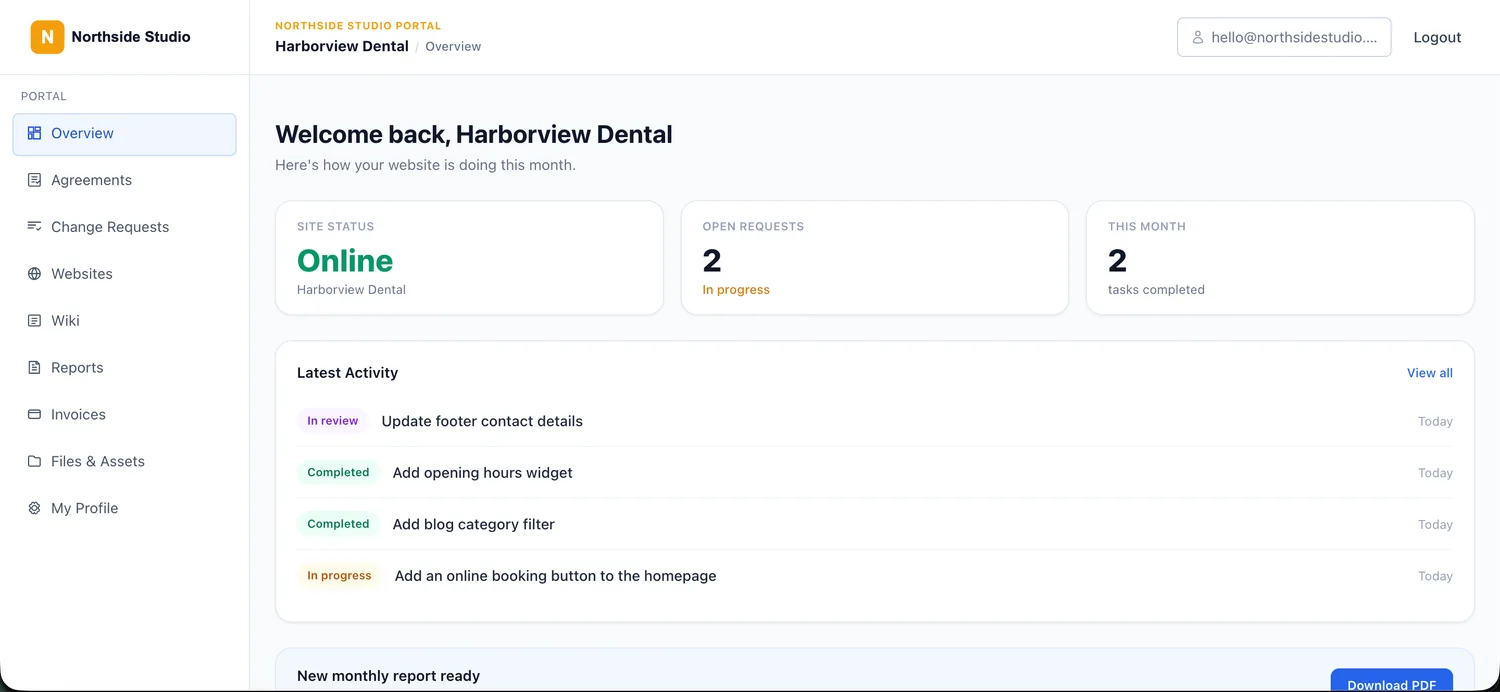
A branded client portal on your own domain where clients log in to see site health, submit requests, read reports, view invoices, sign agreements, and browse shared files and a wiki.
WP Umbrella
WP Umbrella provides a client role that can give clients restricted access to selected site data and backups. Its client-facing experience remains focused on maintenance information and white-label reports rather than requests, invoices, agreements and shared documents.
Reporting
Destiny Manage
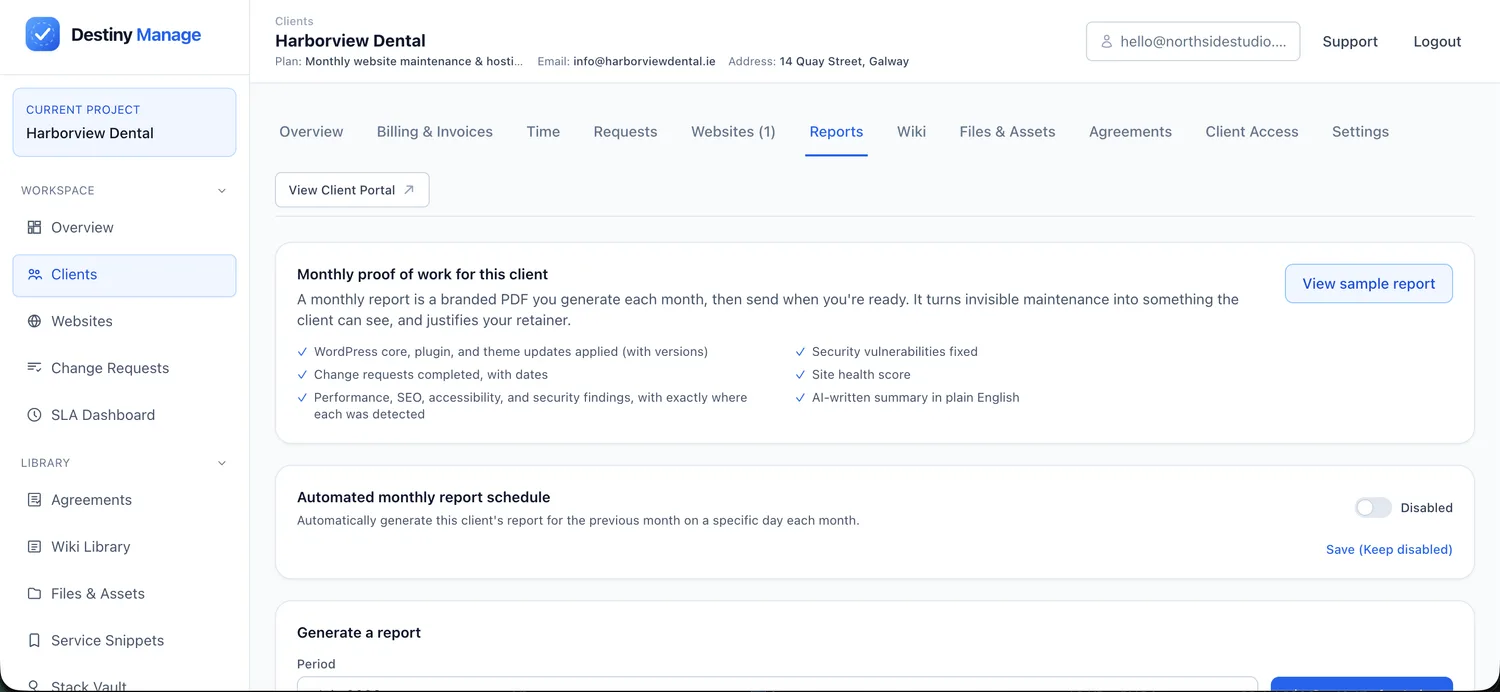
AI-assisted monthly reports combine maintenance activity, updates performed inside or outside Destiny Manage, uptime and completed requests into a client-friendly record of the work delivered.
WP Umbrella
Automated white-label reports cover updates, backups, monitoring, security activity and manually added work. Reports can be delivered as branded emails or PDFs, sent from the agency's own domain and customised using 100+ data metrics and text fields.
Billing and agreements
Destiny Manage
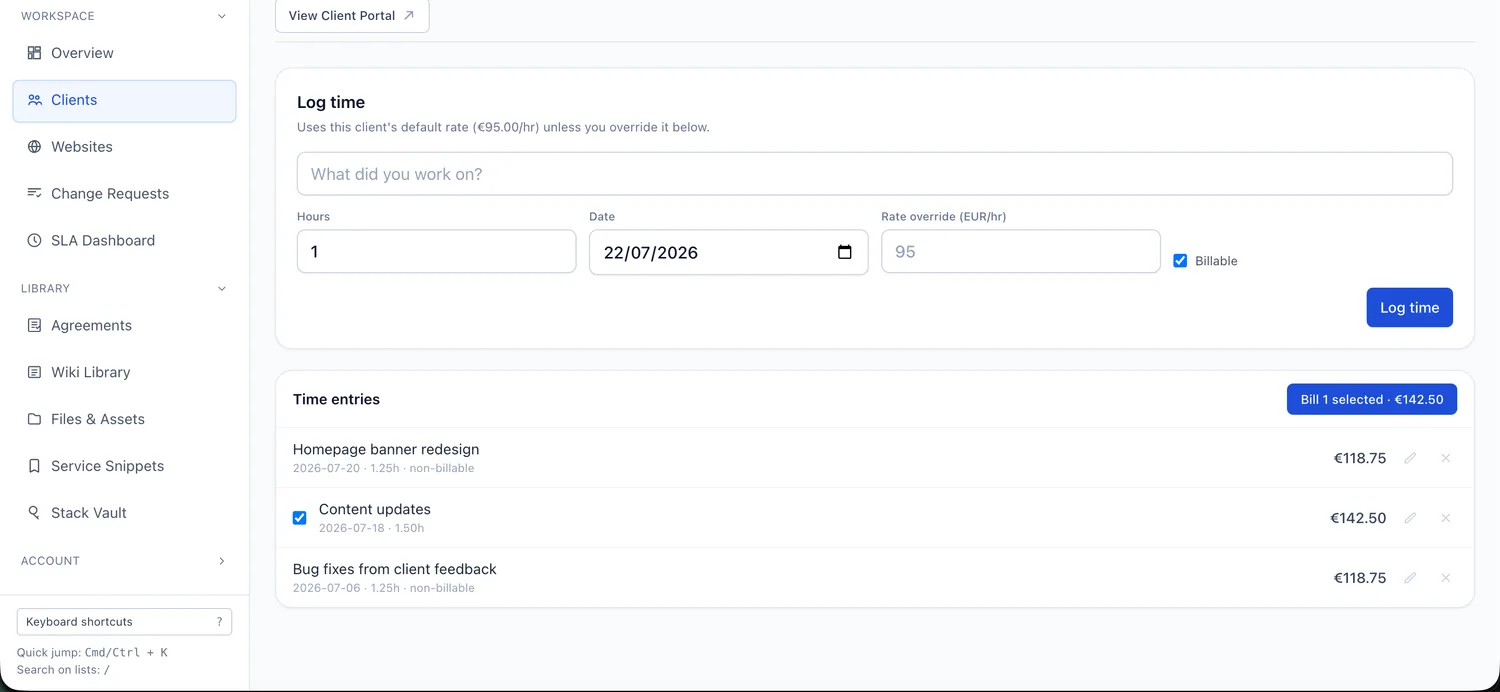
Recurring care-plan billing, invoices, and time tracking are built in, and you can send and store signed client agreements.
WP Umbrella
No native billing or agreement functionality is listed on its official feature pages, so these stay in whatever tools you already use alongside it.
Migration considerations
Both products connect to WordPress through a per-site plugin, and neither requires you to migrate or re-host the underlying websites. You can evaluate Destiny Manage alongside WP Umbrella by connecting a small group of sites first, but avoid running overlapping update schedules, backup jobs or duplicate monitoring notifications while both platforms are active. Before cancelling WP Umbrella, review any historical reports, monitoring data, backup archives, client assignments and configuration you need to retain, since these records may not transfer automatically into Destiny Manage. Once your client structure, care-plan tiers and portal are ready, invite clients into the new workspace and move the remaining sites gradually.
Where Destiny Manage may not be the right fit
An honest list of trade-offs, so you can decide with the full picture.
- Destiny Manage is a newer product than WP Umbrella's long-established maintenance core.
- WP Umbrella currently offers one-click file and database restoration, database optimisation, mature visual-regression Safe Updates and a broader active-security add-on with firewall, virtual patching and malware scanning.
- Destiny Manage stores portable full-site archives in the agency's cloud account, but restoring one currently requires a manual files-and-database recovery workflow.
- If you only need maintenance and reporting and already handle billing, contracts and client communication elsewhere, Destiny Manage's client-operations layer is more than you need.
- Simple per-site pricing can be easier to forecast than plan tiers when your only variable is the number of sites.
Common questions
Is Destiny Manage a drop-in replacement for WP Umbrella?
Not in every situation. WP Umbrella currently provides particularly mature visual-regression updates, one-click restoration, performance monitoring, database optimisation and active security. Destiny Manage differentiates itself with a deeper general WordPress activity trail, direct backups to agency-owned cloud storage, multi-provider hosting controls and the broader client relationship through portals, requests and SLAs, billing, agreements and shared resources.
Can I use both at once while I evaluate?
Yes. Both connect through a per-site plugin and do not change the WordPress sites themselves, so you can connect a few sites to Destiny Manage and compare the reports and workflow before moving everything over. While both are active, avoid running overlapping update or backup schedules so you do not get duplicate jobs or notifications.
Sources
WP Umbrella details were checked on 26 July 2026 against the vendor's own pages. Pricing, plan limits, and features can change, so confirm the current details with WP Umbrella before deciding.
Run every WordPress care plan from one place.
Bring maintenance, portals, requests, reporting, billing, and agreements into one branded workspace. Free forever for your first 5 clients, no card required.
Start managing clients free