Destiny Manage vs Glow
Glow and Destiny Manage are closely matched WordPress care-plan platforms. Glow's strength is support and time tracking, with email-based ticketing, per-client time budgets, frequent backups and two-way update tracking. Destiny Manage adds deeper user and content-change evidence, direct multi-provider cloud backups, hosting-provider controls, response and resolution SLAs, care-plan billing, signed agreements, shared files and client documentation.
Glow facts last verified 26 July 2026 against Glow's official site.
Destiny Manage or Glow?
- Choose Destiny Manage
- when you want deep WordPress change evidence, hosting controls and direct cloud backups connected to response and resolution SLAs, invoicing, agreements and a broader client portal.
- Choose Glow
- when your priority is a mature support and time-tracking workflow for care plans, with client ticketing, per-client time budgets, frequent backups, two-way update tracking and branded client access.
- Evaluate both carefully
- when you want an all-in-one care-plan platform. The two overlap heavily; the deciding factor is usually whether you need broader care-plan operations (SLAs, invoicing, agreements, files and documentation) or a deeper support-and-time model.
Who each product is best for
Destiny Manage is best for
Agencies that want maintenance, detailed user and content activity, provider-independent backups and hosting context alongside a branded portal, requests and SLAs, billing, agreements and broader care-plan administration.
Glow is best for
Agencies that want a strong support and time-tracking core for care plans, with client ticketing, per-client time budgets, frequent backups, two-way update tracking and branded client access, while handling invoicing and agreements elsewhere.
Feature comparison
| Capability | Destiny Manage | Glow |
|---|---|---|
| Core, plugin and theme updates | Manage updates from the Destiny Manage dashboard | Two-way updates capture work performed in Glow, WordPress or by the host |
| Automatic update rollback | Plugin and theme updates restore their file backup when the immediate health check fails | No automatic update-rollback workflow listed |
| Full scheduled site backups | Full files and database backups run manually, daily, weekly, monthly, or quarterly | UpdraftPlus-powered backups can run as often as every two hours |
| One-click full-site restore | Cloud archives currently use a manual files-and-database recovery workflow | One-click restore |
| Agency-owned cloud destination | Direct backups to Google Drive, OneDrive, Box or Dropbox | Choose a third-party backup storage location through the UpdraftPlus integration |
| Hosting-provider controls | Cloudways, Kinsta and WP Engine backups, cache clearing and environment context | Host-applied updates are recorded, but equivalent hosting-account backup and cache controls are not listed |
| Uptime monitoring | Included, with frequency determined by plan | Monitoring as often as every 30 seconds with email and Slack alerts |
| SSL certificate monitoring | Certificate checks every 12 hours, plus manual re-checks | No dedicated certificate-expiry monitoring listed |
| Vulnerability monitoring | Known vulnerability alerts across connected websites | Plugin, theme and WordPress core vulnerability scanning |
| External update history | Updates applied by WordPress, a host or another tool retain their source in history and reports | Two-way tracking records updates performed in Glow, WordPress or by the hosting company |
| WordPress user activity log | Actor, IP, login, user, content, media, settings, plugin and theme history with focused differences | Timeline records core, plugin and theme activity with the acting WordPress user, but not the same content-change and IP detail |
| Client reports | AI-assisted monthly reports with interactive portal Q&A | Automated white-label reports with maintenance and time data |
| Branded client portal | Full portal for sites, requests, reports, invoices, agreements, files and wiki content | Branded dashboard on your domain for reports, tickets and website visibility |
| Client requests | Portal request intake and status tracking | Email and dashboard ticketing with assignment and priority |
| Response and resolution SLAs | Per-client response and resolution targets | No equivalent response and resolution target workflow listed |
| Time tracking | Billable time recorded against client work | Per-client time allowances and ticket time tracking |
| Client invoicing and recurring billing | Invoices, recurring care-plan billing and Stripe payments | Time data supports billing, but no native client invoices or payments are listed |
| E-signable agreements | Send, sign and store care-plan agreements | No native agreement workflow listed |
Pricing comparison
Destiny Manage
Free forever for your first 5 clients. Paid plans from €29/month priced by clients and websites managed.
Glow
Glow's public pricing currently lists the first website as free and additional websites from $1.95 per site per month, pay-as-you-go, with unlimited team seats. Some premium features carry extra fees, and custom pricing is available for larger portfolios. Check Glow's official pricing page for the latest limits, team-seat rules and plan details.
Hosting and data model
Destiny Manage
Hosted SaaS. A lightweight plugin connects each site. Full files-and-database archives stream into the agency's Google Drive, OneDrive, Box or Dropbox, while Cloudways, Kinsta and WP Engine integrations add host backups, cache actions and environment context.
Glow
Hosted SaaS. A white-label plugin connects each site and is visible in the client's wp-admin. Neither tool is self-hosted, so if you want a control plane on your own server, look at MainWP instead.
Maintenance capabilities
Destiny Manage
Core, plugin and theme updates use pre-update protection, immediate health checks and automatic plugin or theme rollback. Page-by-page checks can capture the PHP error and responsible plugin file. Full cloud backups run manually or on daily, weekly, monthly, and quarterly schedules, although restoring an archive is currently manual.
Glow
Two-way updates that reconcile changes made in Glow, wp-admin or hosting, uptime, performance and security-vulnerability monitoring with custom alerts, and scheduled backups as often as every two hours with one-click restore.
Activity and update accountability
Destiny Manage
A cross-site WordPress activity log records logins, failed attempts, users, content and media edits, settings, plugins and themes with the actor, role, IP address and compact before-and-after details, including recognised builder and ACF changes. Externally applied updates retain their source in history and reports.
Glow
Glow's Timeline acts as an activity record for core, plugin and theme changes and identifies the WordPress user responsible. Its two-way update tracking is a strong point, but the public feature description does not present the same general login, user, content, media, settings, IP and focused change coverage.
Support and time tracking
Destiny Manage
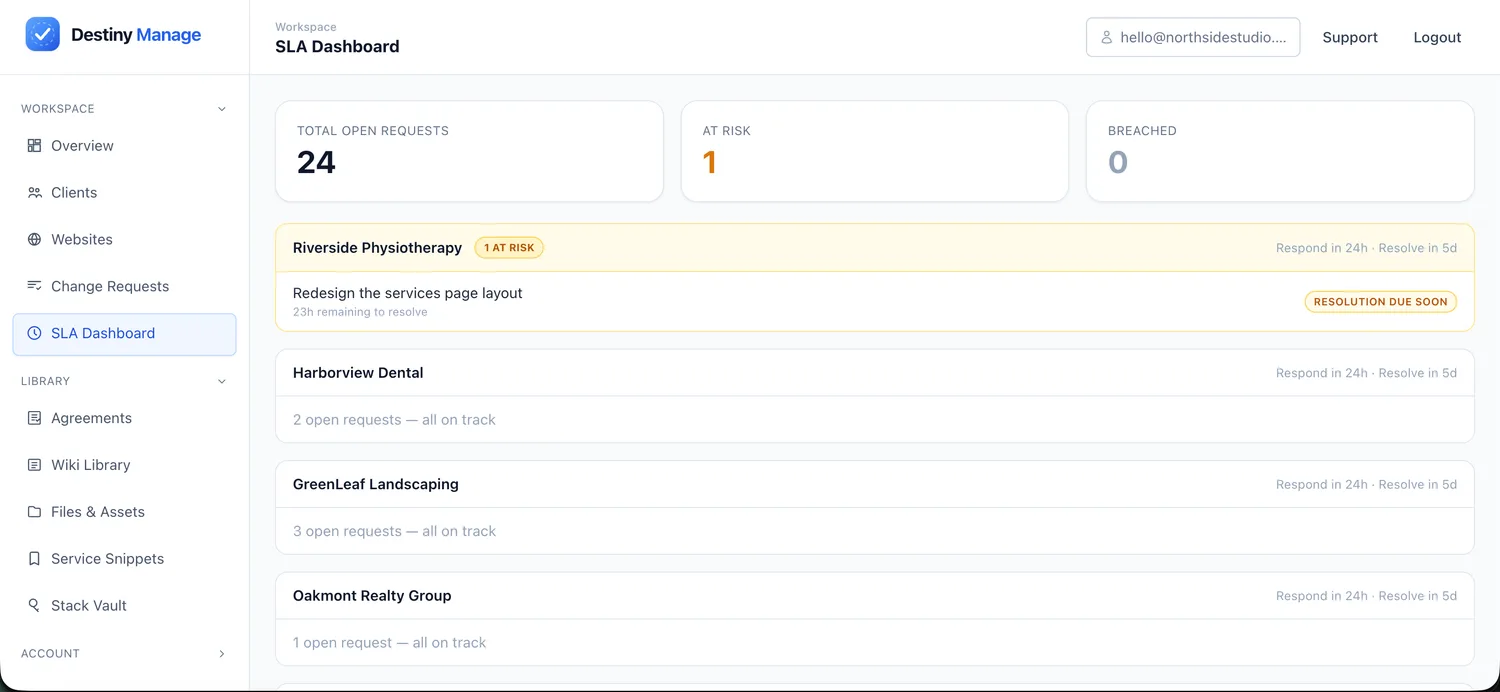
Requests come in through the portal with response and resolution SLA timers and status tracking, and time tracking ties billable hours to invoices.
Glow
A mature support core: client tickets with email raise-and-reply and teammate assignment, and per-client allotted time budgets with usage tracked across billing periods and exported into reports. This support-and-time model is one of Glow's strongest areas.
Client-facing capabilities
Destiny Manage
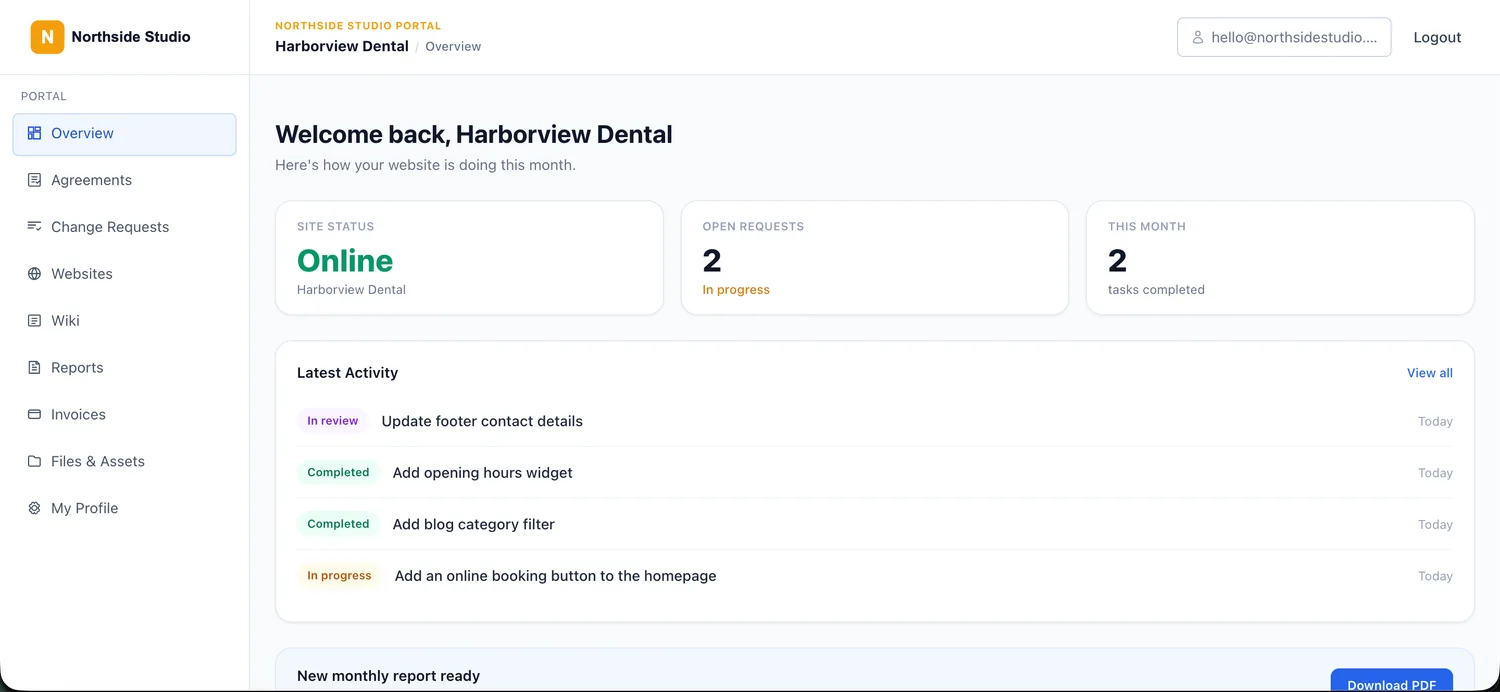
A branded client portal on your own domain where clients log in to see site health, submit requests, read reports, view invoices, sign agreements, and browse shared files and a wiki.
Glow
Glow provides a branded client-facing dashboard centred on reports, support tickets and website visibility. Clients can access support and reporting through Glow's client-facing interface, but the platform does not extend as far into invoicing, signed agreements, shared files and client documentation as Destiny Manage.
Reporting
Destiny Manage
AI-assisted monthly reports combine maintenance, internally and externally applied updates, uptime and completed requests into a client-friendly summary, delivered in the portal with interactive Q&A.
Glow
Customisable, modern white-label reports with automation, pulling in maintenance activity and time-tracking data, delivered to clients.
Billing and agreements
Destiny Manage
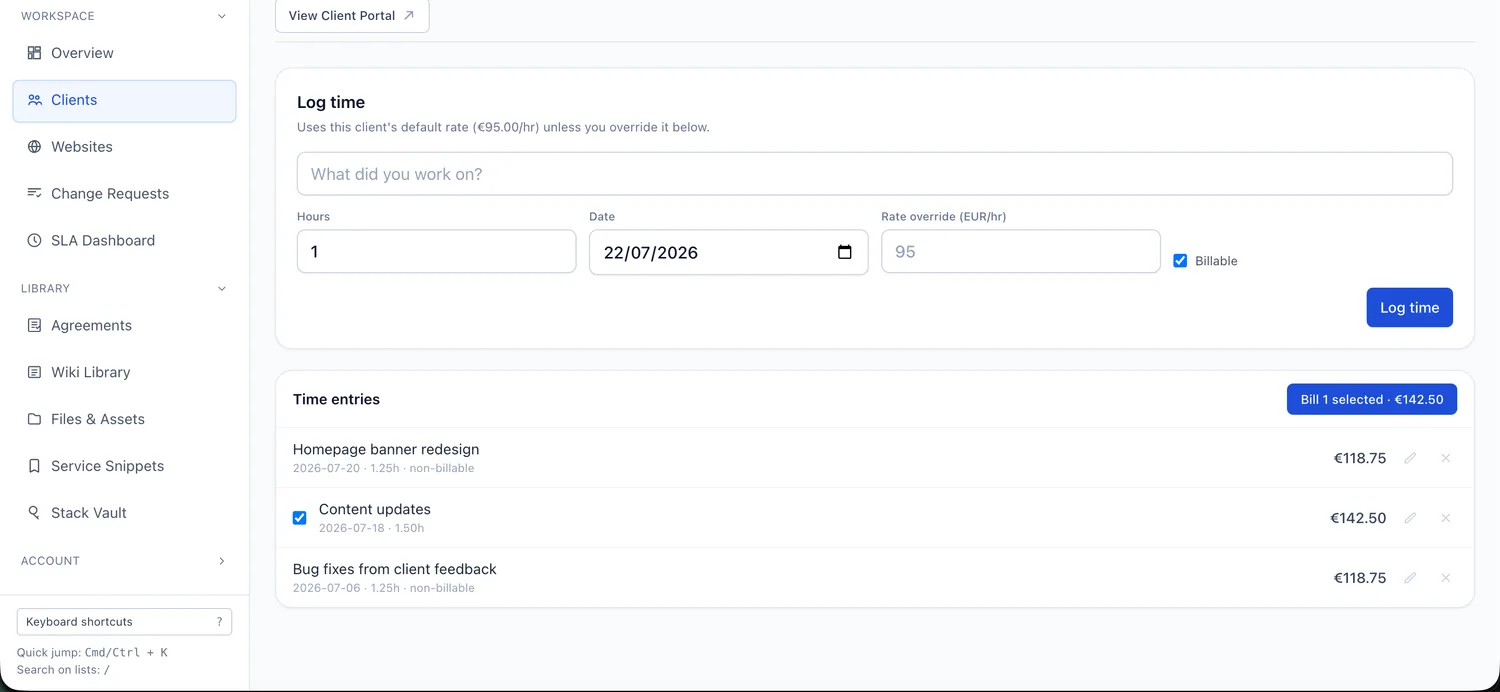
Recurring care-plan billing, invoices and time tracking are built in, and you can send and store signed client agreements.
Glow
Glow tracks time to make billing transparent, but native client invoicing, payments and signed agreements are not listed, so those stay in separate tools.
Migration considerations
Both are hosted platforms that connect to WordPress through a per-site plugin, so neither requires you to migrate or re-host the sites. Because Glow and Destiny Manage overlap heavily, you can connect a few sites to Destiny Manage and run them side by side to compare the support, reporting and portal experience, but avoid overlapping update or backup schedules while both are active. Before leaving Glow, export or note any time entries, tickets, reports and backup history you want to keep, since that data will not transfer automatically. Once your client structure, care-plan tiers and portal are ready, invite clients into the new workspace and move sites gradually.
Where Destiny Manage may not be the right fit
An honest list of trade-offs, so you can decide with the full picture.
- Glow has a more mature, dedicated support and time-tracking model, with client ticketing tied to per-client time budgets, which agencies that live in a support queue may prefer.
- Glow's backups can run as often as every two hours and include one-click restore. Destiny Manage supports full daily, weekly, monthly, or quarterly cloud archives, but recovery from those archives is currently manual.
- Glow's two-way update tracking reconciles changes made in Glow, wp-admin or hosting, which is useful when sites are also managed outside the platform.
- If your care plans are mainly about logging and billing support time rather than running a full client portal, Glow's model may fit more directly than Destiny Manage's broader operations layer.
Common questions
How is Destiny Manage different from Glow?
The two overlap a lot. Glow goes deep on support and time tracking, with email-based ticketing, per-client time budgets, two-way update history and frequent backups with one-click restore. Destiny Manage goes deeper on user and content-change evidence, hosting-provider controls and client operations: response and resolution SLAs, invoicing, signed agreements, shared resources and a broader portal.
Does Glow have a client portal like Destiny Manage?
Glow does provide a client-facing dashboard, but the scope is different. Glow's client experience is centred on reports, ticketing and website visibility. Destiny Manage extends the portal further into care-plan operations, including response and resolution SLAs, invoices, signed agreements, shared files and client documentation. If you want clients to log in and manage more of the ongoing relationship, that is where Destiny Manage goes further.
Can I try Destiny Manage alongside Glow?
Yes. Both connect through a per-site plugin and do not change the WordPress sites themselves, so you can connect a few sites to Destiny Manage and compare the reporting, support and portal experience before moving over. Avoid overlapping update or backup schedules while both are active.
Sources
Glow details were checked on 26 July 2026 against the vendor's own pages. Pricing, plan limits, and features can change, so confirm the current details with Glow before deciding.
Run every WordPress care plan from one place.
Bring maintenance, portals, requests, reporting, billing, and agreements into one branded workspace. Free forever for your first 5 clients, no card required.
Start managing clients free