A ManageWP alternative for WordPress agencies
ManageWP is a long-established hosted dashboard with a free core for unlimited websites and optional per-site features, particularly strong for bulk updates, backups, Safe Updates, cloning, migration and client reports. Destiny Manage is an alternative for agencies that want those maintenance workflows connected to a detailed WordPress activity log, backups in cloud storage the agency owns, hosting-provider actions and a broader branded workspace for requests, SLAs, billing and agreements.
ManageWP facts last verified 26 July 2026 against ManageWP's official site.
Destiny Manage or ManageWP?
- Choose Destiny Manage
- when you want activity evidence, agency-owned cloud backups and hosting context connected to a branded portal, response and resolution SLAs, invoicing and agreements.
- Stay with ManageWP
- when you primarily need a proven, low-cost maintenance dashboard for unlimited websites, bulk updates, backups, Safe Updates and one-click login, while handling support workflows, invoicing and agreements elsewhere.
- Consider both
- when ManageWP already satisfies your technical maintenance requirements but you need a more structured client-facing care-plan workflow. ManageWP can remain the technical control dashboard while Destiny Manage handles requests, SLAs, billing, agreements and client resources.
Who each product is best for
Destiny Manage is best for
Agencies that want to run the broader care-plan relationship, combining maintenance, detailed site activity, independent cloud backups and hosting context with a branded portal, requests and SLAs, reporting, billing and agreements.
ManageWP is best for
Freelancers and agencies that want a proven, low-cost maintenance dashboard for unlimited websites, with bulk updates, backups, Safe Updates and one-click login, and handle support workflows, invoicing and agreements with other tools.
Feature comparison
| Capability | Destiny Manage | ManageWP |
|---|---|---|
| Core, plugin and theme updates | Manage updates from the Destiny Manage dashboard | Free bulk updates across unlimited connected websites |
| Automatic update rollback | Plugin and theme updates restore their file backup when the immediate health check fails | Safe Updates is included with the premium Backup add-on |
| Full scheduled site backups | Full files and database backups run manually, daily, weekly, monthly, or quarterly | Free monthly backups; premium schedules run up to hourly |
| One-click full-site restore | Cloud archives currently use a manual files-and-database recovery workflow | One-click restore is included with its backup service |
| Agency-owned cloud destination | Direct backups to Google Drive, OneDrive, Box or Dropbox | Managed off-site storage with US or EU selection and downloadable archives |
| Hosting-provider controls | Cloudways, Kinsta and WP Engine backups, cache clearing and environment context | No equivalent multi-provider hosting-account workflow listed |
| Uptime monitoring | Included, with frequency determined by plan | Premium 60-second monitoring with email, SMS and Slack alerts |
| SSL certificate monitoring | Certificate checks every 12 hours, plus manual re-checks | No dedicated certificate-expiry monitoring listed |
| Vulnerability monitoring | Known vulnerability alerts across connected websites | Free detection with optional Patchstack-powered protection |
| External update attribution | Updates applied by WordPress, a host or another tool retain their source in history and reports | A History view is provided, but external update attribution in client reports is not clearly listed |
| WordPress user activity log | Actor, IP, login, user, content, media, settings, plugin and theme history with focused differences | No equivalent cross-site user and content audit log listed |
| Client reports | AI-assisted monthly reports with interactive portal Q&A | Manual reports are free; scheduling and advanced branding are premium |
| Branded client portal | Full portal for sites, requests, reports, invoices, agreements, files and wiki content | Collaborator access, reports and an optional WordPress-admin support form |
| Client requests | Portal request intake and status tracking | Optional WordPress-admin support form, not a full request workspace |
| Response and resolution SLAs | Per-client response and resolution targets | No equivalent native SLA workflow listed |
| Time tracking | Billable time recorded against client work | No native client-work time tracking listed |
| Client invoicing and recurring billing | Invoices, recurring care-plan billing and Stripe payments | ManageWP billing covers its own add-ons, not agency invoices |
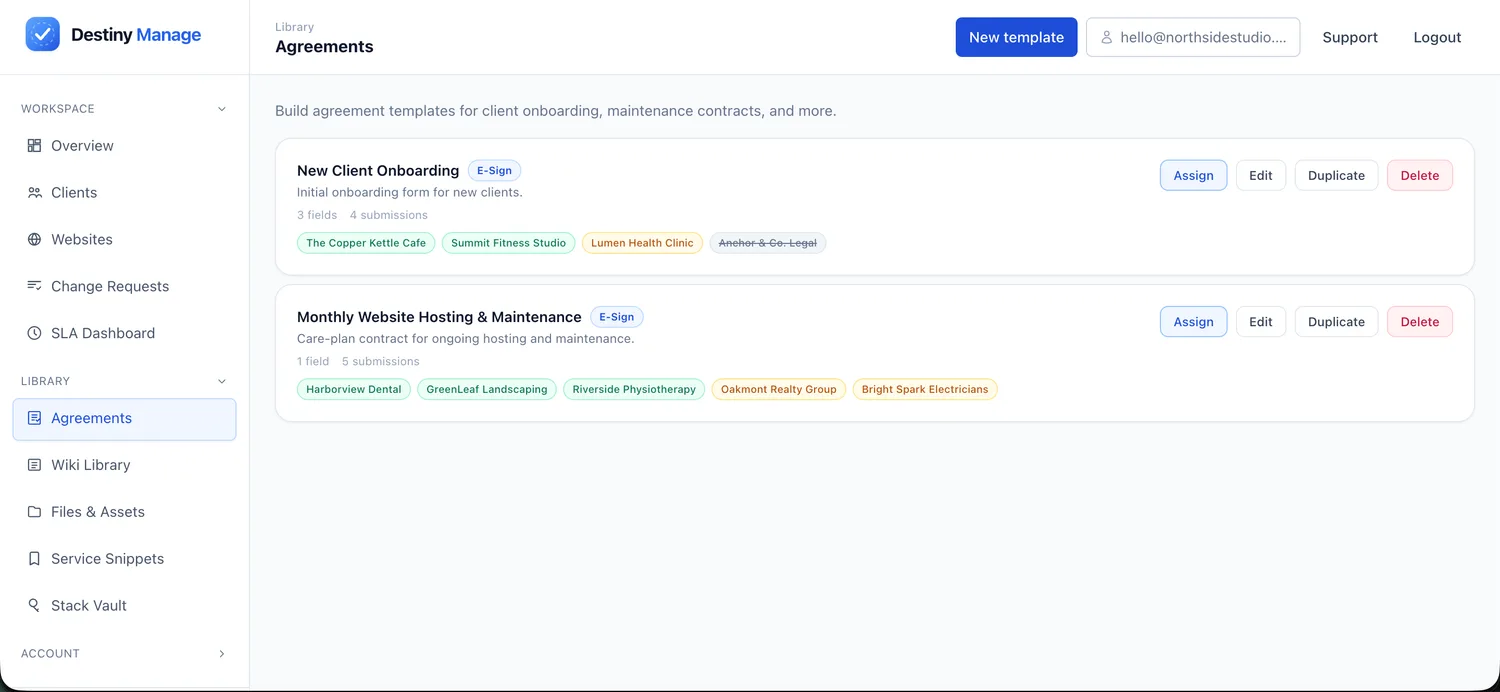
| E-signable agreements | Send, sign and store care-plan agreements | No native agreement workflow listed |
Pricing comparison
Destiny Manage
Free forever for your first 5 clients. Paid plans from €29/month priced by clients and websites managed.
ManageWP
ManageWP's free core supports unlimited websites and includes bulk management, one-click login, monthly backups, manual security and performance checks, client reports and collaboration. Premium capabilities are generally activated per website: current listed pricing includes $2 per website per month for premium Backup and Vulnerability Protection, and $1 per website per month for features such as Uptime Monitor, automated security and performance checks, Advanced Client Reports and White Label. Agencies can instead buy fixed-price bundles covering up to 100 websites.
Hosting and data model
Destiny Manage
Hosted SaaS. A lightweight plugin connects each WordPress site. Full files-and-database archives can be streamed to the agency's Google Drive, OneDrive, Box or Dropbox, and Cloudways, Kinsta and WP Engine accounts can be connected for host backups, cache clearing and environment context.
ManageWP
Hosted SaaS. A Worker plugin connects each site to ManageWP's cloud dashboard. Neither tool is self-hosted, so if you want a control plane on your own server, look at MainWP instead.
Maintenance capabilities
Destiny Manage
Core, plugin and theme updates use pre-update protection, health checks and automatic plugin or theme rollback. Page-by-page checks can capture the PHP error and responsible plugin file. Full cloud backups run manually or on daily, weekly, monthly, and quarterly schedules; restoring those portable archives is currently manual.
ManageWP
ManageWP provides free bulk management for WordPress core, plugins and themes, one-click WordPress login and vulnerability detection. Premium add-ons extend this with scheduled backups (from weekly to hourly, with 90-day retention, cloning and migration), Safe Updates, automated uptime monitoring, automated security checks and Patchstack-powered vulnerability protection. Safe Updates, included with premium Backup, takes a restore point and before-and-after screenshots, checks HTTP status, and rolls back automatically on critical failures.
Activity and update accountability
Destiny Manage
A native cross-site timeline records WordPress logins, failed attempts, user changes, content and media edits, settings, plugins and themes with the actor, role, IP address and focused before-and-after details. Updates performed by a host or another tool keep a separate external source in history and reports.
ManageWP
ManageWP provides an operational History view for dashboard activity. Its official feature set does not describe an equivalent cross-site audit log for WordPress user actions, content changes, IP addresses and compact page-builder or ACF differences, nor clearly document external update attribution inside client reports.
Client-facing capabilities
Destiny Manage
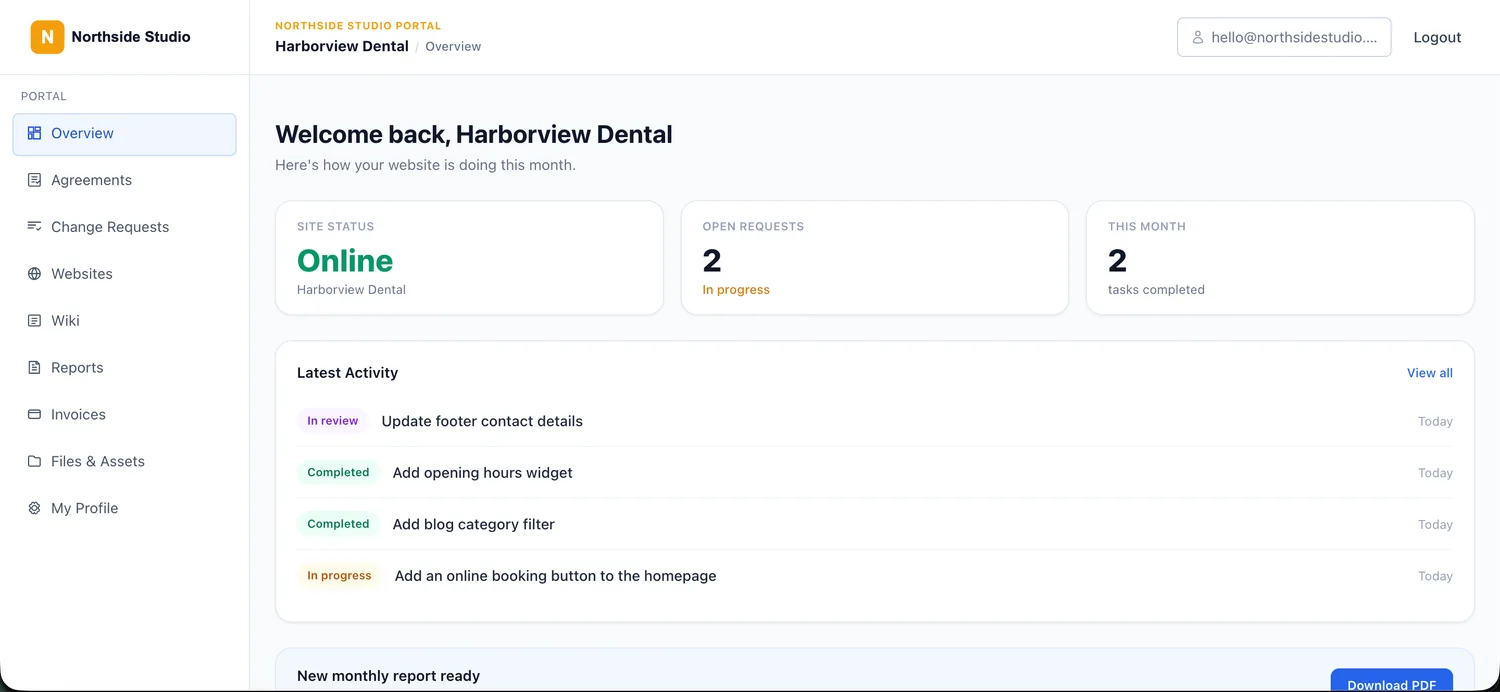
A branded client portal on your own domain where clients log in to see site health, submit requests, read reports, view invoices, sign agreements, and browse shared files and a wiki.
ManageWP
ManageWP allows agencies to invite clients as collaborators and restrict their access to selected websites and tools, including read-only access. It also provides branded client reports and, through its premium White Label feature, can add an agency support form inside WordPress admin. It does not provide an equivalent care-plan portal covering SLAs, invoicing, agreements and shared client resources.
Reporting
Destiny Manage
AI-assisted monthly reports combine maintenance, internally and externally applied updates, uptime and completed requests into a client-friendly summary, delivered in the portal with interactive Q&A.
ManageWP
ManageWP client reports combine updates, backups, uptime, security, performance and analytics data into editable agency-branded reports. Reports can be generated manually through the free core, while automated scheduling and delivery require the premium Advanced Client Reports add-on.
Billing and agreements
Destiny Manage
Recurring care-plan billing, invoices and time tracking are built in, and you can send and store signed client agreements.
ManageWP
No native client care-plan invoicing or payment workflow is listed, and there is no native agreement-signing feature. ManageWP's own Billing area is used to manage charges for ManageWP premium features and bundles, rather than invoices sent by agencies to their clients.
Migration considerations
Both connect to WordPress through a per-site plugin, ManageWP's Worker and the Destiny Manage plugin, and neither requires you to migrate or re-host the sites. You can connect a small group of sites to Destiny Manage first and compare the workflow, but avoid running overlapping update or backup schedules while both are active. Before leaving ManageWP, review any backups, reports and settings you want to keep, since that history will not transfer automatically. Once your client structure, care-plan tiers and portal are set up, invite clients into the new workspace and move sites gradually.
Where Destiny Manage may not be the right fit
An honest list of trade-offs, so you can decide with the full picture.
- ManageWP's free core supports unlimited websites, and premium features can be activated only where needed. For agencies using mainly the free maintenance features, it can be considerably cheaper than a broader care-plan platform.
- ManageWP is long-established and widely used, with a large user base and years of stability behind it.
- ManageWP includes mature one-click restore, cloning, migration, screenshot-based Safe Updates, code snippets and multi-site bulk management that may extend beyond an agency's use of Destiny Manage.
- Destiny Manage sends portable backups to agency-owned storage, but restoring one currently requires a manual files-and-database recovery workflow.
- If you only want a maintenance dashboard and handle the client relationship, billing and contracts with other tools, Destiny Manage's client-operations layer is more than you need.
Common questions
Why choose Destiny Manage over ManageWP?
ManageWP is primarily a WordPress maintenance platform, although it also includes collaborator access, reports and an optional support form. Destiny Manage extends into agency-owned cloud backups, deep user and content activity evidence, multi-provider hosting context and recurring-care operations with formal requests, SLAs, invoicing, signed agreements, shared resources and a broader branded portal.
Can ManageWP clients log in?
Yes. ManageWP's Collaborate feature allows agencies to invite clients or team members and grant access to selected websites and tools, including read-only access. However, this is access to the ManageWP management environment rather than an equivalent white-labelled portal for SLAs, invoices, agreements and shared documents.
Is Destiny Manage more expensive than ManageWP?
For pure maintenance, ManageWP's free core and low per-site add-ons can cost less. Destiny Manage is free for your first five clients and then priced by plan from €29/month, and that price includes the client portal, requests and SLAs, billing and agreements that would otherwise need separate tools. Whether it costs more overall depends on how many tools it replaces for you.
Can I use Destiny Manage and ManageWP together?
Yes. You could retain ManageWP for bulk technical maintenance and use Destiny Manage for client requests, SLAs, billing, agreements and portal access. Avoid conflicting update schedules and duplicate automated maintenance operations where both platforms connect to the same website.
Can I move my sites from ManageWP without downtime?
Yes. Both connect through a per-site plugin and do not change the WordPress sites themselves, so you can add the Destiny Manage plugin alongside ManageWP's Worker, connect a few sites, and compare before switching. Avoid overlapping update or backup schedules while both are active.
Sources
ManageWP details were checked on 26 July 2026 against the vendor's own pages. Pricing, plan limits, and features can change, so confirm the current details with ManageWP before deciding.
Run every WordPress care plan from one place.
Bring maintenance, portals, requests, reporting, billing, and agreements into one branded workspace. Free forever for your first 5 clients, no card required.
Start managing clients free