WordPress Agency Management Plugins: 10 Best for 2026
The best tool for an agency has to do more than update plugins. It should help your team protect sites, show clients what was delivered, and keep recurring work organised. We compared ten current WordPress management options by maintenance depth, client experience, operating model, and the extra systems an agency still needs around them.
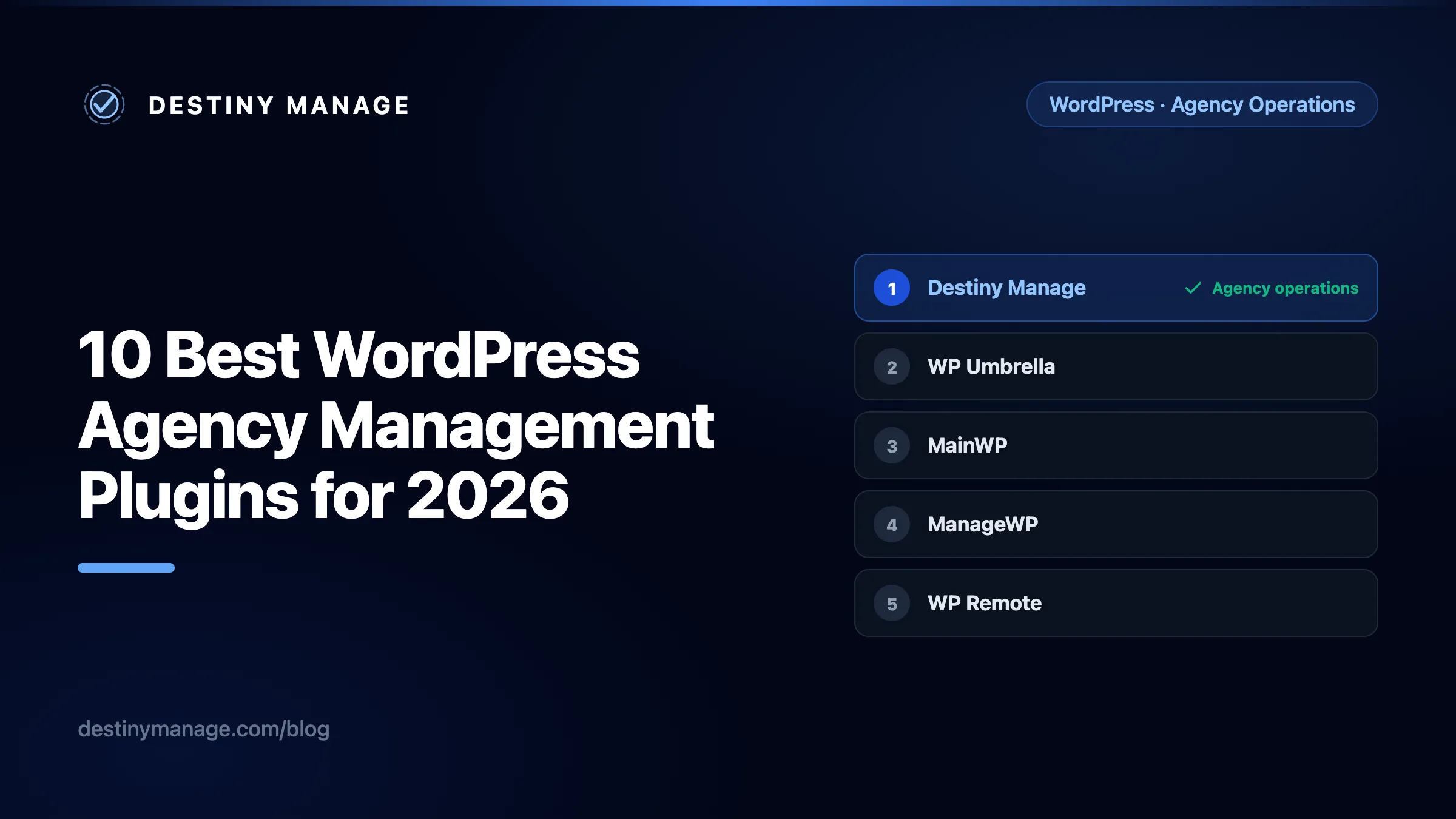
Quick comparison of the 10 best options
A note on terminology: people search for WordPress agency management plugins, but most serious tools in this category are platforms. They connect to each managed website through a plugin, then give the agency a central dashboard. MainWP and InfiniteWP are notable because the central dashboard itself can be self-hosted.
| Rank | Platform | Pricing | Best for | Client-facing layer |
|---|---|---|---|---|
| 1 | Destiny Manage | Free; paid from €29/month | Agencies that want site care and client operations together | Branded portal, reports, requests, billing and agreements |
| 2 | WP Umbrella | €1.99/site/month | Focused WordPress care and maintenance teams | White-label maintenance reports |
| 3 | MainWP | Free; Pro $29/month or $199/year | Agencies that want a self-hosted control plane | Client profiles and branded reports |
| 4 | ManageWP | Free core; add-ons from $1/site/month | A familiar dashboard with a free core | Custom maintenance reports |
| 5 | WP Remote | Free; Essential $1.99/site/month | Security-led maintenance and recovery | Scheduled branded reports and client records |
| 6 | Modular DS | From $16/month for 10 sites | Agencies that prefer fixed plan pricing | White-label reports with analytics data |
| 7 | WPMU DEV The Hub | Free Hub; Pro from $5/month | Teams already using the WPMU DEV ecosystem | White-label reports, clients and billing |
| 8 | Jetpack Manage | Dashboard free; paid products per site | Jetpack and WordPress.com connected sites | Agency licensing rather than a full client portal |
| 9 | InfiniteWP | Free core; premium from $147/year | Self-hosted bulk management with add-ons | Client reports and plugin branding via add-ons |
| 10 | Solid Central | Free tier; Pro priced per upgraded site | Sites already standardised on SolidWP products | Operational dashboard, not a dedicated client portal |
Swipe horizontally to compare every column.
Prices use each vendor’s published currency and exclude tax. Starting prices and free tiers were checked on 20 July 2026. Promotions, plan limits, and included features can change, so confirm the current total with the vendor before purchasing.
This ranking prioritises overall agency operations. A maintenance-only platform can be technically excellent and still rank below a tool that also handles the client relationship. Vendor features and packaging were checked against official product pages in July 2026.
How we ranked WordPress agency management platforms
No single feature decided the order. We looked at five practical questions:
- Site care: Can the tool manage updates, monitoring, security signals, backups, or recovery across many sites?
- Proof of work: Can it turn maintenance activity into reports a client can understand?
- Client operations: Does it handle requests, permissions, billing, agreements, documents, or a branded portal?
- Operating model: Is it self-hosted or hosted, and what does your team have to maintain?
- Stack fit: Will it replace tools, or will it become another dashboard beside your project manager, billing app, and client portal?
The rating shown beside each platform is the rounded average of the five category scores shown in its review. Green means 4.0 or higher, orange means 3.0 to 3.9, and red means below 3.0. These are editorial assessments, not customer review scores. We did not score products by feature count.
The table uses each vendor’s current entry price rather than trying to construct a supposedly equivalent package from very different feature sets. Use the official links to confirm current packaging before buying.
1. Destiny Manage
4.8/5Best for: WordPress agencies that want one place for site care and the client relationship
Score comparison
- Site care
- 4.6
- Proof of work
- 4.8
- Client operations
- 5.0
- Operating model
- 4.5
- Stack fit
- 5.0
What it does
Destiny Manage combines a white-label client portal with WordPress updates, vulnerability visibility, uptime and site-health monitoring, client requests with SLA targets, configurable monthly reports, invoices and Stripe payments, agreements, wikis, and per-client files. Its connector can back up plugin files before an update, check page health afterwards, and roll the plugin back when that check fails. Workflow integrations can send accepted requests to the trackers a delivery team already uses.
Pros
- Covers both agency operations and client-facing self-service instead of stopping at site maintenance.
- Branded portal, custom domain, scoped client access, reports, requests, invoices, agreements, wikis, and files share one client record.
- Built-in SLA tracking and workflow exports make it easier to keep client intake separate from the developer queue.
- Monthly reports can be configured by client, reviewed first, or delivered automatically.
Cons
- It is a hosted platform, so it will not suit agencies that require a fully self-hosted control plane.
- It is a newer product than long-established maintenance dashboards such as MainWP and ManageWP.
- Deep hosting controls, server deployment, and full backup infrastructure may still live in your hosting stack.
2. WP Umbrella
4.3/5Best for: Agencies that want a focused, hosted care-plan platform
Score comparison
- Site care
- 4.8
- Proof of work
- 4.7
- Client operations
- 3.1
- Operating model
- 4.5
- Stack fit
- 4.4
What it does
WP Umbrella centres on safe updates, backups, uptime and performance monitoring, security visibility, activity logs, and automated client reports. Its current safe-update workflow includes visual regression checks and rollback behaviour, while reports can include platform activity and external work.
Pros
- Strong WordPress maintenance focus with updates, backups, monitoring, security, and reporting in one hosted service.
- Safe-update workflow adds visual checks and rollback visibility.
- White-label reports are designed to explain completed maintenance to clients.
- Team permissions, API access, webhooks, and activity logs support growing care teams.
Cons
- The product is centred on maintenance delivery rather than a complete client portal.
- Billing, agreements, structured client requests, and SLA workflows need separate tools.
- Hosted per-site software can become a meaningful line item as the portfolio grows.
3. MainWP
4.2/5Best for: Agencies that want ownership, extensibility, and no per-site SaaS dependency
Score comparison
- Site care
- 4.7
- Proof of work
- 4.3
- Client operations
- 3.4
- Operating model
- 3.9
- Stack fit
- 4.7
What it does
MainWP is an open-source, self-hosted WordPress management system made of a Dashboard plugin and a Child plugin on each managed site. The free core handles central site, user, plugin, theme, update, and content management. Its broader agency workflows use modules and extensions for monitoring, backups, reports, cost tracking, team access, and third-party integrations.
Pros
- Self-hosted architecture keeps the control plane and client data on infrastructure you choose.
- Free core supports unlimited connected sites and many everyday maintenance tasks.
- Large extension ecosystem, REST API, hooks, and WP-CLI support make it highly adaptable.
- Client profiles, cost tracking, and branded reports suit established care-plan operations.
Cons
- Your team is responsible for hosting, updating, securing, and backing up the dashboard itself.
- Several advanced agency workflows depend on extensions or third-party services.
- It provides client management and reporting, but not the same all-in-one portal, billing, requests, and agreement layer as Destiny Manage.
4. ManageWP
4.0/5Best for: Agencies that want a familiar dashboard and a low-friction free starting point
Score comparison
- Site care
- 4.3
- Proof of work
- 4.0
- Client operations
- 2.9
- Operating model
- 4.6
- Stack fit
- 4.2
What it does
ManageWP centralises WordPress core, plugin and theme updates, one-click login, user and comment management, backups, uptime, vulnerability protection, performance, SEO, link monitoring, cloning, and client reports. The core is free, while several operational capabilities are premium add-ons enabled per site.
Pros
- Mature dashboard with free central updates, one-click login, collaboration, and unlimited site connections.
- Optional backup, safe update, monitoring, security, SEO, and reporting features can be enabled as needed.
- Clone and migration tools are useful for routine agency delivery work.
- Easy to trial without committing the whole portfolio to a paid tier.
Cons
- Per-site premium add-ons can make the true portfolio cost harder to compare at a glance.
- Client communication is mainly report-based rather than a full service portal.
- Requests, SLA targets, agreements, and agency billing still require other systems.
5. WP Remote
3.9/5Best for: Agencies that put security, backups, staging, and recovery first
Score comparison
- Site care
- 4.8
- Proof of work
- 4.2
- Client operations
- 2.6
- Operating model
- 4.2
- Stack fit
- 3.7
What it does
WP Remote combines centralised updates with BlogVault-backed backups and staging, malware scanning and cleanup, firewall protection, uptime monitoring, safe updates, and scheduled client reports. It also supports team and client records, custom work logs, white-label reporting, and an API for building agency workflows.
Pros
- Broad protection stack covering backup, restore, staging, malware cleanup, firewall, and monitoring.
- Safe updates and visual regression options reduce risk around maintenance batches.
- Scheduled branded reports and custom work logs help document care-plan delivery.
- API coverage gives technical agencies room to automate internal workflows.
Cons
- The strongest fit is technical maintenance and security, not a client self-service workspace.
- Portal billing, agreements, and service-request SLA tracking remain separate.
- Feature availability varies by plan, so agencies should map requirements before migrating a large portfolio.
6. Modular DS
3.8/5Best for: Agencies that want a hosted toolkit with fixed plan pricing
Score comparison
- Site care
- 4.4
- Proof of work
- 4.3
- Client operations
- 2.6
- Operating model
- 4.2
- Stack fit
- 3.5
What it does
Modular DS is a cloud platform connected through its Modular Connector plugin. It covers bulk updates, backups and restores, uptime and performance monitoring, vulnerability detection, safe updates, database optimisation, staging and migration, plus white-label reports that can include analytics, Search Console, PageSpeed, and WooCommerce data.
Pros
- Wide maintenance feature set without requiring the agency to host its own dashboard.
- Fixed plan pricing can be easier to forecast than paying separately for every feature on every site.
- Reporting integrations bring technical maintenance and marketing data into one client document.
- Migration, cloning, staging, and database tools reduce reliance on separate utilities.
Cons
- Still primarily a site-management and reporting product rather than a client operations portal.
- Billing, agreements, request queues, and SLA measurement need another system.
- Agencies that only need updates and uptime may not use the breadth included in larger plans.
7. WPMU DEV The Hub
3.7/5Best for: Agencies already invested in WPMU DEV plugins, hosting, or services
Score comparison
- Site care
- 4.2
- Proof of work
- 4.0
- Client operations
- 3.0
- Operating model
- 4.0
- Stack fit
- 3.3
What it does
The Hub manages WordPress updates, backups, uptime, performance, security, SEO, broken links, site notes, one-click sign-in, teams, client roles, reports, and billing. It can connect sites hosted elsewhere, but its value is strongest when an agency also uses the wider WPMU DEV product family.
Pros
- Broad operational dashboard spanning maintenance, performance, security, SEO, reports, and billing.
- White-label client reports and custom client or team roles support agency delivery.
- Connects sites hosted outside WPMU DEV as well as sites inside its hosting ecosystem.
- Bundled plugins and services can consolidate several vendor relationships.
Cons
- The platform is most compelling when the agency adopts a significant part of the WPMU DEV ecosystem.
- Switching from an established backup, security, or performance stack may duplicate tools during migration.
- Its client layer is not centred on request intake, agreements, and SLA reporting.
8. Jetpack Manage
3.5/5Best for: Agencies managing Jetpack-connected or WordPress.com sites
Score comparison
- Site care
- 4.0
- Proof of work
- 2.7
- Client operations
- 2.0
- Operating model
- 4.4
- Stack fit
- 4.4
What it does
Jetpack Manage gives agencies a central view of site health, plugin updates, uptime, performance, traffic, backups, and security products. Agencies can issue and manage Jetpack licences from the same dashboard, apply plugin updates across sites, and use portfolio filters to find websites that need attention.
Pros
- Simple portfolio view for sites already connected to Jetpack or WordPress.com.
- Central plugin management, issue filtering, uptime, traffic, backup, and performance information.
- Flexible product licensing and agency discounts can fit sites with different protection needs.
- Strong integration with VaultPress Backup, Scan, WAF, Boost, and WordPress.com services.
Cons
- Every managed site needs a WordPress.com account connection and compatible Jetpack setup.
- Backup, Scan, WAF, and several other Jetpack products have WordPress Multisite limitations.
- It does not replace a branded client portal, request system, SLA dashboard, or agreement workflow.
9. InfiniteWP
3.4/5Best for: Technical teams that want a self-hosted bulk-management panel
Score comparison
- Site care
- 4.0
- Proof of work
- 3.6
- Client operations
- 2.3
- Operating model
- 3.2
- Stack fit
- 3.9
What it does
InfiniteWP provides a self-hosted admin panel for managing multiple WordPress sites. Its free foundation covers one-click admin access, updates, and backup and restore. Paid add-ons expand it with scheduled backups, uptime, malware scanning, client reports, analytics, migrations, code snippets, user management, and client plugin branding.
Pros
- Self-hosted central panel gives technical teams control over deployment and data location.
- Free essentials cover updates, access, and manual backup and restore across connected sites.
- Premium add-ons reach into reporting, monitoring, security, migration, and bulk maintenance.
- Agency and enterprise options include multi-user access controls.
Cons
- The agency must maintain and secure the central panel.
- Many features that make it agency-ready are separate premium add-ons.
- Client plugin branding and reports are not equivalent to a full portal with requests, invoices, and agreements.
10. Solid Central
3.2/5Best for: Teams that standardise client sites on Solid Security and Solid Backups
Score comparison
- Site care
- 3.8
- Proof of work
- 2.2
- Client operations
- 1.8
- Operating model
- 4.0
- Stack fit
- 4.2
What it does
Solid Central is a dashboard for managing multiple WordPress sites, including bulk plugin, theme and core updates, site organisation, one-click access, and visibility into connected SolidWP security and backup products. Individual site views also expose users, content, comments, settings, analytics connections, and other administrative controls.
Pros
- Bulk update workflows and site tags simplify routine maintenance across a portfolio.
- Useful central visibility for agencies already using Solid Security and Solid Backups.
- Additional user access allows more than one team member to manage connected sites.
- Site-level administrative controls reduce repeated WordPress logins.
Cons
- Its advantages are closely tied to the broader SolidWP product stack.
- The public product story is less focused on white-label client reporting than several alternatives above.
- It is an operational dashboard, not a complete client portal or agency billing system.
How to choose the right agency management plugin
Choose Destiny Manage
when the client portal, requests, SLA, reports, billing, agreements, and WordPress care should share one system.
Choose WP Umbrella or WP Remote
when safe maintenance, backups, monitoring, and recovery are the main buying criteria.
Choose MainWP or InfiniteWP
when self-hosting and control matter more than a managed SaaS experience.
Choose ManageWP
when you want a familiar free core and prefer to add paid capabilities site by site.
Choose Modular DS
when fixed plan pricing and integrated maintenance reports suit your portfolio.
Choose The Hub, Jetpack, or Solid Central
when most client sites already use that vendor's surrounding products.
Start with the workflow your clients experience
A central update dashboard saves agency time. A complete agency platform also gives clients a clear place to ask, pay, sign, review, and understand the work. If that broader workflow is the gap in your current stack, explore how Destiny Manage connects site care with the client relationship.
Explore Destiny Manage featuresOfficial product sources
Product capabilities were checked against the vendors' official feature pages and documentation on 20 July 2026. Follow the product links in the comparison table for the latest details and packaging.